EasyManua.ls Logo

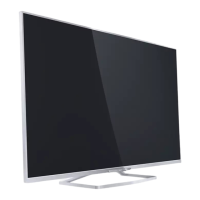
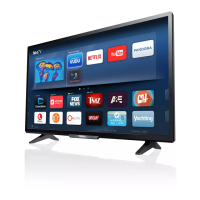
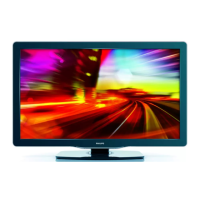
Philips 40PFA4509 - User Manual

Philips 40PFA4509
30 pages
Print Icon
To Next Page IconTo Next Page
Loading...
32PHA4509
40PFA4509
50PFA4509
Register your product and get support at
www.philips.com/welcome
EN
User manual

Other manuals for Philips 40PFA4509

Questions and Answers

  • J
    Jeffrey PalmerSep 2, 2025
    Why is the sound quality poor on my Philips TV?
    • A
      April BarnesSep 2, 2025
      If the pictures are showing but the sound quality is poor on your Philips TV, check that all cables are properly connected. Ensure that the sound is not muted, and verify that the sound settings are correctly set.
  • J
    Jonathan MitchellAug 31, 2025
    How to adjust Philips TV screen size?
    • A
      Alexandra NashAug 31, 2025
      If the picture on your Philips TV doesn't fit the screen, appearing too big or too small, try using a different picture format.
  • J
    James McdanielAug 29, 2025
    How to resolve poor picture quality from devices connected to Philips TV?
    • D
      Danielle ElliottAug 29, 2025
      If you're getting poor picture quality from connected devices on your Philips TV, check that the devices are connected properly and that the picture settings are correctly set.
  • T
    torresaaronAug 28, 2025
    Why does my Philips TV have sound but no picture?
    • D
      Daniel CalderonAug 28, 2025
      If your Philips TV has sound but no picture, verify that the picture settings are correctly set.
  • C
    Cynthia CarterAug 26, 2025
    What to do if I forgot my Philips TV lock code?
    • A
      Alyssa JohnsonAug 27, 2025
      If you forgot the code to unlock the TV lock feature on your Philips TV, enter '3448'.
  • J
    James GreenAug 25, 2025
    Philips TV is on but there is no picture, what to do?
    • L
      lgallagherAug 25, 2025
      If your Philips TV is on but there's no picture, check that the antenna is properly connected to the TV. Also, verify that the correct device is selected as the TV source.
  • R
    Richard SteeleAug 22, 2025
    Why is my Philips TV remote control not working?
    • A
      alyssasmithAug 22, 2025
      If the remote control for your Philips TV isn't working properly, make sure the batteries are correctly inserted, paying attention to the +/orientation. If that doesn't work, replace the batteries if they are weak or flat. Also, try cleaning the remote control and the TV sensor lens.

Philips 40PFA4509 Specifications

General IconGeneral
Screen Size40 inches
Resolution1920 x 1080 pixels
Display TypeLCD
HDMI Ports2
USB Ports1
Refresh Rate60 Hz
Backlight TypeLED
Smart TVNo
Built-in Wi-FiNo
Digital TV StandardDVB-T

Related product manuals