43BDL4051T
20
TheTouchscreendoesnotrequireadevicedriverbeinstalledonthehostcomputerforWindowsOS,ForWindows7andWindows8,itis
recommendedthatthestandardMicrosoftWindowControlPanelcalibrationisused.
Item Description
OperatingSystemsSupportedby
Plug-and-Play
-Windows7,8/8.1,10
SupportedModesofOperationby
theOperatingSystem
OS Single_Touch Multi_Touch
-Windows7,8/8.1,10 O O
-MacOSXbefore10.9(include) O X
-MacOSX10.10+(include) O* O**
-Chrome38+ O O
-AndroidOS4.0+(Kernel3.5+) O O
ForMacOSX,itisrecommended
*ForSingle_Touch,pleasedownload“TouchService_V3030_MAC_20150310_01.rar”
(http://download.cvte.com/viewle.php?le_id=56315)
**ForMulti_Touch,pleasedownload”updd_05_01_1476.dmg”
(http://download.cvte.com/viewle.php?le_id=55078)
1. WehighlyrecommendusingthelatestServicePackwithallWindows7OS.
2. DigitizerinputtoWindowsreferstotouchdigitizerasopposedtopendigitizerintabletPCs.
3. SetasdefaultbyMicrosoft.
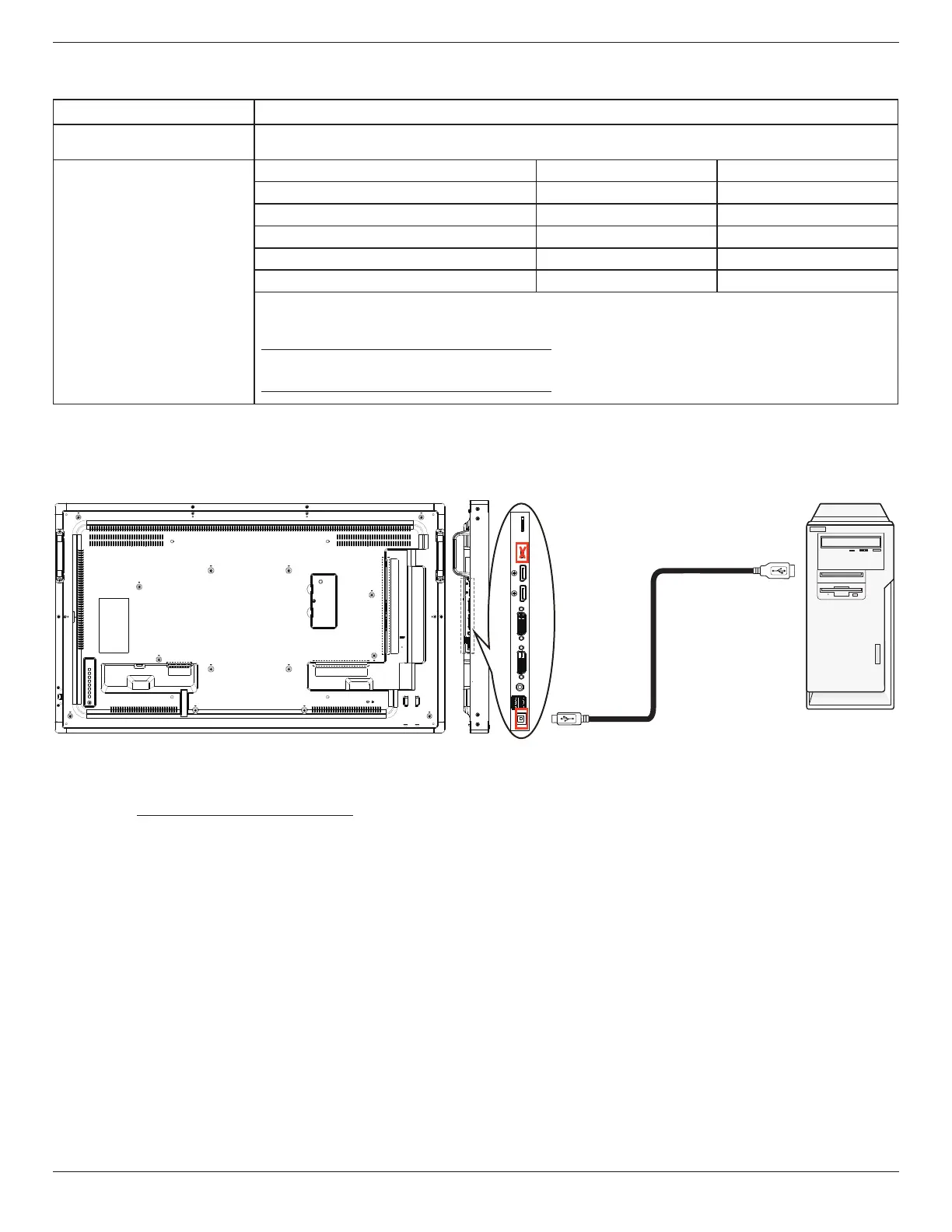
4. TouchcannotworkifTPMUSBcableplugintoUSBI/F.
5. ForMacOS10.10,itisrecommendedusingthetool“TouchService_V3030_MAC”tore-denethetouchpositionandsimulatemouse
operation(singletouch).Firstlyinstallingthetool“TouchService_V3030_MAC”toMacOS,thenfollowtheinstructionofTouchServiceManualin
thesoftwarepackage“TouchServiceforMac10.10.rar”whichisenclosedintheCDDisk.
6. Pleasevisithttp://www.philips.com/signagesolutionsforthelatestinformationaboutMacOSXmodesupport.


 To Next Page