43BDL4051T
39
PleaserefertoPage30Customapp
5.5. System Tools
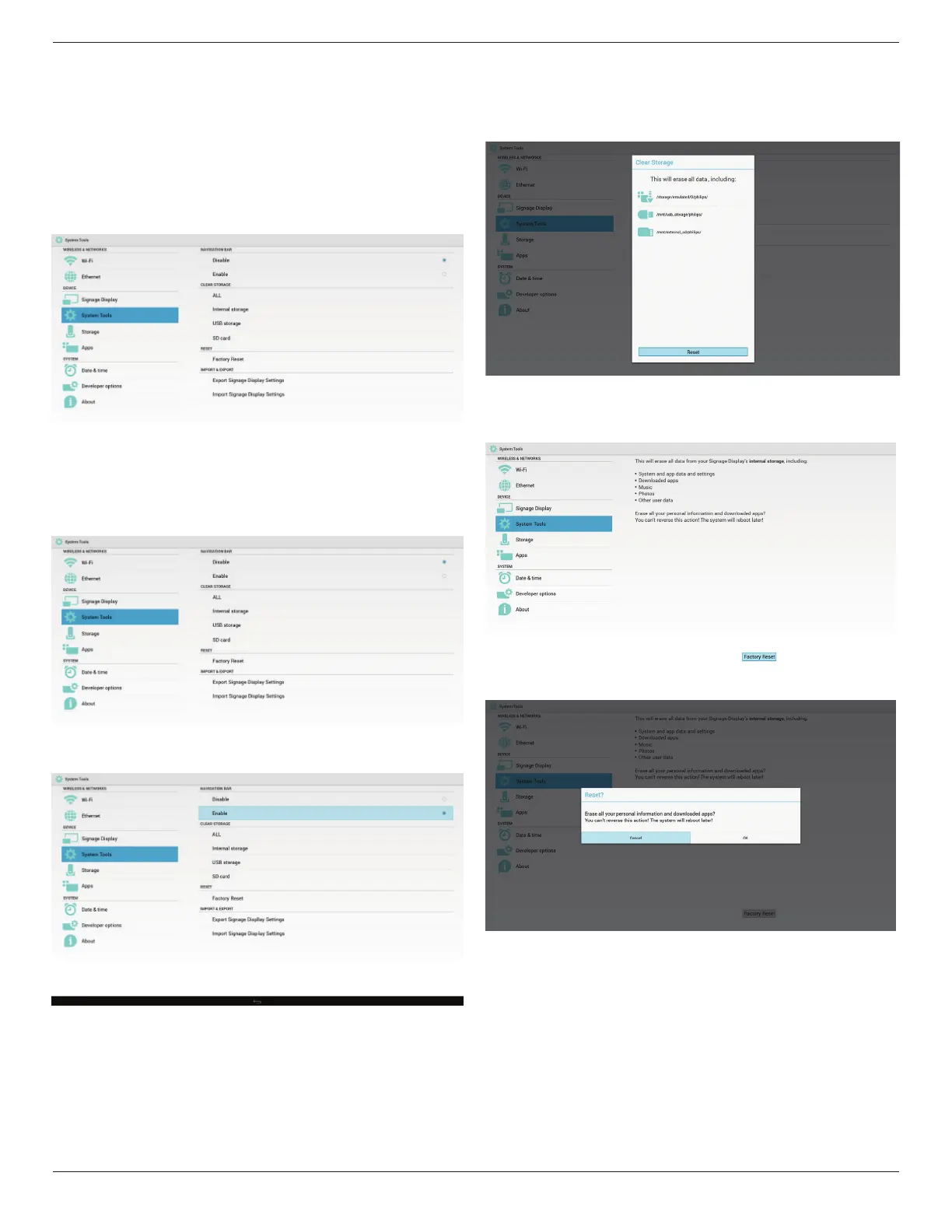
Systemtools4mainfunctions:
(1)NavigationBar(onlyfortouchmodel)
(2)ClearStorage
(3)FactoryReset
(4)Import&Export
5.5.1. Navigation Bar
Toenable/disableNavigationBar.(Touchmodelonly)
• Disable:
Hidenavigationbar.
• Enable:
Shownavigationbar.TheBackkeywillshowonbottomofscreen.
5.5.2. Clear Storage
ThepurposeistoclearalldatainPhilipsfolders.
Dividedinto4mode:
(1)ClearallPhilipsfolde
(2)OnlyclearPhilipsfolderunderInternalstorage.
(3)OnlyclearPhilipsfolderunderUSBstorage.
(4)OnlyclearPhilipsfolderunderSDcard.
Pop-upthewindowtodisplayallfolderswhichcanbeclear.
5.5.3. Factory Reset
FactoryResetcanrecovertoFactorydefaultsettings.
PressOKtoexecuteResetfunctionautomatically
.
5.5.4. Import & Export
ThefunctionofImport&ExportPDsettins.
Note:
(1)Savedlename:settings.db
(2)WillsavetoPhilipsfolderinstorage.
1. Export
Willexportsettings.dbtoPhilipsfolderunderUSBorSDcard.
Note:
IfnoPhilipsfolderexistsinUSBorSDcard,itwillbecreatedautomatically.


 To Next Page