43BDL4550D_50BDL4550D_55BDL4550D
11
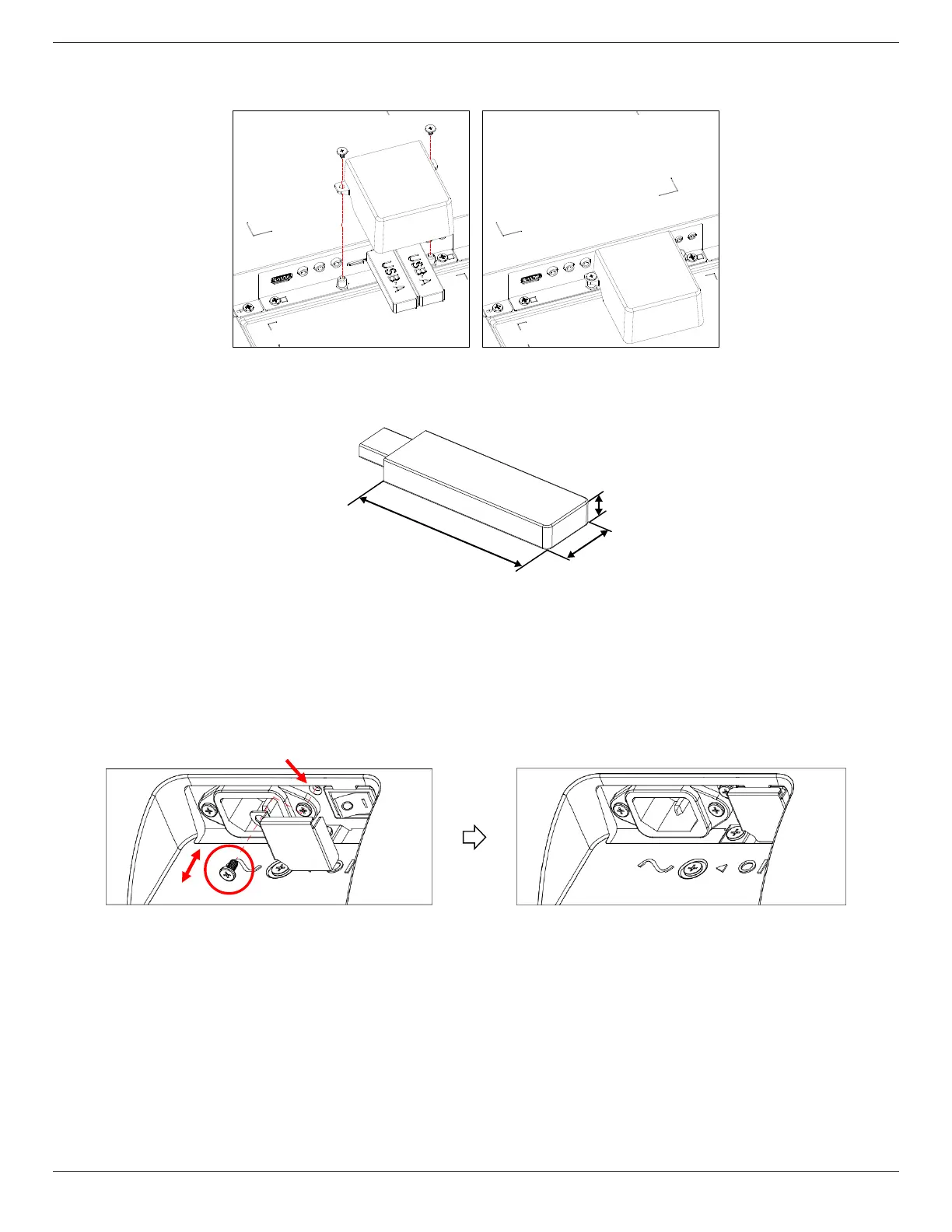
2.4. USB Cover
• Use the USB cover and screws to cover the USB stick and SD card.
• Maximum USB stick size recommended:
43BDL4550D/50BDL4550D: 20(W)x10(H)x60(L) mm
55BDL4550D: 20(W)x10(H)x45(L) mm
L
H
W
2.5. AC Switch Cover
• Use AC Switch Cover to cover the AC switch.
1. Release the screw.
2. Install the AC Switch Cover.
3. Fix the AC Switch Cover with the screw in step1.











 To Next Page