EasyManua.ls Logo

Philips 43PFG5102/77 - User Manual

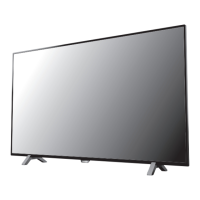
Philips 43PFG5102/77
83 pages
Print Icon
To Next Page IconTo Next Page
Loading...
Register your product and get support at
5102 series
www.philips.com/welcome
User Manual
32PHG5102
43PFG5102
49PFG5102

Table of Contents

Other manuals for Philips 43PFG5102/77

Question and Answer IconNeed help?

Do you have a question about the Philips 43PFG5102/77 and is the answer not in the manual?

Summary

My new TV

Smart TV

Connect to the internet and discover a new world of TV.

Pause TV and recordings

Pause and record broadcasts from digital TV channels.

Setting up

Read safety

Read safety instructions before using the TV.

Network

Network and Internet

Connect your TV to a network and the internet.

Connect devices

HDMI Ports

Details about the TV's HDMI ports and their features.

Switching On and Off

On or standby

How to turn the TV on and switch it to standby mode.

Remote control

Key overview

An overview of the remote control buttons and their functions.

Keyboard

Using the remote's keyboard for text input.

Channels

Install Channels

Instructions for installing TV channels.

Recording and Pause TV

Recording

How to record TV programs using a USB Hard Drive.

Smartphones and tablets

Smart TV

Setting up and using the Smart TV features.

Settings

Picture Settings

Adjusting picture styles, color, contrast, sharpness, and formats.

Sound Settings

Adjusting sound styles, bass, treble, surround, and volume.

Channel installation

Antenna;cable installation

Updating, reinstalling, or re-installing all channels.

Software

Update software

Updating TV software from the internet or a USB drive.

Specifications

Troubleshooting and Support

Common Problem Solutions

Resolving issues with power, remote, picture, sound, and channels.

Safety and Care

Important Safety Precautions

Warnings about electric shock, fire, injury, overheating, and hearing damage.

Summary

My new TV

Smart TV

Connect to the internet and discover a new world of TV.

Pause TV and recordings

Pause and record broadcasts from digital TV channels.

Setting up

Read safety

Read safety instructions before using the TV.

Network

Network and Internet

Connect your TV to a network and the internet.

Connect devices

HDMI Ports

Details about the TV's HDMI ports and their features.

Switching On and Off

On or standby

How to turn the TV on and switch it to standby mode.

Remote control

Key overview

An overview of the remote control buttons and their functions.

Keyboard

Using the remote's keyboard for text input.

Channels

Install Channels

Instructions for installing TV channels.

Recording and Pause TV

Recording

How to record TV programs using a USB Hard Drive.

Smartphones and tablets

Smart TV

Setting up and using the Smart TV features.

Settings

Picture Settings

Adjusting picture styles, color, contrast, sharpness, and formats.

Sound Settings

Adjusting sound styles, bass, treble, surround, and volume.

Channel installation

Antenna;cable installation

Updating, reinstalling, or re-installing all channels.

Software

Update software

Updating TV software from the internet or a USB drive.

Specifications

Troubleshooting and Support

Common Problem Solutions

Resolving issues with power, remote, picture, sound, and channels.

Safety and Care

Important Safety Precautions

Warnings about electric shock, fire, injury, overheating, and hearing damage.

Philips 43PFG5102/77 Specifications

General IconGeneral
Screen Size43 inches
Display diagonal108 cm
Display TechnologyLED
Screen shapeFlat
Smart TVNo
HDMI ports quantity2
USB Ports1
USB ports quantity1
VESA mountingYes
Depth (with stand)22.5 cm
Resolution1920 x 1080
Display resolution1920 x 1080
Digital signal format systemDVB-T/C

Related product manuals