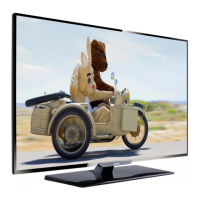
This document describes a Philips television, providing comprehensive details on its functions, technical specifications, usage, and maintenance.
Function Description
The Philips television is designed for home entertainment, offering a wide range of features for viewing various content, listening to music, and connecting to external devices. It supports both analogue and digital TV channels, including DVB-T digital broadcasts. The TV can be operated via side controls or a remote control, providing intuitive navigation through its menus and settings.
Key functions include:
- Television Viewing: Accessing and switching between analogue and digital TV channels, including the ability to fine-tune analogue channels for better reception.
- Teletext: Viewing broadcasted teletext information, with advanced features like subpages, search, and dual-screen display.
- Connected Devices: Connecting and managing various external devices such as Blu-ray players, DVD players, satellite receivers, HD digital receivers, DVD recorders, home theatre systems, game consoles, camcorders, and personal computers.
- Multimedia Playback: Viewing photos (JPEG) and listening to music (MP3, Linear PCM) from a connected USB storage device.
- Electronic Programme Guide (EPG): Accessing scheduled digital TV programmes, viewing upcoming shows, grouping programmes by genre, setting reminders, and managing preferred EPG channels.
- Timers and Child Lock: Setting sleep timers for automatic standby, configuring on-timers to switch the TV on at a specified time, and locking TV channels or connected devices with a four-digit code to restrict unauthorized content.
- Subtitles: Enabling subtitles for both analogue and digital TV channels, with the option to select preferred subtitle languages for digital broadcasts.
- Software Updates: Checking the current software version and updating the TV software via digital broadcasts or a USB storage device.
- Philips EasyLink: Enabling one-touch play and one-touch standby with EasyLink-compliant devices connected via HDMI.
Important Technical Specifications
The television supports a variety of display resolutions, video formats, and audio settings, ensuring compatibility with a wide range of content and devices.
Usage Features
The Philips TV is designed for user-friendly operation with a focus on customization and convenience.
- Positioning: Ideal viewing distance is three times the screen size. Avoid direct light on the screen. Connect devices before final positioning. Equipped with a Kensington Security Slot for anti-theft locks.
- Wall Mounting: VESA-compatible wall mounting is supported, with specific bracket types recommended based on screen size (e.g., 32"/81cm: adjustable 300x300, 37"/94cm: fixed 300x300, 42"/107cm or larger: fixed 400x400). Wall mounting should be performed by qualified installers.
- Remote Control: A comprehensive remote control allows access to all TV functions, including standby, source selection, teletext, colour keys, navigation, menu access, program/volume control, and quick access options.
- First Time Setup: Guides users through language selection and initial TV setup.
- Picture Settings: Offers extensive options to adjust picture quality, including contrast, brightness, colour, hue, sharpness, tint (Normal, Warm, Cool, Custom), dynamic contrast, noise reduction, colour enhancement, active control, and light sensor. Smart settings (Current, Standard, Vivid, Movie) provide predefined picture and sound configurations.
- Sound Settings: Allows adjustment of sound quality with equalizer settings, balance, audio language, dual I/II for stereo/mono, surround mode, headphone volume, automatic volume leveling, and delta volume.
- Picture Format: Various picture formats are available, including Auto format (for PC), Movie expand 14:9, Movie expand 16:9, Wide screen, Super zoom, and Unscaled (for HD and PC).
- Shop/Home Mode: Users can switch between Shop mode (optimized for retail environments) and Home mode (full flexibility for home users).
- Digital Text Services (UK only): Supports dedicated digital text or interactive services with enhanced navigation.
- Channel Management: Automatic and manual channel installation, renaming channels, uninstalling/reinstalling channels, and rearranging the channel list. Manual updates to the channel list are also supported.
- Digital Radio Channels: Listen to digital radio channels if available in the broadcast.
- PC Connection: When connecting a PC, set the monitor refresh rate to 60Hz and change the TV picture format to Unscaled. Audio from PC can be connected via the AUDIO IN mini-jack and associated with the HDMI connector.
- Conditional Access Module (CAM): Supports CAMs and Smart cards for decoding scrambled digital TV channels, providing access to pay TV services.
Maintenance Features
The manual emphasizes safety and proper care to ensure the longevity and optimal performance of the television.
- Safety Precautions:
- Requires two people to lift/carry if over 25kg (55lb).
- Allow TV to reach ambient room temperature before unpacking if transported in cold conditions.
- Avoid exposure to rain or water; do not place liquid vessels on or near the TV.
- Ensure proper ventilation (at least 10cm clearance).
- Use only the supplied stand and ensure it's properly screwed.
- Wall mounting must be done by qualified personnel using appropriate brackets.
- Avoid strain on the power cord when swiveling the TV.
- Disconnect from mains and antenna during lightning storms.
- Ensure full access to the mains cord for easy disconnection.
- Turn off TV and unplug mains cord before disconnecting.
- Screen Care:
- Unplug mains cord and antenna before cleaning.
- Clean with a soft, dry cloth; avoid harsh cleaning agents.
- Do not touch, push, rub, or strike the screen with hard objects.
- Avoid static images for extended periods to prevent screen damage.
- Remote Control Batteries: Insert two AAA (LR03) batteries correctly. Remove batteries if the remote control will not be used for an extended period.
- Troubleshooting: Provides solutions for common issues such as the TV not switching on, remote control not working, blinking standby light, forgotten Child lock code, wrong menu language, creaking sounds, missing channels, no picture/sound, poor reception, poor picture quality from connected devices, picture not fitting the screen, no sound, USB connection issues, and PC display instability.
- Software Updates: Philips periodically transmits software updates via digital broadcast. Users are encouraged to update the software to improve product performance. Updates can be performed immediately, later, or manually via USB.
- Factory Settings Reset: Option to reset the TV to factory default picture and sound settings, while channel settings remain.

 Need help?





 To Next Page
 General