EasyManua.ls Logo

Philips 49PFL7900 - User Manual

Philips 49PFL7900
57 pages
Print Icon
To Next Page IconTo Next Page
Loading...
Register your product and get support at
www.philips.com/support
EN
User Manual
ES
Manual del Usuario
EN For further assistance, call the customer support service in your country.
To obtain assistance, contact Philips Customer Care Center;
México D.F. and Área Metropolitana; 58 87 97 36
Interior de la Republica; 01 800 839 19 89
Colombia; 01 800 952 0640
Costa Rica; 0800 052 1564
Guatemala; 1 800 835 0351
El Salvador; 1 800 6141
Honduras; 01 800 122 6276
ES Para obtener más información, llame al servicio de soporte al cliente de
su país.
Para obtener asistencia, póngase en contacto con el CENTRO DE
INFORMACION AL CLIENTE,
México D.F. y Área Metropolitana;58 87 97 36
Interior de la Republica; 01 800 839 19 89
Colombia; 01 800 952 0640
Costa Rica; 0800 052 1564
Guatemala; 1 800 835 0351
El Salvador; 1 800 6141
Honduras; 01 800 122 6276
55PFL7900
49PFL7900
Televisions
7000 series

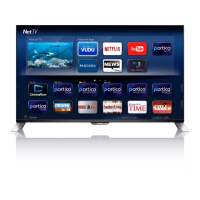
Table of Contents

Questions and Answers

  • J
    Justin OlsonSep 23, 2025
    How to fix distorted sound or echo on Philips Speaker System?
    • R
      Rebecca MyersSep 23, 2025
      If you are experiencing distorted sound or an echo with your Philips Speaker System, and you are playing audio from your TV through the system, make sure that the TV is muted.
  • N
    Natalie RodriguezSep 23, 2025
    What to do if I can’t find the Bluetooth name of Philips Speaker System on my Bluetooth device?
    • M
      margaretmeltonSep 23, 2025
      If you can't find the Bluetooth name of your Philips Speaker System on your Bluetooth device: * Ensure that the Bluetooth function is activated on your Bluetooth device. * Try re-pairing the unit with your Bluetooth device.
  • E
    Edward BarrettSep 23, 2025
    Why does my Philips soundbar keep turning off?
    • M
      Molly WareSep 23, 2025
      If your Philips soundbar turns off, it might be because the external input signal level is too low. Increase the volume level of your external device.
  • N
    Nicholas GomezAug 27, 2025
    How to fix a Philips Speaker System when a device cannot connect with the soundbar?
    • R
      rwhitakerAug 28, 2025
      If a device cannot connect to your Philips Speaker System soundbar, it might be due to the device not supporting the soundbar, the Bluetooth function not being enabled on the device, incorrect connection, or the soundbar already being connected to another Bluetooth device.
  • D
    David MillerAug 31, 2025
    How to troubleshoot a Philips Pasta Maker that sounds but doesn't work?
    • D
      Desiree ReedAug 31, 2025
      If your Philips Pasta Maker isn't working even though you hear sounds after pressing the On/Off button, it's likely that the mixing chamber, shaping disc, or front panel isn't assembled correctly. Refer to the user manual to ensure all parts are assembled correctly.
  • F
    Frank MontgomeryAug 31, 2025
    Why does my Philips Pasta Maker stop without alarm?
    • H
      Heidi LoweAug 31, 2025
      If your Philips Pasta Maker stops during processing without any alarm sounds or flashes, it may have overheated from continuous use. Disconnect it from the power source and allow it to cool down for at least 15 minutes before restarting. To protect the appliance, avoid continuous use for more than 45 minutes.
  • S
    Shannon BaldwinAug 30, 2025
    What to do if Philips Pasta Maker stops when lid is opened?
    • N
      nguerreroAug 30, 2025
      If your Philips Pasta Maker stops working when you open the lid during processing, close the lid properly and press the Start/pause button to resume the previous operation.
  • J
    Justin PerryAug 30, 2025
    How to fix E1 error on Philips Pasta Maker?
    • R
      rodney00Aug 30, 2025
      If your Philips Pasta Maker displays 'E1' on the screen, it means that either the shaping disc is not attached correctly, or the lid is not properly in place. Make sure to attach the disc holder to the main unit and properly fix the shaping disc and the front panel. Also, ensure the lid is attached properly.
  • L
    longamandaAug 29, 2025
    What to do if my Philips Pasta Maker stops with error E2?
    • P
      proyAug 29, 2025
      If your Philips Pasta Maker stops during processing and displays 'E2' with flashing indicators and an alarm, it could be due to a few reasons. First, the mixing paddle might be blocked by foreign objects; disconnect the appliance, clean it, and restart following the user manual. Alternatively, the dough might be too dry, or the wrong program might have been selected.
  • A
    andersondavidAug 29, 2025
    What to do if the alarm does not work on my Philips Clock Radio?
    • S
      Suzanne JacksonAug 29, 2025
      If the alarm on your Philips Clock Radio isn't working, make sure that you have set the clock and alarm correctly.

Philips 49PFL7900 Specifications

General IconGeneral
BrandPhilips
Model49PFL7900
CategoryElectric Shaver
LanguageEnglish

Related product manuals