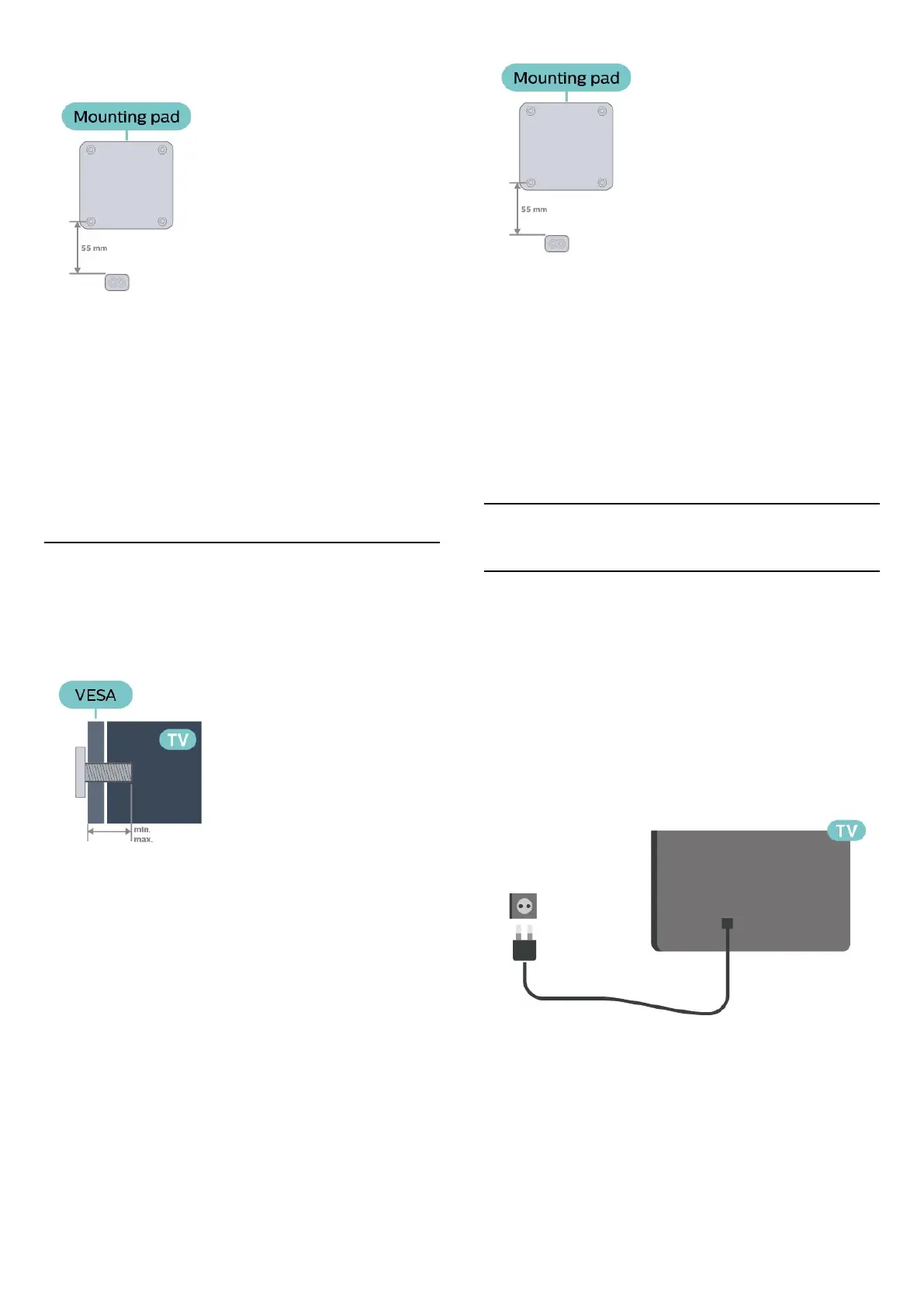
pad or bracket will not interfere with power
connector.
Caution
Wall mounting the TV requires special skills and
should only be performed by qualified personnel. The
TV wall mounting should meet safety standards
according to the TVs weight. Also read the safety
precautions before positioning the TV.
TP Vision Europe B.V. bears no responsibility for
improper mounting or any mounting that results in
accident or injury.
5605 series TV
Your TV is also prepared for a VESA-compliant wall
mount bracket (sold separately).
Use the following VESA code when purchasing the
wall mount . . .
- 24PFS5605 - VESA MIS-F 75x75, M4 (Minimum 8
mm, Maximum 10 mm)
- 32PFS5605 - VESA MIS-F 100x100, M4 (Minimum
10 mm, Maximum 14 mm)
Preparation
Make sure that the metal screws, to mount the TV to
the VESA-compliant bracket, go about 10mm deep
inside the threaded bushes of the TV.
Note
For 24 inch model, make sure the larger mounting
pad or bracket will not interfere with power
connector.
Caution
Wall mounting the TV requires special skills and
should only be performed by qualified personnel. The
TV wall mounting should meet safety standards
according to the TVs weight. Also read the safety
precautions before positioning the TV.
TP Vision Europe B.V. bears no responsibility for
improper mounting or any mounting that results in
accident or injury.
4.3
Turn on TV
Connect Power Cable
- Insert the power cable into the POWER connector
on the back of the TV.
- Make sure the power cable is securely inserted in
the connector.
- Make sure that the power plug, in the wall socket, is
accessible at all times.
- When you unplug the power cable, always pull the
plug, never pull the cable.
For 32" or above
For 22"/24"
10






 To Next Page