
 Need help?
Do you have a question about the Philips 50PUS7506 and is the answer not in the manual?
Find TV model/serial number for registration and support benefits.
Contact Philips for TV repair services and support.
Update TV software via Internet or USB for latest features.
Guide to remote control basics, battery replacement, and cleaning.
Read safety instructions before using the TV to ensure safe operation.
Connect power cable and turn on the TV for the first time.
Screen Mirroring to display mobile content on the TV.
Play media files like photos and videos from a USB drive.
Connect PC to TV via HDMI for use as a monitor.
Install antenna/cable channels, perform quick or advanced reinstallation.
Set up satellite reception, including LNB settings and searching.
Play media files from a USB flash drive or hard drive.
Stream media files from a computer or Network Attached Storage.
Play video files, control playback, and set subtitle options.
Play music files and manage playback options.
Adjust picture style, colour, contrast, sharpness, and brightness.
Fine-tune picture quality with advanced expert settings.
Configure sound styles, AI equalizer, and TV placement for audio.
Configure audio output for TV speakers, headphones, or HDMI systems.
Connect the TV to your home network for internet access.
Connect the TV wirelessly or via wired Ethernet to your network.
Manually set a static IP address for advanced network setup.
Adjust HDMI Ultra HD signal quality for compatibility.
Reset all TV settings and perform a full reinstallation.
Set and manage PIN codes for Child Lock and App Lock.
Initial setup and configuration of the Smart TV features.
Access and use the Netflix application on your TV.
Stream popular movies and TV shows with Amazon Prime Video.
Watch and discover videos using the YouTube application.
List of video input resolutions and refresh rates supported via HDMI.
Audio output power, Dolby technologies, and sound enhancement features.
Supported media formats, connections, and file systems.
General advice for resolving TV issues and finding help.
Troubleshoot common problems when the TV fails to turn on.
Resolve issues where the TV does not respond to the remote control.
Fix problems related to channel installation and reception.
Troubleshoot issues with satellite signal reception and channel lists.
Resolve problems with picture quality, distortion, or display issues.
Troubleshoot audio problems like no sound or poor sound quality.
Address issues related to HDMI connections and Ultra HD content.
Resolve problems with USB devices not being recognized or files not playing.
Troubleshoot Wi-Fi connection, internet access, and network issues.
Essential safety instructions to prevent injury and product damage.
Precautions to avoid electrical hazards and fire risks.
Safety guidelines for handling and moving the TV.
Prevent tip-over accidents by securing the TV properly.
Safe handling and disposal of batteries from the remote control.
Ensure proper ventilation to prevent the TV from overheating.
Instructions for safely cleaning and protecting the TV screen.
 General
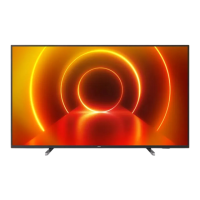
| Screen shape | Flat |
|---|---|
| Response time | - ms |
| Display diagonal | 50 \ |
| Display brightness | - cd/m² |
| Display technology | LED |
| Native aspect ratio | 16:9 |
| Display diagonal (metric) | 126 cm |
| Screen format adjustments | Zoom |
| Motion interpolation technology | PPI (Picture Performance Index) 1500 |
| Video apps | Netflix, YouTube |
| Processor cores | 4 |
| Teletext standards | Hyper-text |
| Audio formats supported | AAC, MP3, WAV, WMA, WMA-PRO |
| Image formats supported | BMP, GIF, HEIF, JPEG, PNG |
| Video formats supported | AVC, AVI, H.264, H.265, HEVC, MKV, MPEG1, MPEG2, MPEG4, VC-1, VP9, WMV9 |
| Subtitle formats supported | ASS, SMI, SRT, SSA, SUB, TXT |
| High Dynamic Range (HDR) technology | Dolby Vision, High Dynamic Range 10+ (HDR10 Plus), Hybrid Log-Gamma (HLG) |
| PC in (D-Sub) | No |
| RF connector type | F, IEC |
| HDMI ports quantity | 3 |
| USB 2.0 ports quantity | 2 |
| S-Video inputs quantity | 0 |
| Ethernet LAN (RJ-45) ports | 1 |
| Consumer Electronics Control (CEC) | EasyLink |
| Tuner type | Analog & digital |
| Analog signal format system | PAL, SECAM |
| Digital signal format system | DVB-C, DVB-S, DVB-S2, DVB-T, DVB-T2, DVB-T2 HD |
| Programming period | 8 day(s) |
| Firmware upgradeable via | Auto upgrade wizard, Network, USB |
| Audio decoders | Dolby Atmos |
| RMS rated power | 20 W |
| Equalizer bands quantity | 5 |
| AC input voltage | 220 - 240 V |
| AC input frequency | 50 - 60 Hz |
| Energy efficiency scale | A to G |
| Power consumption (standby) | 0.3 W |
| Power consumption (typical) | 75 W |
| Wi-Fi standards | Wi-Fi 4 (802.11n) |
| Operating temperature (T-T) | 5 - 35 °C |
| Product color | Black |
| Mercury content | 0 mg |
| Panel mounting interface | 100 x 200 mm |
| Cables included | AC |
| Package type | Box |
| Package depth | 150 mm |
| Package width | 1240 mm |
| Package height | 785 mm |
| Package weight | 15200 g |
 Weight and Dimensions
| Depth (with stand) | 259.7 mm |
|---|---|
| Height (with stand) | 677.3 mm |
| Weight (with stand) | 11500 g |
| Depth (without stand) | 87.1 mm |
| Width (without stand) | 1112.2 mm |
| Height (without stand) | 647.3 mm |
| Weight (without stand) | 11300 g |


 To Next Page