EasyManua.ls Logo

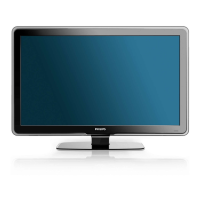
Philips 52PFL7403D - User Manual

Philips 52PFL7403D
44 pages
Print Icon
To Next Page IconTo Next Page
Loading...
Register your product and get support at
52PFL7403D
47PFL7403D
42PFL7403D
52PFL5603D
47PFL5603D
42PFL5603D
42PFL5403D
32PFL5413D
32PFL5403D
52PFL3603D
47PFL3603D
42PFL3603D
42PFL3403D
32PFL3403D /85
EN: For further assistance, call the customer support service in your country.
U.S.A., PUERTO RICO, OR U.S. VIRGIN ISLANDS:
•
1-888-PHILIPS (1-888-744-5477)
CANADA: 1-800-661-6162 (French speaking),
•
1-888-PHILIPS (1-888-744-5477) - (English or Spanish)
Enter below the Serial No. located on the rear of the cabinet.
FR: Pour obtenir de l’aide supplémentaire, communiquez avec le centre de service à la
clientèle de votre pays.
POUR OBTENIR DE L’AIDE AUX ÉTATS-UNIS, À PUERTO RICO OU AUX ÎLES
•
VIERGES AMÉRICAINES:
1-888-PHILIPS (1-888-744-5477)
CANADA : 1-800-661-6162 (pour français),
•
1-888-PHILIPS (1-888-744-5477) - (pour anglais ou en espagnol)
Entrez ci-dessous le numéro de série qui se trouve à l’arrière du boîtier du dispositif.
ES: Para obtener más información, llame al servicio de soporte al cliente de su país.
LOS ESTADOS UNIDOS, PUERTO RICO O EN LAS ISLAS VÍRGENES DE LOS
•
ESTADOS UNIDOS:
1-888-PHILIPS (1-888-744-5477)
CANADÁ: 1-800-661-6162 (en francés),
•
1-888-PHILIPS (1-888-744-5477) - (en inglés o español)
Escriba a continuación el de serie, el cual se encuentra en la parte posterior del gabinete.
Model / Modèle / Modelo :
Serial / Série / Serie:
EN User Manual
FR Manuel de l’utilisateur
ES Guía del usuario

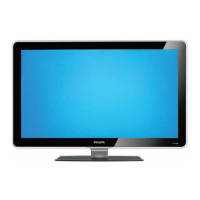
Table of Contents

Questions and Answers

  • A
    Alexander BlakeAug 15, 2025
    What to do if Philips 52PFL7403D does not respond to the remote control?
    • K
      Kelly PetersenAug 15, 2025
      If your Philips TV isn't responding to the remote, first check if the indicator light on the TV blinks when you press buttons on the remote. Make sure you're using the remote that came with the TV. Also, verify that the batteries are correctly inserted according to the diagram on the remote and that they aren't depleted. As a last resort, unplug the TV's power cord, wait 60 seconds, and then plug it back in.
  • N
    Nicholas WangAug 18, 2025
    How to fix Philips 52PFL7403D TV no sound on loudspeaker?
    • K
      Kathryn ClarkAug 18, 2025
      If there's no sound from your Philips TV's loudspeaker, first increase the volume and make sure the TV isn't muted by pressing the MUTE button on the remote. Check that headphones are not plugged into the TV. If you're using an AV connection, ensure the Audio L/R cable is correctly connected. For HDMI connections, some devices have an HDMI audio output setting that needs to be enabled.
  • S
    Susan HoldenAug 21, 2025
    What to do if Philips TV has no picture or sound?
    • L
      Leah ValdezAug 21, 2025
      If your Philips TV has no picture or sound, ensure that you have selected the correct channel. If the TV receives channels via an AV connection, set the TV to the correct source input. If the TV is connected directly to the wall via a coaxial connection, perform the auto-installation again.
  • A
    Allison ParkAug 25, 2025
    Why Philips 52PFL7403D TV shows error message on the screen with HDMI connection?
    • B
      Barbara PerkinsAug 26, 2025
      If you're seeing an error message on your Philips TV screen when using an HDMI connection, it might be due to HDCP authentication failure. Try these steps: First, ensure your HDMI cable is certified. Second, switch to another source using the SOURCE button on the remote, and then switch back to the HDMI source. Third, reset both the connected device and the TV by turning on the TV, selecting the HDMI channel, and then turning on the device. Finally, with both devices powered on, unplug and re-plug the HDMI cable.
  • A
    Allison GillAug 27, 2025
    How to fix distorted picture on Philips 52PFL7403D?
    • B
      Brian MorrowAug 27, 2025
      If the picture on your Philips TV is distorted (stretched, with black bars), it might be due to the broadcast video format. Press the FORMAT button on the remote control to select the best picture format. For some connected devices, the picture format needs to be set directly on the device itself.
  • R
    Robert AllenAug 30, 2025
    What to do if Philips 52PFL7403D picture is mostly red and green?
    • B
      Bill RobertsAug 31, 2025
      If the picture on your Philips TV is mostly red and green, or missing red when connected to a device via component cables, ensure all connections are made according to the color code. Also, push the component cables all the way into the YPbPr sockets on the TV.
  • J
    Jonathan TaylorSep 2, 2025
    Why Philips TV has no power?
    • C
      crasmussenSep 3, 2025
      If your Philips TV has no power or the indicator light is off, try the following: First, press the power button on the right side of the TV or on the remote control. Second, make sure the power cord is securely connected to both the TV and the power outlet. Then, remove the power cord from the outlet, wait 60 seconds, and plug it back in. Finally, try connecting the TV to a different power outlet.
  • C
    Cathy BrownSep 5, 2025
    How to fix Philips 52PFL7403D no sound detected from the PC?
    • J
      Jaclyn PhillipsSep 5, 2025
      If no sound is detected from your PC on your Philips TV, first connect a DVI-HDM cable to the HDMI 3 port on the TV. Then, connect an audio cable to the DVI AUDIO IN port on the TV. Finally, press the SOURCE button on the remote control and select the HDMI 3 source.
  • E
    elizabeth32Sep 8, 2025
    Why Philips TV bad picture quality with coaxial connection?
    • F
      fbellSep 8, 2025
      Standard definition channels are not as clear as high definition channels. Connect the devices via component or HDMI cables.
  • M
    Melissa MckenzieSep 12, 2025
    How to control Philips 52PFL7403D and connected devices with one remote control?
    • G
      Gina FieldsSep 12, 2025
      Confirm that the connected devices are EasyLink compliant and are connected to your TV via an HDMI cable. Not all brands of devices such as DVD players use the same system as Philips EasyLink. Other brands might not work with Philips EasyLink.

Summary

Important Philips TV Information

Getting Started with Your TV

Wall Mounting the TV

Instructions for safe and secure wall installation.

Connecting Antenna or Cable

How to connect the TV to signal sources.

Connecting the Power Cord

Instructions for powering the television.

Initial TV Setup

The first-time configuration process for the TV.

Basic TV Operations

Watching TV Channels

Basic operations for channel selection and volume adjustment.

Watching Set-Top Box Channels

Instructions for viewing channels via external set-top boxes.

Watching Connected Devices

Displaying content from other external media sources.

Watching DVD Content

Steps for playing DVD media on the TV.

Advanced TV Features

Changing Picture and Sound Settings

Adjusting display and audio parameters for optimal viewing.

Changing TV Installation Settings

Automatic Channel Tuning

Scanning for and storing available TV channels.

Updating TV Software

Upgrading TV Software

Step-by-step process for updating the TV's software.

Connecting Devices to Your TV

Selecting Connection Quality

Choosing the best connectors for optimal audio-visual experience.

Connecting Specific Devices

Detailed guides for connecting various external devices.

Troubleshooting Common Issues

Philips 52PFL7403D Specifications

General IconGeneral
Audio systemDolby Digital (AC-3), BBE
RMS rated power30 W
Operating temperature (T-T)5 - 40 °C
Comb filter3D
Response time2 ms
Display diagonal52 \
Progressive scanYes
Display brightness500 cd/m²
Display technologyLCD
Native aspect ratio16:9
Contrast ratio (dynamic)33000:1
Screen format adjustments4:3, 14:9, 16:9
Viewing angle, horizontal160 °
AV 1Audio L/R in, YPbPr
AV 3CVBS in, S-Video in
Power requirements110 - 240V, 50/60Hz
Multimedia connectionsUSB
Favorite pages quantity4 pages
HDMI ports quantity4
USB 2.0 ports quantityUSB 2.0 ports have a data transmission speed of 480 Mbps, and are backwards compatible with USB 1.1 ports. You can connect all kinds of peripheral devices to them.
Digital audio coaxial out1
Product colorSilver
Panel mounting interface400 x 400 mm
Supported TV bandsHyperband, UHF
Analog signal format systemNTSC
Power consumption (standby)1 W
Power consumption (typical)350 W
Weight and Dimensions IconWeight and Dimensions
Depth (with stand)325 mm
Width (with stand)1301 mm
Height (with stand)868 mm
Weight (with stand)46036 g
Depth (without stand)116 mm
Height (without stand)798 mm
Weight (without stand)38045 g

Related product manuals