EN-12
ENGLISHFRANÇAISEESPAÑOL
Watch channels from a set-top box4.3
Switch on the set-top box. 1.
The picture from your set-top box might appear automatically on
your screen.
Use the remote control of your set-top box to select channels.2.
If the picture does not appear
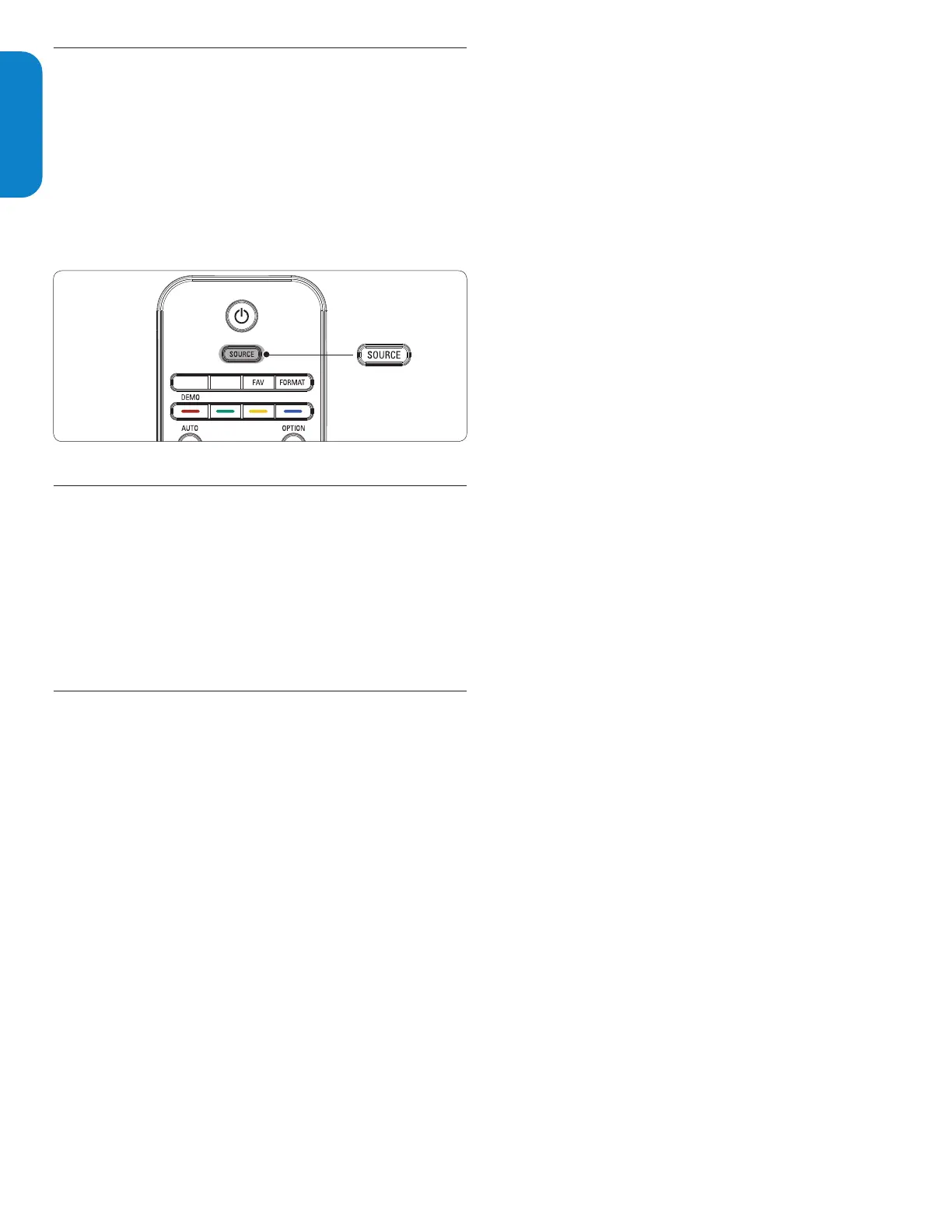
Press 1. SOURCE repeatedly to select the connected set-top box
and wait a few seconds for the picture to appear.
Use the remote control of your set-top box to select channels.2.
4.4 Watch connected devices
Switch the connected device on.1.
The picture from your connected device might appear automatically
on the TV.
If the picture does not appear
Press 1. SOURCE repeatedly to select the connected device and wait
a few seconds for the picture to appear.
Watch a DVD4.5
Insert a DVD disc in your player.1.
Press 2. Play Æ on the remote control of your player.
The picture from the player might appear automatically on your
screen.
If the picture does not appear
Press 1. SOURCE repeatedly to select the DVD player and wait a
few seconds for the picture to appear.






 To Next Page