12
6
MONO
AUTO
CH
VOL
MENU
4
5
6
9
38
2
7
1
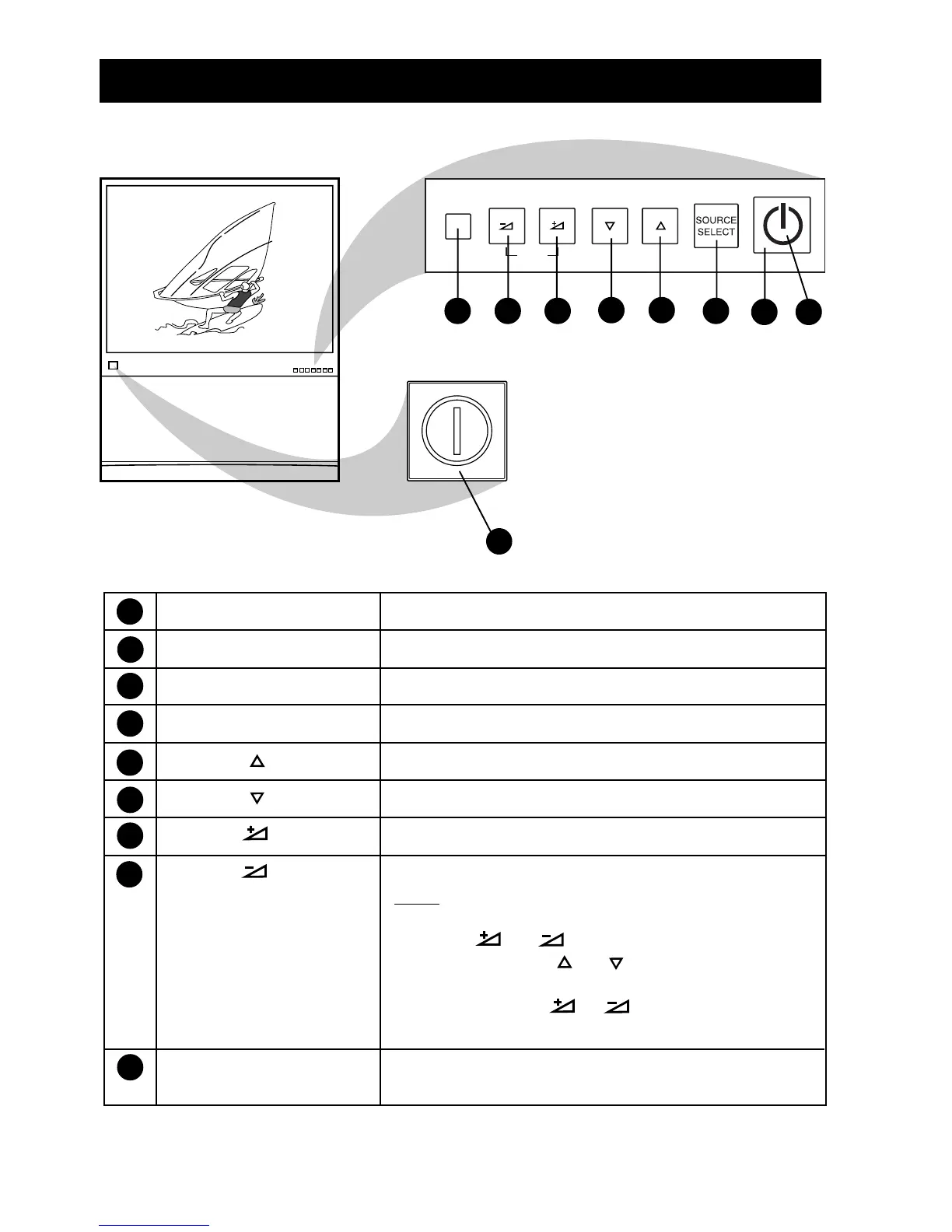
FUNCTIONS OF TV CONTROLS (43PP925)
Note: When the Mains Power button has been pressed so that the TV is in Power/Standby
mode, you can press any of the TV’s other controls to turn the set on.
1 Mains Power button Switch mains power on or off.
2 Power/Standby button Switch TV on or activate standby mode.
3 Standby Light Indicator Indicates red light when standby mode is activated.
4 Source Select button Cycle through the signal sources.
5 Channel button Select channel in ascending order.
6 Channel button Select channel in descending order.
7 Volume button Adjust the sound volume louder.
8 Volume button Adjust the sound volume softer.
Note
•You can enter the main menu by pressingboth the
Volume and buttons at the same time.
•Press the Channel or button to select the
next item on the menu.
•Press the Volume or button to access the
sub-menus and adjust the settings.
9 Remote Sensor Acts as a sensor for activating the controls of the TV
when the remote control handset is aimed at it.



 To Next Page