13
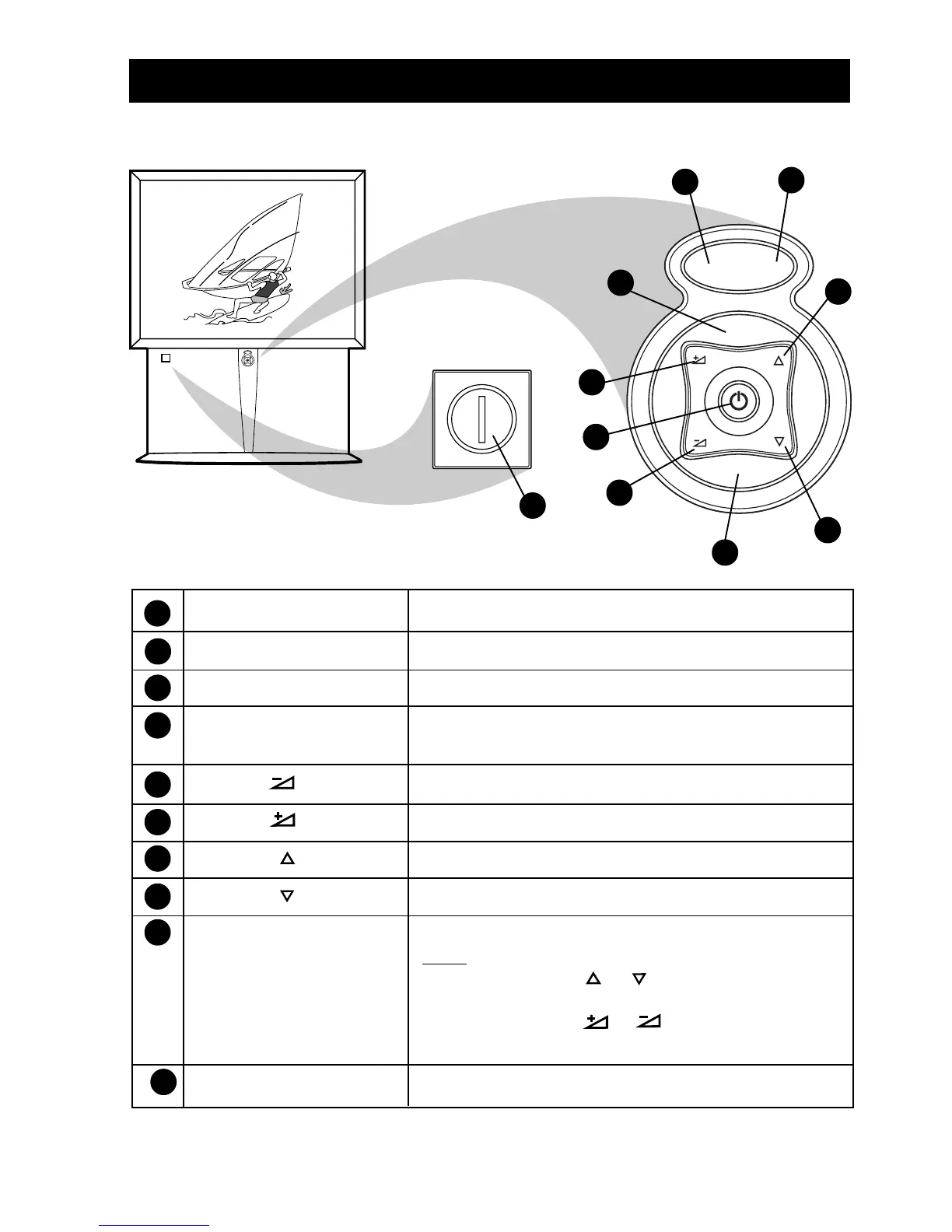
FUNCTIONS OF TV CONTROLS (50PP925 AND 55PP925)
VOL
MENU
CH
STATUS/EXIT
6
MONO
AUTO
VOL
MENU
CH
SOURCE SELECT
4
5
6
9
3
8
10
2
7
1
1 Mains Power button Switch mains power on or off.
2 Power/Standby button Switch TV on or activate standby mode.
3 Standby Light Indicator Indicates red light when standby mode is activated.
4 Remote Sensor Acts as a sensor for activating the controls of the TV
when the remote control handset is aimed at it.
5 Volume button Adjust sound volume softer.
6 Volume button Adjust sound volume louder.
7 Channel button Select channel in ascending order.
8 Channel button Select channel in descending order.
9 Menu button Display the main menu.
Note
• Press the Channel or button to select the
next item on the menu.
• Press the Volume or button to access the
sub-menus and adjust the settings.
10 Source Select button Cycle through the signal sources.
Note: When the Mains Power button has been pressed so that the TV is in Power/Standby
mode, you can press any of the TV’s other controls to turn the set on.



 To Next Page