36
ACTIVATING THE PIP (PICTURE-IN-PICTURE)
C
ONTROL
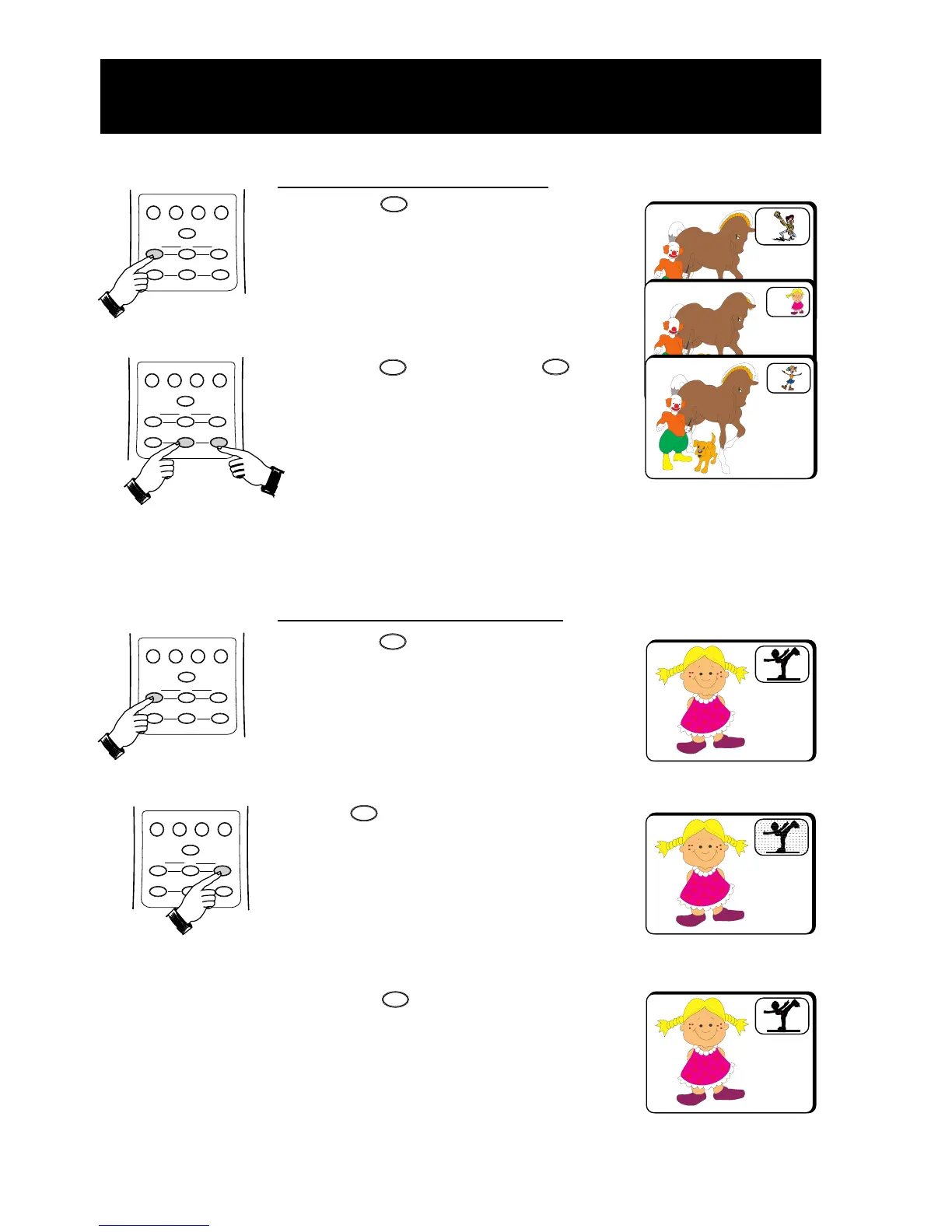
How to select a PIP channel
• Press the (PIP On/Off) button to
switch on PIP screen.
• Press the (PIP CH +) or
(PIP CH –) button to select a PIP
channel in ascending or descending order.
How to freeze the PIP screen
• Press the (PIP On/Off) button
to switch on PIP screen.
• Press (PIP Freeze) button once
to freeze the PIP screen
. Freezing the PIP
screen allows you to view a programme
in the still mode. For example, you may
want to write down some information
from the PIP screen, freezing the screen
will allow you time to do so.
• Press the (PIP Freeze) button
the second time to unfreeze the
PIP screen.
2
3
4
PIP Freeze
PIP Unfreeze
ON/OFF
CH +
CH
–
ON/OFF
FREEZE
FREEZE
V. DOLBY
A/CH
PROG. LIST
INCR. PICT.
STEREO/SAP
ON/OFF POSITION
FREEZE
SWAP
PIP CH
PIP
CH
+
CH
–
V. DOLBY
A/CH
PROG. LIST
INCR. PICT.
STEREO/SAP
ON/OFF POSITION
FREEZE
SWAP
PIP CH
PIP
CH
+
CH
–
V. DOLBY
A/CH
PROG. LIST
INCR. PICT.
STEREO/SAP
ON/OFF POSITION
FREEZE
SWAP
PIP CH
PIP
CH
+
CH
–
V. DOLBY
A/CH
PROG. LIST
INCR. PICT.
STEREO/SAP
ON/OFF POSITION
FREEZE
SWAP
PIP CH
PIP
CH
+
CH
–



 To Next Page