EasyManua.ls Logo

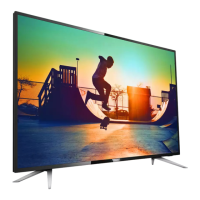
Philips 55PUT6102 - User Manual

Philips 55PUT6102
89 pages
Print Icon
To Next Page IconTo Next Page
Loading...
Register your product and get support at
61x2 series
www.philips.com/welcome
User Manual
50PUT6102
50PUT6102S
55PUT6102
55PUT6102S
65PUT6162
65PUT6162S

Table of Contents

Other manuals for Philips 55PUT6102

Question and Answer IconNeed help?

Do you have a question about the Philips 55PUT6102 and is the answer not in the manual?

Summary

My New TV

Pause TV and recordings

Pause live broadcasts and record digital TV channels using a USB Hard Drive.

Setting up

Read safety

Read all safety instructions before using the TV to prevent damage or injury.

Network

Network and Internet

Connect the TV to a home network for internet access and full capabilities.

Remote control

Key overview

Explains the functions of various keys on the remote control.

Channels

Recording and Pause TV

Recording

Steps and requirements for recording TV programmes using a USB Hard Drive.

Pause TV

How to pause live TV broadcasts and resume watching later.

Netflix

Smartphones and tablets

Miracast

Wirelessly share smartphone, tablet, or computer screens on the TV.

Smart TV

Connect to the Internet for apps, online TV, and other smart features.

Settings

Picture

Adjust picture style, format, and other visual settings for optimal viewing.

Sound

Adjust sound style, bass, treble, surround mode, and volume settings.

Channel installation

Antenna;cable installation

Update, reinstall, and manually install channels via antenna or cable.

Software

Update software

Update the TV's software from the Internet or a USB drive.

Troubleshooting and support

Troubleshooting

Solutions for common TV problems like power, remote, picture, sound, and network issues.

Safety and care

Safety

Essential safety instructions to prevent electric shock, fire, injury, and overheating.

Summary

My New TV

Pause TV and recordings

Pause live broadcasts and record digital TV channels using a USB Hard Drive.

Setting up

Read safety

Read all safety instructions before using the TV to prevent damage or injury.

Network

Network and Internet

Connect the TV to a home network for internet access and full capabilities.

Remote control

Key overview

Explains the functions of various keys on the remote control.

Channels

Recording and Pause TV

Recording

Steps and requirements for recording TV programmes using a USB Hard Drive.

Pause TV

How to pause live TV broadcasts and resume watching later.

Netflix

Smartphones and tablets

Miracast

Wirelessly share smartphone, tablet, or computer screens on the TV.

Smart TV

Connect to the Internet for apps, online TV, and other smart features.

Settings

Picture

Adjust picture style, format, and other visual settings for optimal viewing.

Sound

Adjust sound style, bass, treble, surround mode, and volume settings.

Channel installation

Antenna;cable installation

Update, reinstall, and manually install channels via antenna or cable.

Software

Update software

Update the TV's software from the Internet or a USB drive.

Troubleshooting and support

Troubleshooting

Solutions for common TV problems like power, remote, picture, sound, and network issues.

Safety and care

Safety

Essential safety instructions to prevent electric shock, fire, injury, and overheating.

Philips 55PUT6102 Specifications

General IconGeneral
Screen Size55 inches
Display TechnologyLED
Smart TVYes
Audio Output20 W
HDMI Ports3
USB Ports2
Operating SystemSAPHI
Refresh Rate60 Hz
Wi-FiYes
BluetoothNo
Resolution4K Ultra HD (3840 x 2160)
HDRYes
Digital TVDVB-T/T2/C

Related product manuals