EasyManua.ls Logo

Philips 55PUT7374/98 - Assembly;Panel Removal

Philips 55PUT7374/98
119 pages
Print Icon
To Next Page IconTo Next Page
To Previous Page IconTo Previous Page
Loading...
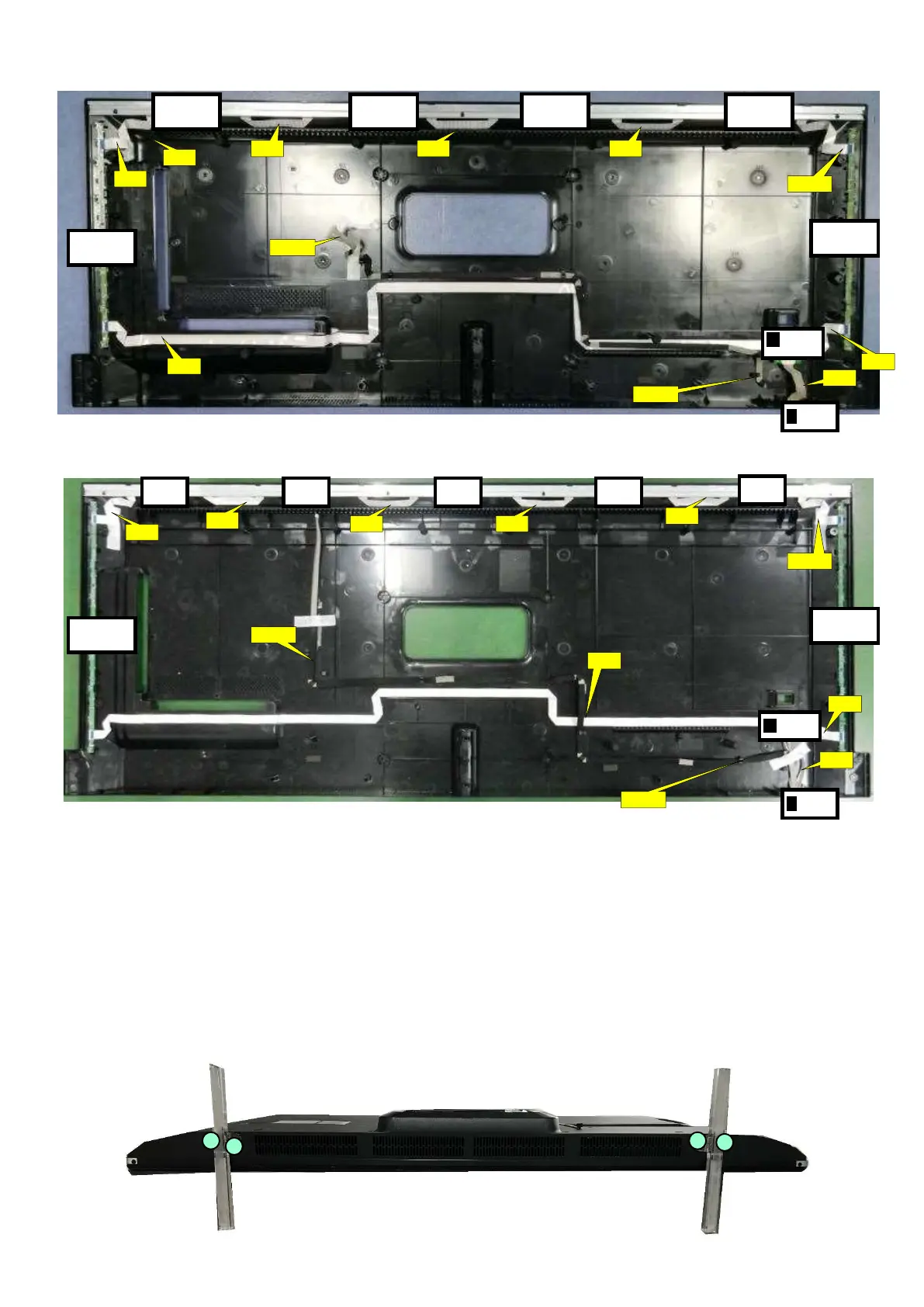
Back cover overview (55" OLED804 series)
Back cover overview (65" OLED804 series)
3.2 Assembly/Panel Removal
3.2.1 Stand removal
1. Remove the fixation screws [1] that secure the stand.
2. Take the stand bracket out from the set.
1
1 1
1
ECN
1108
ECN
1108
EXA0
4_1
EXA04
EXA0
2
EXA0
2
IR BOARD
(1056)
J
Ambilight
(1061)
Ambilight
(1063)
Ambilight
(1063)
Ambilight
(1062)
Ambilight
(1061)
Ambilight
(1063)
KEY BOARD
(1057)
K
ECN
1108
ECN
1108
EXA04
_1
EXA04
EXA0
2
IR BOARD
(1056)
J
Ambilight
(1061)
Ambilight
(1062)
Ambilight
(1061)
KEY BOARD
(1057)
K
ECN
01
ECN
03
ECN
02
EXA0
2
EXA0
2
Ambilight
(1063)
Ambilight
(1063)
Ambilight
(1063)
Ambilight
(1062)
EXA0
2
EXA0
2
EXA0
2
ECN
01
ECN
04
ECN
02

Related product manuals