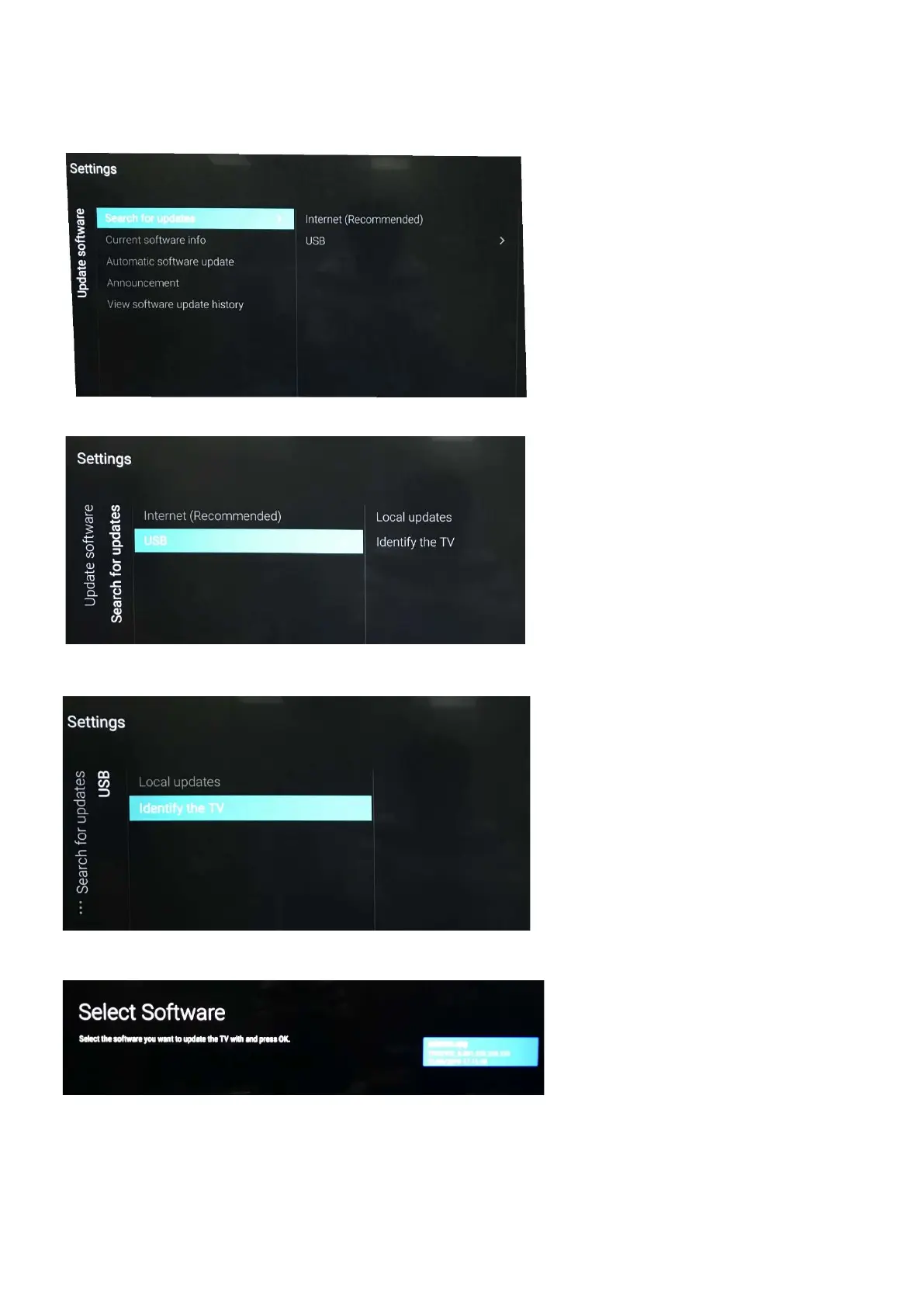
Step 2: F/W Upgrade
1. Press [Settings], then Choose [Search for update] in the Settings menu
2. Choose [USB], then press OK.
3. Choose [Identify], then press OK.
4. .Select the file that you downloaded and press OK
5. Identify the software and choose [Done], then choose [Start] on following step







 To Next Page