2
2.1
Use your TV
Remote control
Overview
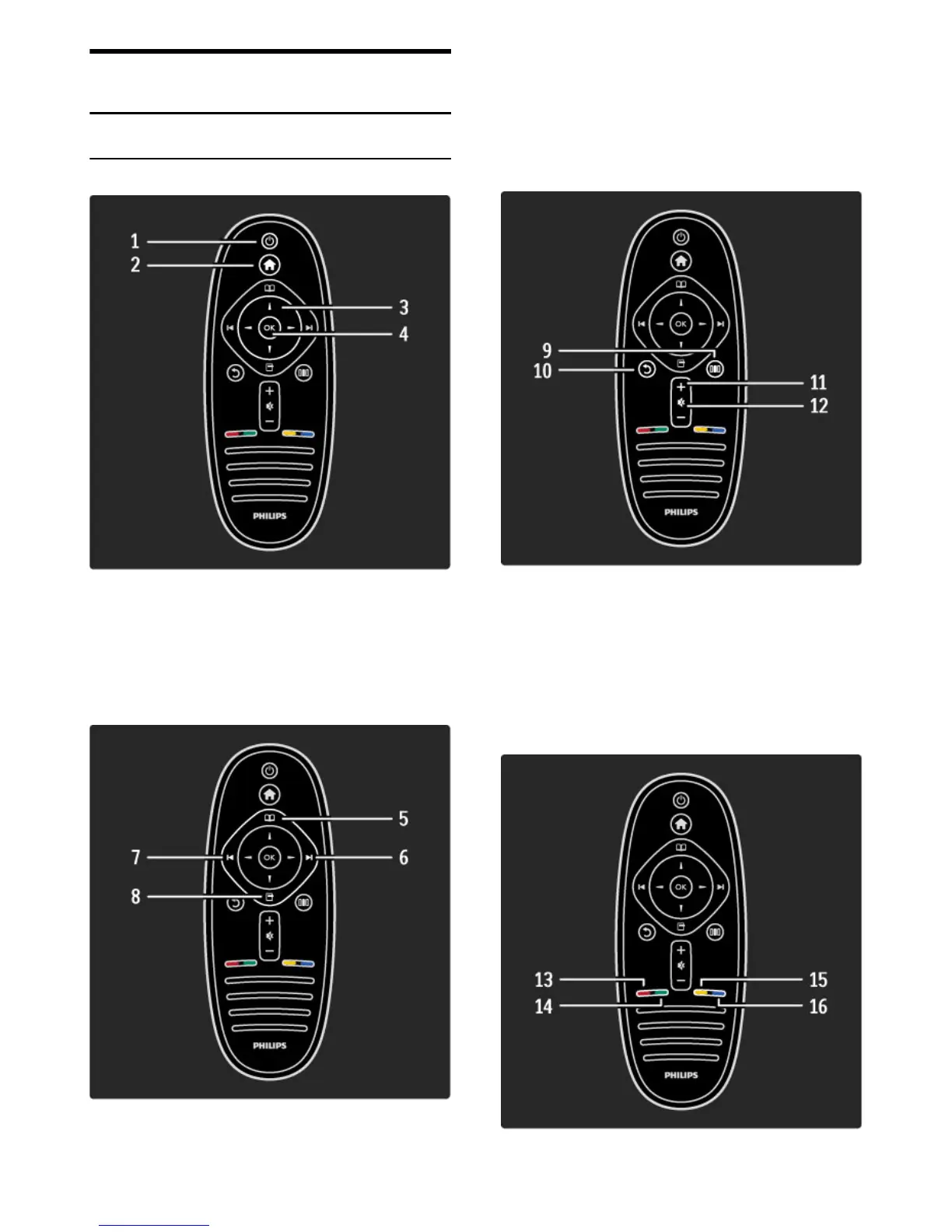
1 Standby O
To switch the TV on or back to standby.
2 Home h
To open or close the Home menu.
3 Navigation key
To navigate up, down, left or right.
4 OK key
To activate a selection.
5 Browse e
To open or close the Browse menu.
6 Next W
To switch to the next channel, page or chapter.
7 Previous X
To switch to the previous channel, page or chapter.
8 Options o
To open or close the Options menu.
9 Back b
To go back to the previous channel. To exit a menu without
changing a setting. To go back to the previous Text or Net TV page.
10 Adjust s
To open or close the most used settings like picture, sound or
Ambilight.
11 Volume V
To adjust the volume level.
12 Mute m
To mute the sound or to restore it.










 To Next Page