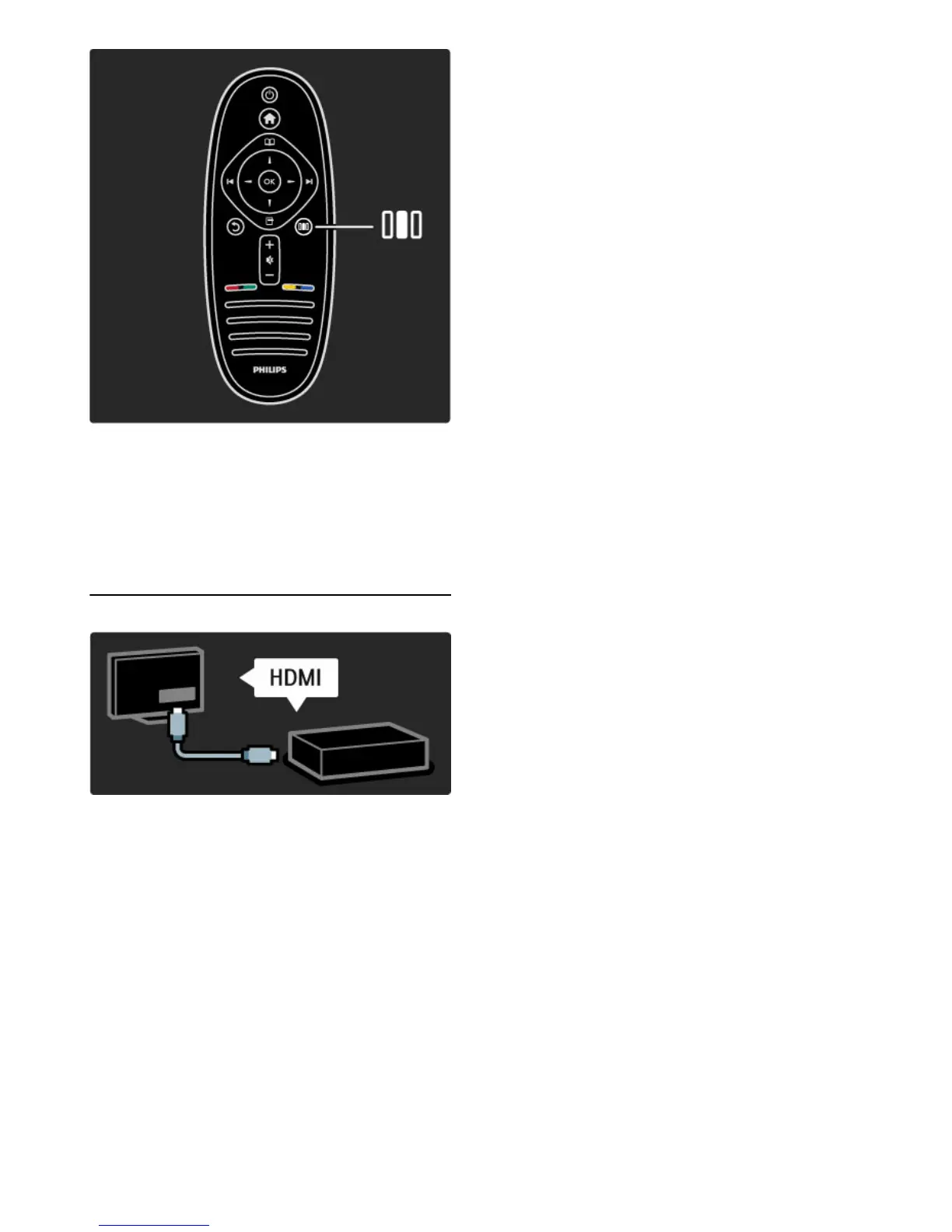
To open or close the Adjust menu s
Open the Adjust menu to quickly adjust the picture and sound
settings.
You can set the Smart picture setting to Game, which is ideal for
gaming, or change the Surround setting of the TV speakers.
Go to the ¬ Search page to look for any topic in Help.
Connecting devices
To connect a DVD, Blu-ray Disc player or game console, use the
HDMI connection.
The HDMI connection offers the best picture and sound quality and,
if your device has EasyLink (HDMI-CEC), the TV can add the device
in the Home menu automatically.
When a device is added in the Home menu, you can select it to
watch its programme. If the device has no EasyLink or you do not
use the HDMI connection, you must add the connected device in
the Home menu using Add your devices.
Read more about Add your devices in Help > Use your TV >
Menus > Home menu.
Read more about EasyLink in Help > Setup > EasyLink HDMI-CEC.
In the chapter Help > Connections, drawings like these help you to
connect most common devices.







 To Next Page