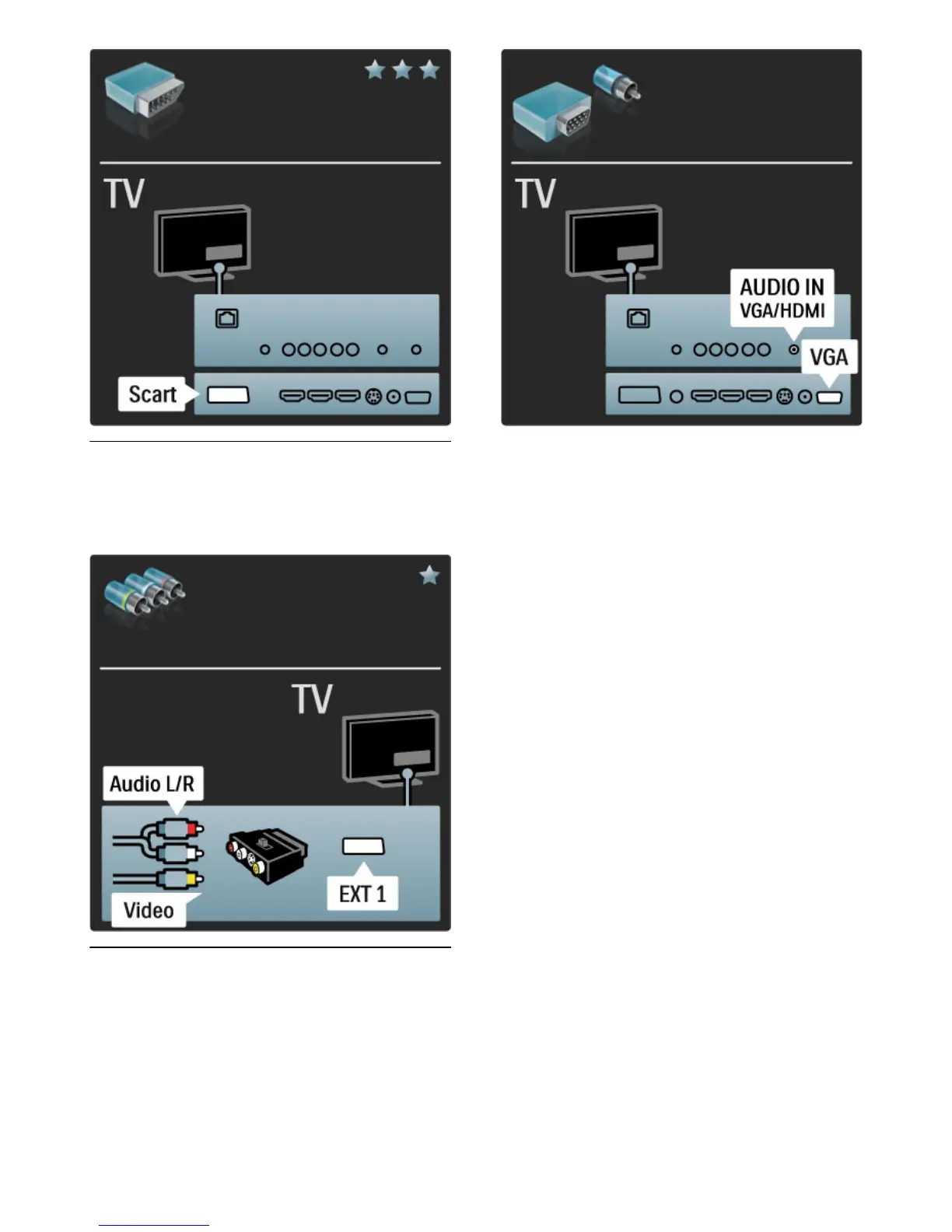
Video
If you have a device with only a Video (CVBS) connection, you need
to use a Video to Scart adapter (not supplied). You can add the
Audio L/R connections. Connect the adapter to the Scart connection
of the TV.
VGA
Use a VGA cable (DE15 connector) to connect a computer to the
TV. With this connection you can use the TV as a computer
monitor. You can add an Audio L/R cable for sound.
To connect a computer with the VGA connection, read Help >
Connections > Connect more devices > TV as PC monitor.







 To Next Page