Audio to Video synchronisation (sync)
If the sound does not match with the video on screen, you can set a
delay on most DVD Home Theatre Systems to match the sound and
video.
Read more about Audio to Video sync in Help > Setup > Devices
> Audio to Video sync.
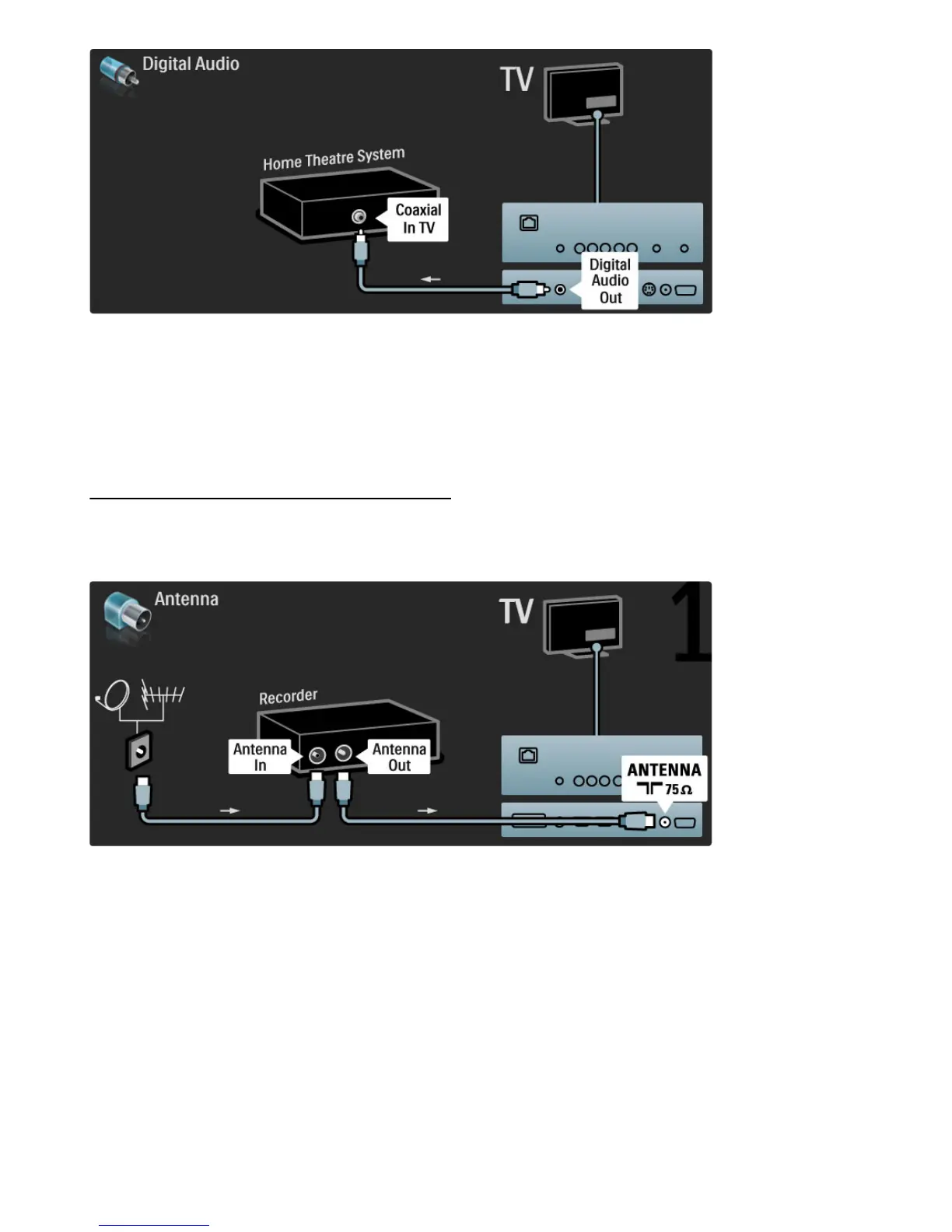
Do not connect the audio signal from a DVD player or other device
directly to the Home Theatre System. Always route the sound
through the TV first.
Recorder
Use 2 antenna cables to connect the antenna to the device and the
TV.
Add an HDMI cable to connect the device to the TV.








 To Next Page