60 Taking pictures
14 • Taking pictures
The camera is an accessory, that is NOT included as
standard in the package when purchasing the phone.
Please contact your local dealer to buy a camera.
None of the settings, features or options described in
the present chapter will be available if you’re not using
a camera with your phone.
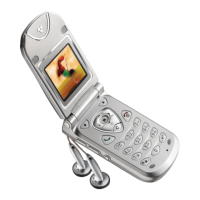
Your mobile phone supports a digital camera that
allows you to take pictures, store them in your phone,
use them as wallpaper or send them to your friends.
Within any menu, long press
c
to cancel any
current action and go back to idle mode.
How to...
Activate/deactivate
the camera
Plug/unplug the camera into
the connector (see next page).
If the camera was already
plugged, long press
m
to
reactivate it.
Zoom in/out
Press
+
or
-
.
Change the
vision mode
Press
*
to toggle between
Night
and
Normal
mode.
Change the
camera mode
Press
#
to switch from
VGA
to
QVGA
to
Wallpaper
to
Clip
to
Fotocall
.
Change the
special effect
Press
<
or
>
to switch from
a special effect (sepia, blue, etc.)
to another.
Access the
camera settings
Press
,
when the camera is
active.
Ta ke a p i c tu re
Press
m
when the camera is
active.
Save the picture
Press
m
right after the shot.
Delete the picture
Press
c
right after the shot.
Access the
shot options
Press
,
right after the shot.



 To Next Page