65BDL3552T/75BDL3552T/86BDL3552T
31
5.2.3.4 Admin Password
Modify or enable/disable the admin password.
5.2.3.5 Swipe up
Enable/disable up slide to turn on source menu
.
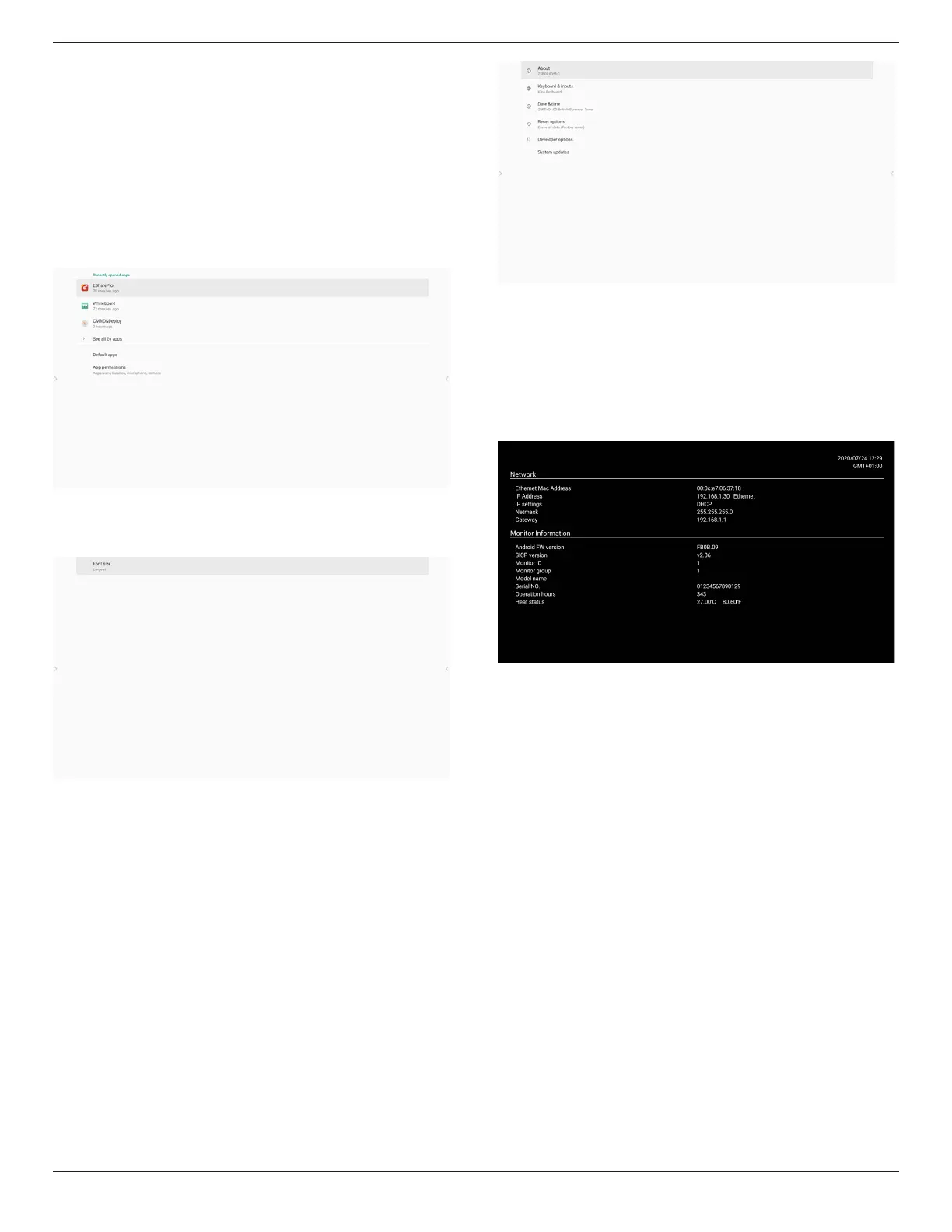
5.3. App & notifications
Display application information.
Note:
(1) User options key on RCU to show setting option.
5.4. Display
Set the font size of display from Small/Normal/Large/Huge.
5.5. System
View the following information of the system:
(1) About
(2) Keyboard & inputs
(3) Date & time
(4) Reset options
(5) Developer options
(6) System updates
5.6. Quick Info
Press “Info + 77” to startup quick info.
Quick info will show “Network” and “Monitor Information”.
Note:
Operation hours: updates every minute.
Heat status : updates every 5 seconds.













 To Next Page