65BDL4650D/75BDL4650D/86BDL4650D
23
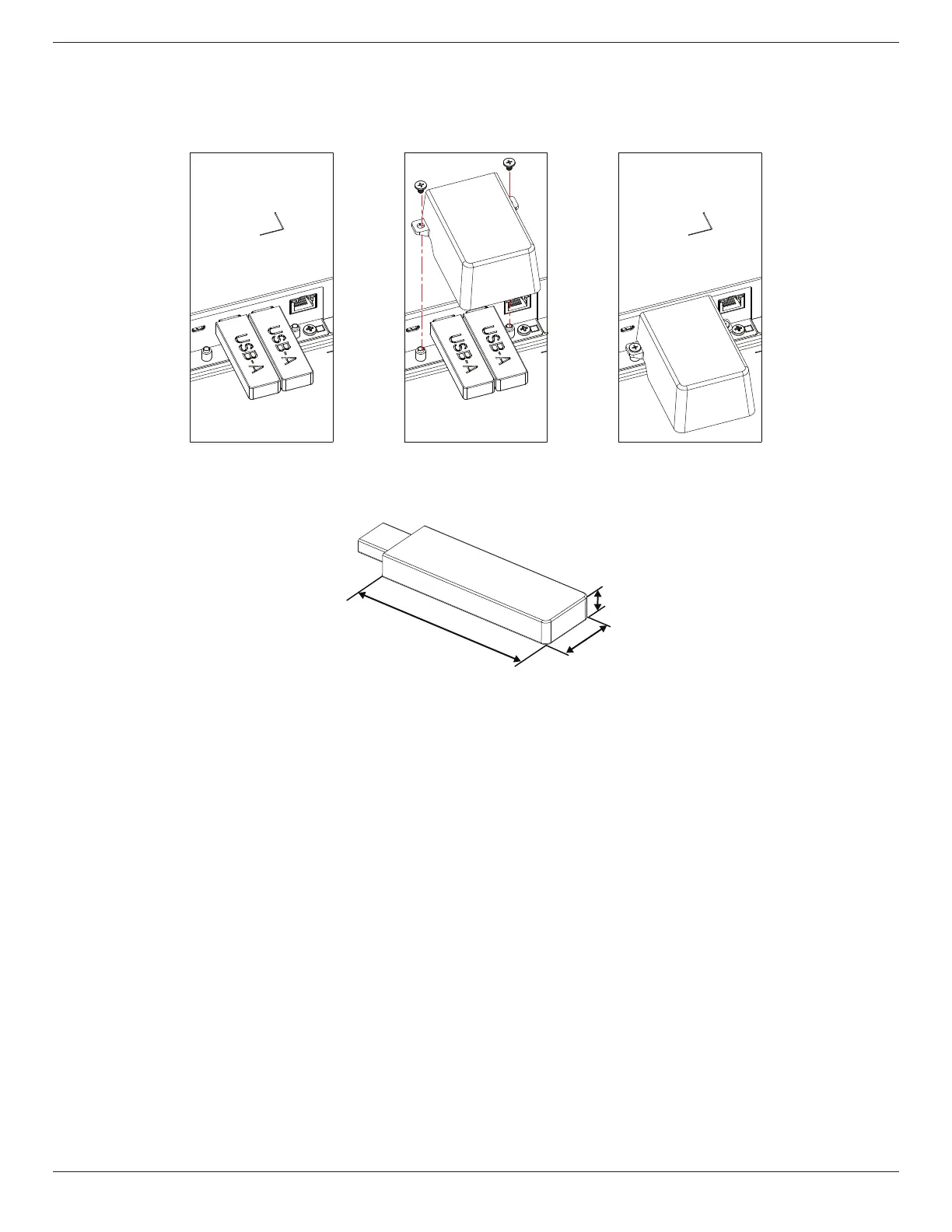
3.7. USB Cover
• Use the USB cover and screws to cover the USB stick
1. Plugin the USB device.
2. Use the screw provided to x the USB cover.
• Maximum suitable size for the USB stick:
USB: 20(W)x10(H)x60(L) mm
L
H
W













 To Next Page