Apps
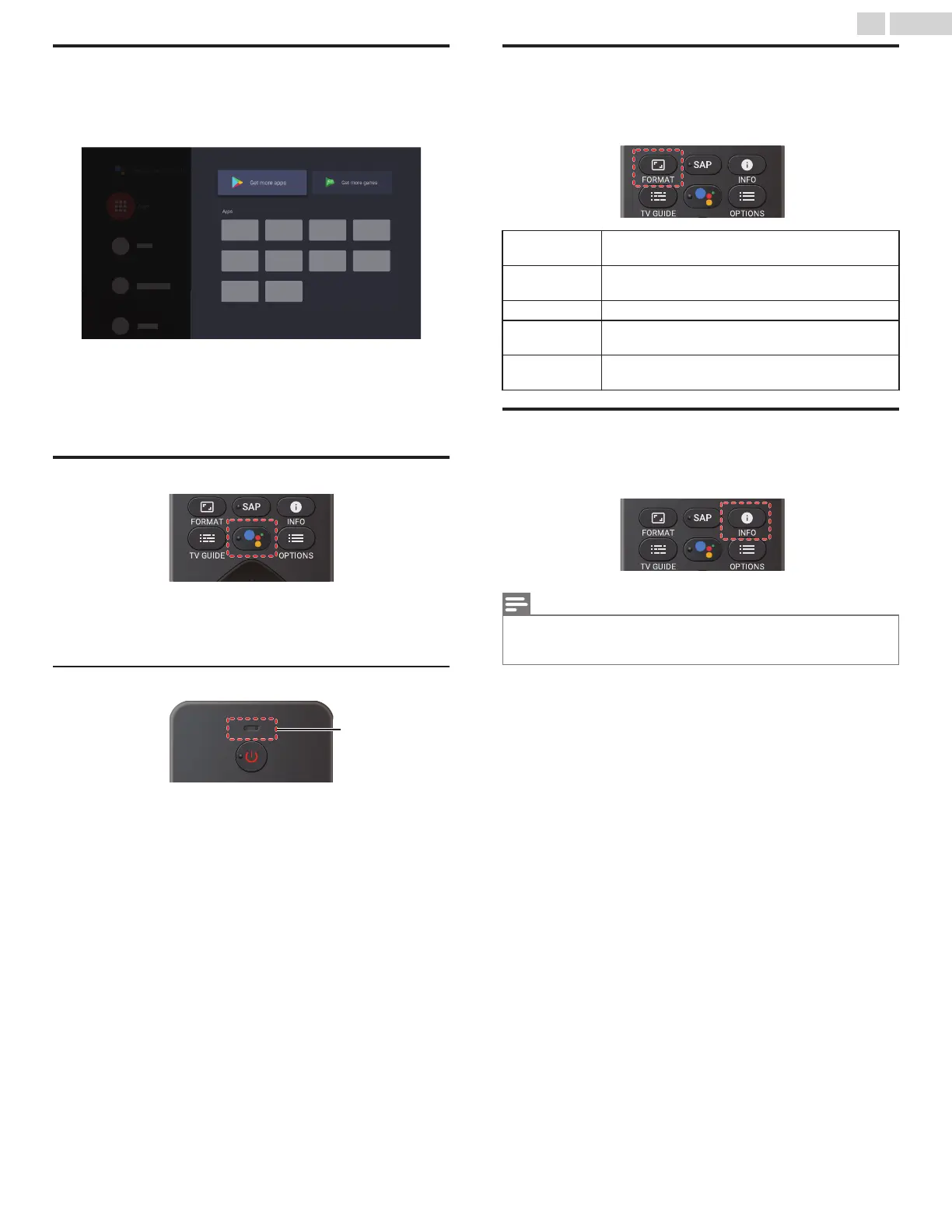
You can download the apps.
1
Press x (HOME) and use H I J K to select Apps, then press
OK.
2
Select Get more apps to open the Google Play Store apps.
3
Search for the app or type of app you want to install.
4
Select the app.
5
Select install.
The Google Assistant
Press the Google Assistant to launch the Google Assistant .
You can operate what you want to do and what you want to ask by
hands-free.
Microphone
Microphone
1
Activating the Google Assistant on the home screen will launch a
Google Query.
●
Activating the Google Assistant within an app will allow you to
search and find information only related to a specific app.
2
Speak into the microphone located on the top of your remote.
Speech examples may be displayed depending on your model.
Refer to the Google web site (https://support.google.com/
assistant/) for more information on what to ask.
Picture format
Display modes can be selected when your TV receives a 16:9 or 4:3
video signal.
Press v (FORMAT) repeatedly to switch the TV aspect ratio.
Automatic
Displays a picture at maker recommended picrure
format setting.
Full
Displays a picture that is stretched out of
proportion to fill the screen.
Unscaled Displays a picture at its original size.
4:3
Displays a 4:3 picture at its original size.
Sidebars appear on both edges of the screen.
Movie expand
Displays a American vista 16:9 picture at its original
size.
TV screen information
You can display the currently selected channel or other information.
1
Press 1 (INFO).
Note(s)
●
The information display will automatically disappear in 5 seconds. This
information is for cable/antenna broadcasts only. Information for streaming
apps will vary on the app.
19 .English
Continued on next page.









 To Next Page