4 Getting more from your
TV
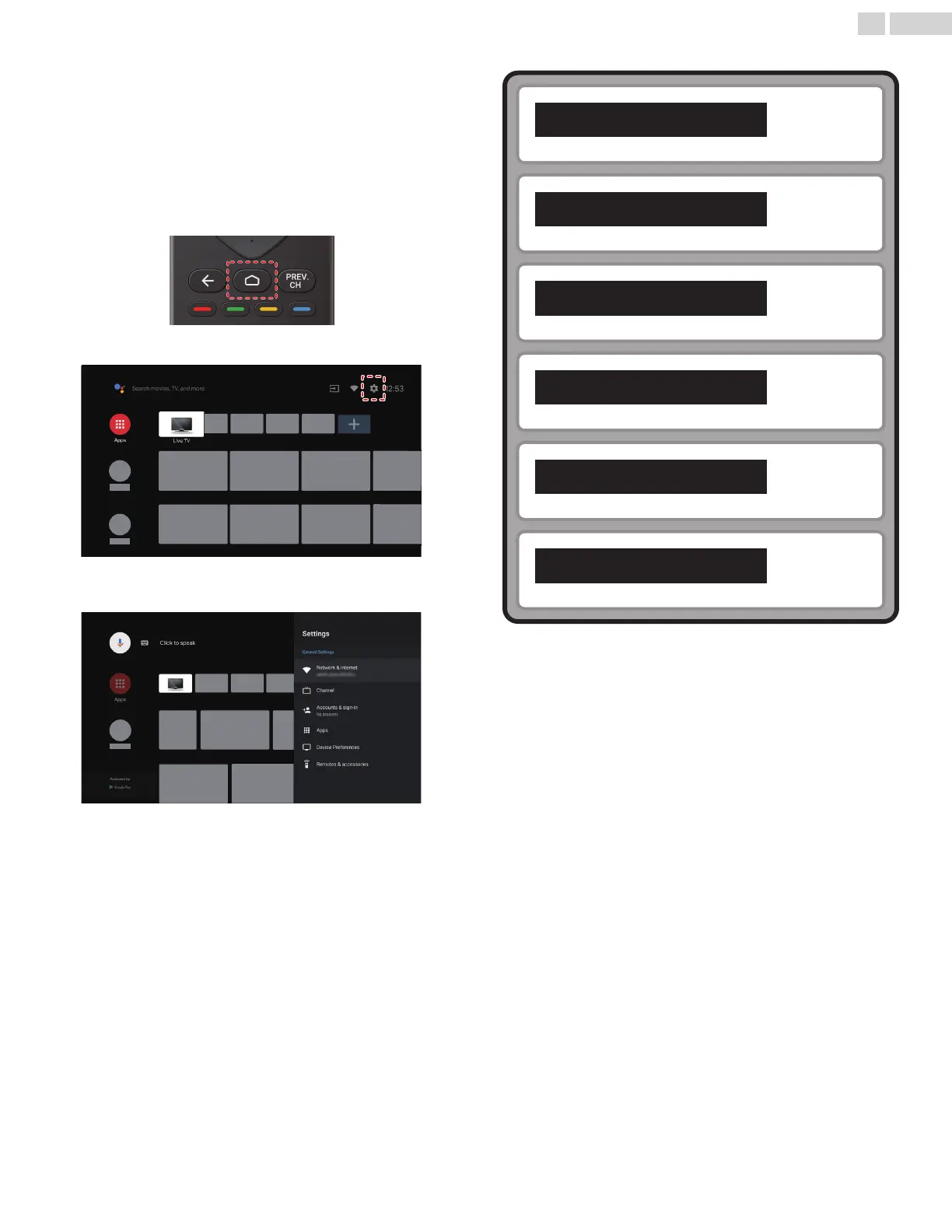
This section describes the overview of the Settings menu displayed
when you press x (HOME) and use H I J K to Select Settings.
The Settings menu consists of the function setting items below.
1
Press x (HOME) to display the Home menu.
2
Use H I J K to select Settings, then press OK.
3
Use H I J K to select the desired menu and an item, then press
OK.
Network & Internet
L p. 22
Channel
L p. 23
Accounts & sign-in
L p. 25
Apps
L p. 25
Device Preferences
L p. 26
Remote & accessories
L p. 32
21 .English
Continued on next page.










 To Next Page