EasyManua.ls Logo

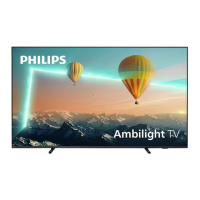
Philips 8008 Series - User Manual

Philips 8008 Series
73 pages
Print Icon
To Next Page IconTo Next Page
Loading...
Register your product and get support at
www.philips.com/TVsupport
User Manual
65PUS8008
75PUS8008
8008 Series
Question and Answer IconNeed help?

Do you have a question about the Philips 8008 Series and is the answer not in the manual?

Summary

Home Screen Overview

Home Screen Highlights and Content

Provides an overview of the home screen, including tabs, content rows, and navigation elements.

Accessing Home Screen Settings

Explains how to access All Settings, Frequent settings, and Quick menu from the home screen.

TV Guide Access from Home

Details how to open and utilize the TV Guide feature directly from the home screen.

Get Support

Identify and Register Your TV

Instructions for finding TV model/serial numbers and registering the product for benefits.

TV Help and User Manual

Guide to accessing the TV's built-in help function and user manual for information.

TV Diagnose and Self-diagnose

Steps for running diagnostic tests to check TV performance and settings.

Consumer Care and Repair Information

Information on contacting consumer care for support and repair services.

Quick Guide

Remote Control Overview

Explanation of the remote control's layout, buttons, and basic functions.

IR Sensor and Remote Maintenance

Details on the TV's IR sensor and procedures for replacing remote batteries and cleaning.

Setting Up

Initial Setup and Safety

Guidance on reading safety instructions and performing initial TV setup.

TV Placement and Power Connection

Recommendations for TV placement and instructions for connecting the power cable.

Connections

Connectivity Guide and Antenna Setup

General advice on device connection quality and how to connect an antenna.

Satellite and Video Device Connections

Instructions for connecting satellite dishes and video devices via HDMI.

Audio Device and Mobile Connections

Details on connecting audio devices via HDMI ARC/eARC and mobile devices for screen mirroring.

Other Device and Computer Connections

Information on connecting CI+ modules and computers via HDMI.

Switch Source

Source List and Device Renaming

How to view the source list and rename connected devices.

Channels

Channel Basics and Switching

How to watch, switch, and manage TV channels, including channel lists.

Channel Installation Procedures

Guide to installing channels via antenna, cable, and satellite, including reception tests.

Channel List and Favourites Management

Managing channel lists, creating favourites, and searching for channels.

Teletext and Subtitle Features

Instructions for using Teletext and setting subtitle preferences.

TV Guide

TV Guide Overview and Usage

Explains how to access and use the TV Guide for program information and tuning.

Freeview Play (for UK models)

Freeview Play Features and Usage

Details on Freeview Play benefits, using its apps, and accessing the TV Guide.

Videos, Photos and Music

Media Playback from USB and Network

How to play video, photo, and music files from USB drives and network sources.

Photo Viewing and Options

Instructions for viewing photos, using slideshows, and adjusting photo display options.

Video and Music Playback Features

Details on playing video and music files, including playback controls and settings.

Open TV Setting Menus

Quick Menu and Picture Settings

Accessing quick menus, frequent settings, and initial picture adjustments.

Advanced Picture Settings

Customizing advanced picture settings like colour, contrast, sharpness, and HDR.

Picture Format and Clean Settings

Adjusting picture format, noise reduction, and quick picture settings.

Sound Settings and Equalizer

Configuring sound styles, personal settings, clear dialogue, and AI equalizer.

Advanced Sound and Audio Output Settings

Adjusting surround sound, DRC, volume control, and audio output options.

Digital Audio and HbbTV Settings

Configuring eARC, digital output formats, and HbbTV tracking and cookies.

General Settings and CAM Configuration

Managing CAM settings, USB keyboard, mouse, HDMI-CEC, and screensavers.

Eco, Power, and HDMI Settings

Adjusting HDMI Ultra HD, auto movie mode, power-on behavior, and eco settings.

Location, Demo, and Reset Options

Setting TV location, managing demo videos, and resetting TV settings to default.

Accessibility, Lock, and Language Settings

Configuring universal access, child lock, app lock, and language preferences.

Clock and Timer Settings

How to set the TV clock automatically or manually, and configure the sleep timer.

Gaming Control Bar

Gaming Control Bar Overview

Introduction to the gaming control bar for game mode information and settings.

Gaming Control Bar Dashboard

Displays key gaming information like input lag, frame rate, and resolution.

Gaming Control Bar Settings

Adjusting game-specific settings like crosshair, shadow control, and audio output.

Wireless and Networks

Home Network Setup

Requirements and steps for connecting the TV to a home network.

Connecting to Network (Wired;Wireless)

Step-by-step guide to establish a wired or wireless internet connection.

Network Configuration and Settings

Viewing network status and configuring static IP addressing.

Wireless Network Features and Management

Covers Wi-Fi features, privacy settings, Netflix, clear internet memory, and terms of use.

Smart TV and Apps

Smart TV Setup and App Store

Initial configuration for Smart TV and how to browse and install apps.

Internet Usage and App Categories

Information on using the TV's internet browser and app categories.

Ambilight

Ambilight Style and Personal Colour

Customizing Ambilight styles for video, audio, and selecting personal colors.

Ambisleep Feature and Settings

Using Ambisleep for relaxation, including duration, brightness, and sound options.

Advanced Ambilight Settings

Adjusting Ambilight brightness, saturation, wall color, and TV switch-off behavior.

Netflix

Using the Netflix App

Instructions on how to access and use the Netflix application on the TV.

Rakuten TV

Using the Rakuten TV App

Information on accessing and utilizing the Rakuten TV application.

Amazon Prime Video

Using the Amazon Prime Video App

How to access and use the Amazon Prime Video application for movies and shows.

YouTube

Using the YouTube App

Instructions for accessing and using the YouTube application on the TV.

Alexa

About Amazon Alexa Voice Control

Explanation of Alexa features and requirements for TV voice control.

Setting Up and Using Alexa with TV

Step-by-step guide to set up and control the TV using Amazon Alexa.

Google Assistant

Google Assistant Setup and Usage

Guide to enable and control the TV using Google Assistant voice commands.

Software

Software Update Procedures

Instructions for updating TV software via internet or USB, and managing updates.

Software Version and History

How to view the current software version and the history of updates.

Automatic Software Update Settings

Enabling or disabling the automatic software update feature for the TV.

Environmental

Energy Label and Disposal Information

Details on energy efficiency, EPREL numbers, and proper disposal of product and batteries.

Regulatory Compliance Statements

Information on UK Declaration of Conformity and EMF standards.

Specifications

Power, Reception, and Resolution Specs

Technical details on power, tuner bands, input resolutions, and display resolution.

Sound and Multimedia Specifications

Information on sound output power, audio codecs, and supported multimedia formats.

Connectivity Ports and Standards

Details of all physical connections, CI+ slot, USB, HDMI, and Wi-Fi certification.

Troubleshooting

General Troubleshooting Tips and Power Issues

Advice for finding solutions, contacting support, and troubleshooting power-on problems.

Remote Control and Channel Issues

Troubleshooting steps for remote control malfunctions and channel reception problems.

Satellite and Picture Quality Problems

Solutions for satellite reception issues and problems with picture quality.

Sound and HDMI;UHD Connectivity Issues

Troubleshooting sound problems and issues related to HDMI and Ultra HD connections.

USB, Network, and Language Troubleshooting

Solutions for USB playback, Wi-Fi/internet connectivity, and incorrect menu language.

Safety and Care

Important Safety Precautions and Hazards

Essential safety instructions regarding electric shock, injury, damage, and battery risks.

Screen Care and Environmental Considerations

Guidelines for screen cleaning, avoiding overheating, and handling environmental factors.

Terms of Use

Warranty, Pixel, and Regulatory Information

Details on warranty, pixel characteristics, CE compliance, and EMF standards.

Copyrights

HDMI, HEVC, Dolby, DTS, and Wi-Fi Trademarks

Information on copyrights, patents, and trademarks for various technologies.

Other Trademarks and Ownership

General statement regarding other registered and unregistered trademarks.

Open Source

Open Source Software and License Details

Information on available open source software and the terms of their licenses.

Disclaimer for Third-Party Services

Third-Party Service Availability Disclaimer

Disclaimer regarding potential changes, suspension, or termination of third-party services.

Summary

Home Screen Overview

Home Screen Highlights and Content

Provides an overview of the home screen, including tabs, content rows, and navigation elements.

Accessing Home Screen Settings

Explains how to access All Settings, Frequent settings, and Quick menu from the home screen.

TV Guide Access from Home

Details how to open and utilize the TV Guide feature directly from the home screen.

Get Support

Identify and Register Your TV

Instructions for finding TV model/serial numbers and registering the product for benefits.

TV Help and User Manual

Guide to accessing the TV's built-in help function and user manual for information.

TV Diagnose and Self-diagnose

Steps for running diagnostic tests to check TV performance and settings.

Consumer Care and Repair Information

Information on contacting consumer care for support and repair services.

Quick Guide

Remote Control Overview

Explanation of the remote control's layout, buttons, and basic functions.

IR Sensor and Remote Maintenance

Details on the TV's IR sensor and procedures for replacing remote batteries and cleaning.

Setting Up

Initial Setup and Safety

Guidance on reading safety instructions and performing initial TV setup.

TV Placement and Power Connection

Recommendations for TV placement and instructions for connecting the power cable.

Connections

Connectivity Guide and Antenna Setup

General advice on device connection quality and how to connect an antenna.

Satellite and Video Device Connections

Instructions for connecting satellite dishes and video devices via HDMI.

Audio Device and Mobile Connections

Details on connecting audio devices via HDMI ARC/eARC and mobile devices for screen mirroring.

Other Device and Computer Connections

Information on connecting CI+ modules and computers via HDMI.

Switch Source

Source List and Device Renaming

How to view the source list and rename connected devices.

Channels

Channel Basics and Switching

How to watch, switch, and manage TV channels, including channel lists.

Channel Installation Procedures

Guide to installing channels via antenna, cable, and satellite, including reception tests.

Channel List and Favourites Management

Managing channel lists, creating favourites, and searching for channels.

Teletext and Subtitle Features

Instructions for using Teletext and setting subtitle preferences.

TV Guide

TV Guide Overview and Usage

Explains how to access and use the TV Guide for program information and tuning.

Freeview Play (for UK models)

Freeview Play Features and Usage

Details on Freeview Play benefits, using its apps, and accessing the TV Guide.

Videos, Photos and Music

Media Playback from USB and Network

How to play video, photo, and music files from USB drives and network sources.

Photo Viewing and Options

Instructions for viewing photos, using slideshows, and adjusting photo display options.

Video and Music Playback Features

Details on playing video and music files, including playback controls and settings.

Open TV Setting Menus

Quick Menu and Picture Settings

Accessing quick menus, frequent settings, and initial picture adjustments.

Advanced Picture Settings

Customizing advanced picture settings like colour, contrast, sharpness, and HDR.

Picture Format and Clean Settings

Adjusting picture format, noise reduction, and quick picture settings.

Sound Settings and Equalizer

Configuring sound styles, personal settings, clear dialogue, and AI equalizer.

Advanced Sound and Audio Output Settings

Adjusting surround sound, DRC, volume control, and audio output options.

Digital Audio and HbbTV Settings

Configuring eARC, digital output formats, and HbbTV tracking and cookies.

General Settings and CAM Configuration

Managing CAM settings, USB keyboard, mouse, HDMI-CEC, and screensavers.

Eco, Power, and HDMI Settings

Adjusting HDMI Ultra HD, auto movie mode, power-on behavior, and eco settings.

Location, Demo, and Reset Options

Setting TV location, managing demo videos, and resetting TV settings to default.

Accessibility, Lock, and Language Settings

Configuring universal access, child lock, app lock, and language preferences.

Clock and Timer Settings

How to set the TV clock automatically or manually, and configure the sleep timer.

Gaming Control Bar

Gaming Control Bar Overview

Introduction to the gaming control bar for game mode information and settings.

Gaming Control Bar Dashboard

Displays key gaming information like input lag, frame rate, and resolution.

Gaming Control Bar Settings

Adjusting game-specific settings like crosshair, shadow control, and audio output.

Wireless and Networks

Home Network Setup

Requirements and steps for connecting the TV to a home network.

Connecting to Network (Wired;Wireless)

Step-by-step guide to establish a wired or wireless internet connection.

Network Configuration and Settings

Viewing network status and configuring static IP addressing.

Wireless Network Features and Management

Covers Wi-Fi features, privacy settings, Netflix, clear internet memory, and terms of use.

Smart TV and Apps

Smart TV Setup and App Store

Initial configuration for Smart TV and how to browse and install apps.

Internet Usage and App Categories

Information on using the TV's internet browser and app categories.

Ambilight

Ambilight Style and Personal Colour

Customizing Ambilight styles for video, audio, and selecting personal colors.

Ambisleep Feature and Settings

Using Ambisleep for relaxation, including duration, brightness, and sound options.

Advanced Ambilight Settings

Adjusting Ambilight brightness, saturation, wall color, and TV switch-off behavior.

Netflix

Using the Netflix App

Instructions on how to access and use the Netflix application on the TV.

Rakuten TV

Using the Rakuten TV App

Information on accessing and utilizing the Rakuten TV application.

Amazon Prime Video

Using the Amazon Prime Video App

How to access and use the Amazon Prime Video application for movies and shows.

YouTube

Using the YouTube App

Instructions for accessing and using the YouTube application on the TV.

Alexa

About Amazon Alexa Voice Control

Explanation of Alexa features and requirements for TV voice control.

Setting Up and Using Alexa with TV

Step-by-step guide to set up and control the TV using Amazon Alexa.

Google Assistant

Google Assistant Setup and Usage

Guide to enable and control the TV using Google Assistant voice commands.

Software

Software Update Procedures

Instructions for updating TV software via internet or USB, and managing updates.

Software Version and History

How to view the current software version and the history of updates.

Automatic Software Update Settings

Enabling or disabling the automatic software update feature for the TV.

Environmental

Energy Label and Disposal Information

Details on energy efficiency, EPREL numbers, and proper disposal of product and batteries.

Regulatory Compliance Statements

Information on UK Declaration of Conformity and EMF standards.

Specifications

Power, Reception, and Resolution Specs

Technical details on power, tuner bands, input resolutions, and display resolution.

Sound and Multimedia Specifications

Information on sound output power, audio codecs, and supported multimedia formats.

Connectivity Ports and Standards

Details of all physical connections, CI+ slot, USB, HDMI, and Wi-Fi certification.

Troubleshooting

General Troubleshooting Tips and Power Issues

Advice for finding solutions, contacting support, and troubleshooting power-on problems.

Remote Control and Channel Issues

Troubleshooting steps for remote control malfunctions and channel reception problems.

Satellite and Picture Quality Problems

Solutions for satellite reception issues and problems with picture quality.

Sound and HDMI;UHD Connectivity Issues

Troubleshooting sound problems and issues related to HDMI and Ultra HD connections.

USB, Network, and Language Troubleshooting

Solutions for USB playback, Wi-Fi/internet connectivity, and incorrect menu language.

Safety and Care

Important Safety Precautions and Hazards

Essential safety instructions regarding electric shock, injury, damage, and battery risks.

Screen Care and Environmental Considerations

Guidelines for screen cleaning, avoiding overheating, and handling environmental factors.

Terms of Use

Warranty, Pixel, and Regulatory Information

Details on warranty, pixel characteristics, CE compliance, and EMF standards.

Copyrights

HDMI, HEVC, Dolby, DTS, and Wi-Fi Trademarks

Information on copyrights, patents, and trademarks for various technologies.

Other Trademarks and Ownership

General statement regarding other registered and unregistered trademarks.

Open Source

Open Source Software and License Details

Information on available open source software and the terms of their licenses.

Disclaimer for Third-Party Services

Third-Party Service Availability Disclaimer

Disclaimer regarding potential changes, suspension, or termination of third-party services.

Philips 8008 Series Specifications

General IconGeneral
Operating SystemAndroid TV
HDMI Ports4
Sound TechnologyDolby Atmos
Smart TVYes
Resolution4K Ultra HD (3840 x 2160)
HDR SupportHDR10, HLG
Wi-FiYes
BluetoothYes

Related product manuals