EasyManua.ls Logo

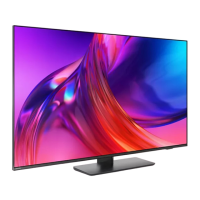
Philips 8108 Series - User Manual

Philips 8108 Series
76 pages
Print Icon
To Next Page IconTo Next Page
Loading...
Register your product and get support at
www.philips.com/TVsupport
User Manual
70PUS8108
8108 Series

Other manuals for Philips 8108 Series

Question and Answer IconNeed help?

Do you have a question about the Philips 8108 Series and is the answer not in the manual?

Summary

2. Get Support

2.3. TV Diagnose and Self-diagnose

Running diagnostic tests to check TV condition and settings for troubleshooting.

2.4. Consumer Care; Repair

3. Quick Guide

3.1. Remote Control

Key overview of the remote control for different types.

4. Setting Up

4.3. Turn on TV

Instructions for connecting the power cable and turning on the TV.

5. Connections

5.4. Video Device

Connecting HDMI devices for optimal picture and sound quality.

5.5. Audio Device

7. Channels

7.1. About Channels and Switch Channels

How to watch channels, switch between them, and use the channel list.

7.2. Install Channel

Steps for searching and installing channels via antenna or cable.

7.3. Channel List

8. TV Guide

8.2. Using the TV Guide

9. Freeview Play (for UK models)

9.2. Using Freeview Play

How to navigate and use the Freeview Play interface.

10. Videos, Photos and Music

10.1. From a USB Connection

Viewing media files from a connected USB drive.

10.4. Videos

Play Videos

How to play video files, including pause, rewind, and subtitles.

10.5. Music

Play Music

Steps to play music files and available playback options.

11. Open TV Setting Menus

11.1. Quick Menu and Frequent Settings

Accessing quick settings and frequently used TV functions.

11.2. All Settings

Accessing the comprehensive settings menu for the TV.

Picture Settings

Picture Style

Adjusting picture styles, format, and other visual settings.

Expert Mode Picture Settings

Colour Settings

Adjusting colour enhancement, temperature, and whitepoint alignment.

HDR Settings

Settings for High Dynamic Range content display.

Sound Settings

Sound Style

Selecting preset sound styles for different content types.

EasyLink 2.0

Audio Out Settings

eARC

Configuring eARC for advanced audio return channel features.

Digital Output Settings

Settings for digital audio output formats like Stereo or Multichannel.

General Settings

HDMI-CEC Connection - EasyLink

Controlling HDMI CEC devices with the TV remote.

HDMI Ultra HD

Reset TV Settings and Reinstall TV

Region and Language Settings

12. Gaming Control Bar

13. Wireless and Networks

14. Smart TV and Apps

15. Ambilight

15.4. Advanced Ambilight Settings

20. Alexa

20.3. Alexa Voice Commands

21. Google Assistant

22. Software

25. Troubleshooting

25.2. Switch On

Troubleshooting steps when the TV fails to power on.

25.3. Remote Control

Troubleshooting steps if the remote control is unresponsive.

25.5. Satellite

25.6. Picture

No picture; distorted picture

Steps to resolve issues with no picture or distorted visuals.

25.7. Sound

No sound or poor sound quality

Steps to fix issues with no sound or distorted audio.

25.8. HDMI - UHD

25.10. Wi-Fi and Internet

Wi-Fi network not found or distorted

Solutions for Wi-Fi connection problems.

Internet does not work

Troubleshooting internet connectivity issues.

25.11. Wrong Menu Language

Change the language back to your language

Steps to revert the menu language to the correct one.

26. Safety and Care

26.1. Safety

Important safety precautions to prevent injury and hazards.

Stability Hazards

Precautions to prevent TV from falling and causing injury.

Risk of Batteries

Safety warnings regarding battery ingestion and handling.

26.2. Screen Care

Clean

Instructions for cleaning the TV screen and frame safely.

Summary

2. Get Support

2.3. TV Diagnose and Self-diagnose

Running diagnostic tests to check TV condition and settings for troubleshooting.

2.4. Consumer Care; Repair

3. Quick Guide

3.1. Remote Control

Key overview of the remote control for different types.

4. Setting Up

4.3. Turn on TV

Instructions for connecting the power cable and turning on the TV.

5. Connections

5.4. Video Device

Connecting HDMI devices for optimal picture and sound quality.

5.5. Audio Device

7. Channels

7.1. About Channels and Switch Channels

How to watch channels, switch between them, and use the channel list.

7.2. Install Channel

Steps for searching and installing channels via antenna or cable.

7.3. Channel List

8. TV Guide

8.2. Using the TV Guide

9. Freeview Play (for UK models)

9.2. Using Freeview Play

How to navigate and use the Freeview Play interface.

10. Videos, Photos and Music

10.1. From a USB Connection

Viewing media files from a connected USB drive.

10.4. Videos

Play Videos

How to play video files, including pause, rewind, and subtitles.

10.5. Music

Play Music

Steps to play music files and available playback options.

11. Open TV Setting Menus

11.1. Quick Menu and Frequent Settings

Accessing quick settings and frequently used TV functions.

11.2. All Settings

Accessing the comprehensive settings menu for the TV.

Picture Settings

Picture Style

Adjusting picture styles, format, and other visual settings.

Expert Mode Picture Settings

Colour Settings

Adjusting colour enhancement, temperature, and whitepoint alignment.

HDR Settings

Settings for High Dynamic Range content display.

Sound Settings

Sound Style

Selecting preset sound styles for different content types.

EasyLink 2.0

Audio Out Settings

eARC

Configuring eARC for advanced audio return channel features.

Digital Output Settings

Settings for digital audio output formats like Stereo or Multichannel.

General Settings

HDMI-CEC Connection - EasyLink

Controlling HDMI CEC devices with the TV remote.

HDMI Ultra HD

Reset TV Settings and Reinstall TV

Region and Language Settings

12. Gaming Control Bar

13. Wireless and Networks

14. Smart TV and Apps

15. Ambilight

15.4. Advanced Ambilight Settings

20. Alexa

20.3. Alexa Voice Commands

21. Google Assistant

22. Software

25. Troubleshooting

25.2. Switch On

Troubleshooting steps when the TV fails to power on.

25.3. Remote Control

Troubleshooting steps if the remote control is unresponsive.

25.5. Satellite

25.6. Picture

No picture; distorted picture

Steps to resolve issues with no picture or distorted visuals.

25.7. Sound

No sound or poor sound quality

Steps to fix issues with no sound or distorted audio.

25.8. HDMI - UHD

25.10. Wi-Fi and Internet

Wi-Fi network not found or distorted

Solutions for Wi-Fi connection problems.

Internet does not work

Troubleshooting internet connectivity issues.

25.11. Wrong Menu Language

Change the language back to your language

Steps to revert the menu language to the correct one.

26. Safety and Care

26.1. Safety

Important safety precautions to prevent injury and hazards.

Stability Hazards

Precautions to prevent TV from falling and causing injury.

Risk of Batteries

Safety warnings regarding battery ingestion and handling.

26.2. Screen Care

Clean

Instructions for cleaning the TV screen and frame safely.

Philips 8108 Series Specifications

General IconGeneral
Display TypeLED
Screen Size55 inches
Smart TVYes
Operating SystemAndroid TV
Ambilight3-sided
HDMI Ports4
USB Ports2
Sound TechnologyDolby Atmos
Sound Output20W
Refresh Rate60Hz
Resolution3840 x 2160 (4K Ultra HD)
HDRHDR10+
Wireless ConnectivityWi-Fi 802.11ac

Related product manuals