Philips Electronics
- 23 -
3.4.4 Moving Photos4
Photos can only be moved between albums created by PhotoFrame™ on internal memory or
external memory card.
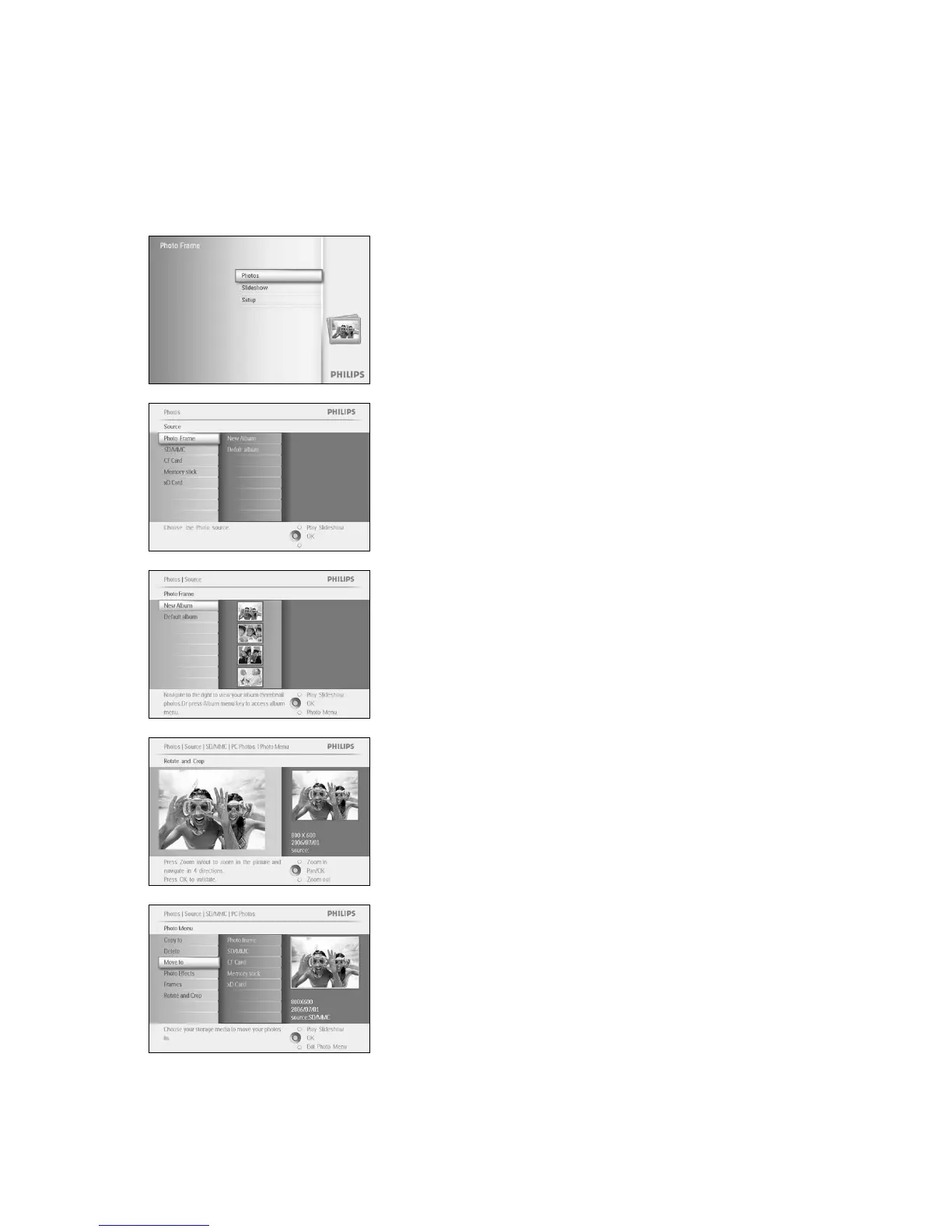
Press the menu button to access the Main Menu.
Navigate right or press the OK button to access the Photo menu.
Navigate down to select the media to browse.
Navigate right to enter the required album.
Navigate right to view the photos in the chosen album.
Press the navigation buttons to move between photos.
Press the OK button to select individual images.
Press OK button for 3 seconds to select all visible thumbnails.
Once all required photos have been selected press the menu button.
Press the menu button to access the
Photo Menu
.
Navigate down to
Move to Album.


 To Next Page