Philips Electronics
- 52 -
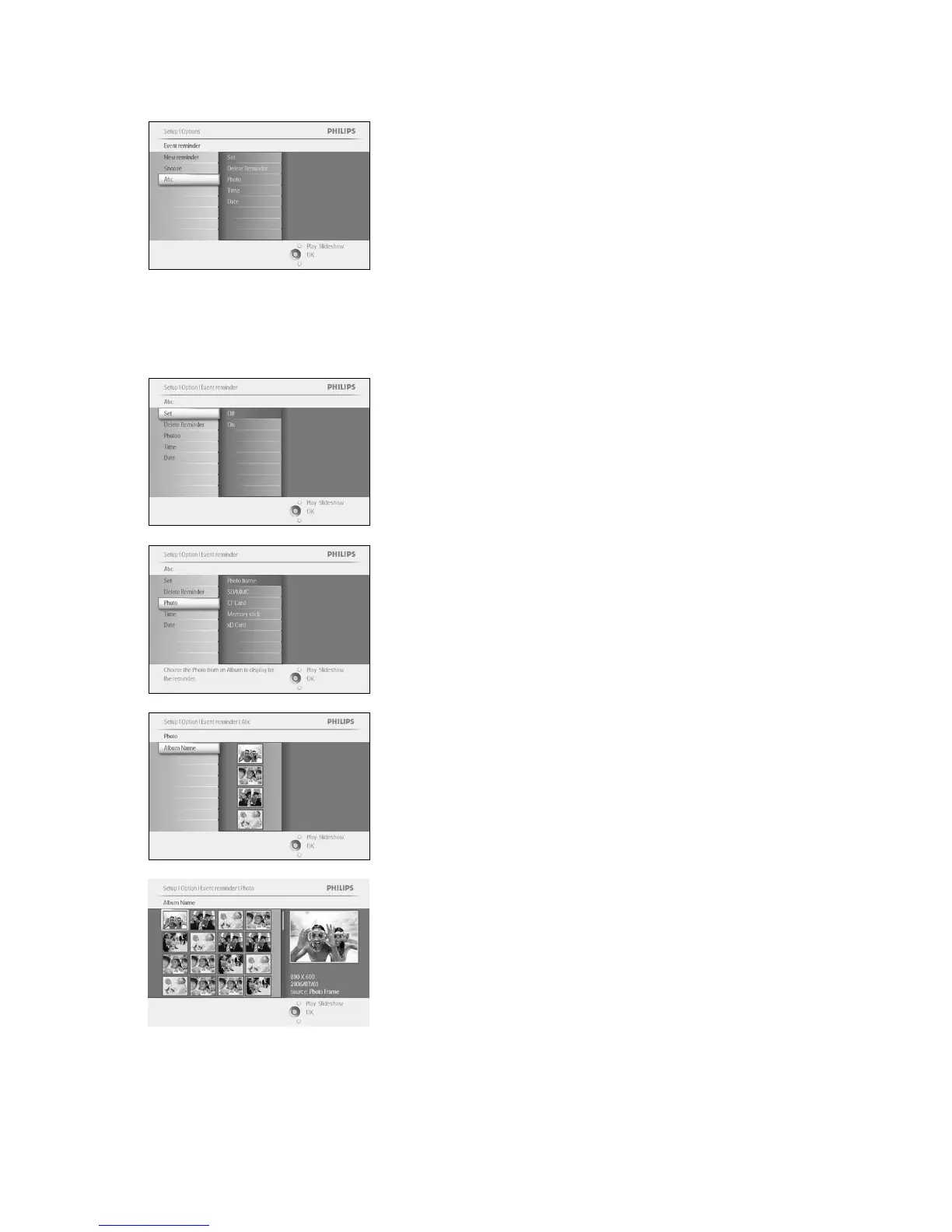
The new alarm is shown on the left.
Step 2 Event Reminder Photo
Select the Photo that will be displayed when the reminder starts.
Navigate right and down to go to Photo.
Press the OK button to confirm selection.
Navigate down to select photo.
Navigate right to go to the album list.
Navigate down to select the album.
Navigate right to go to the thumbnail.
Navigate to select the photo.
Press OK to confirm selection.
Step 3 - Event Reminder Time


 To Next Page