38 EN
Switching the operation
mode
The appliance has two operation
modes, the purification ONLY mode and
the 2-in-1 mode.
1 Touch the mode selection button
to switch to the purification ONLY
mode.
» displays on the screen when
the appliance operates in the
purification ONLY mode.
2 Touch the mode selection button
again to switch to the 2-in-1 mode.
» displays on the screen when
the appliance operates in the
2-in-1 mode.
» The current humidity level
displays on the screen by default.
Note
• The screen will display humidity
level for 3 seonds and change to
display the highest level of IAI or
PM2.5 if one of which is not good.
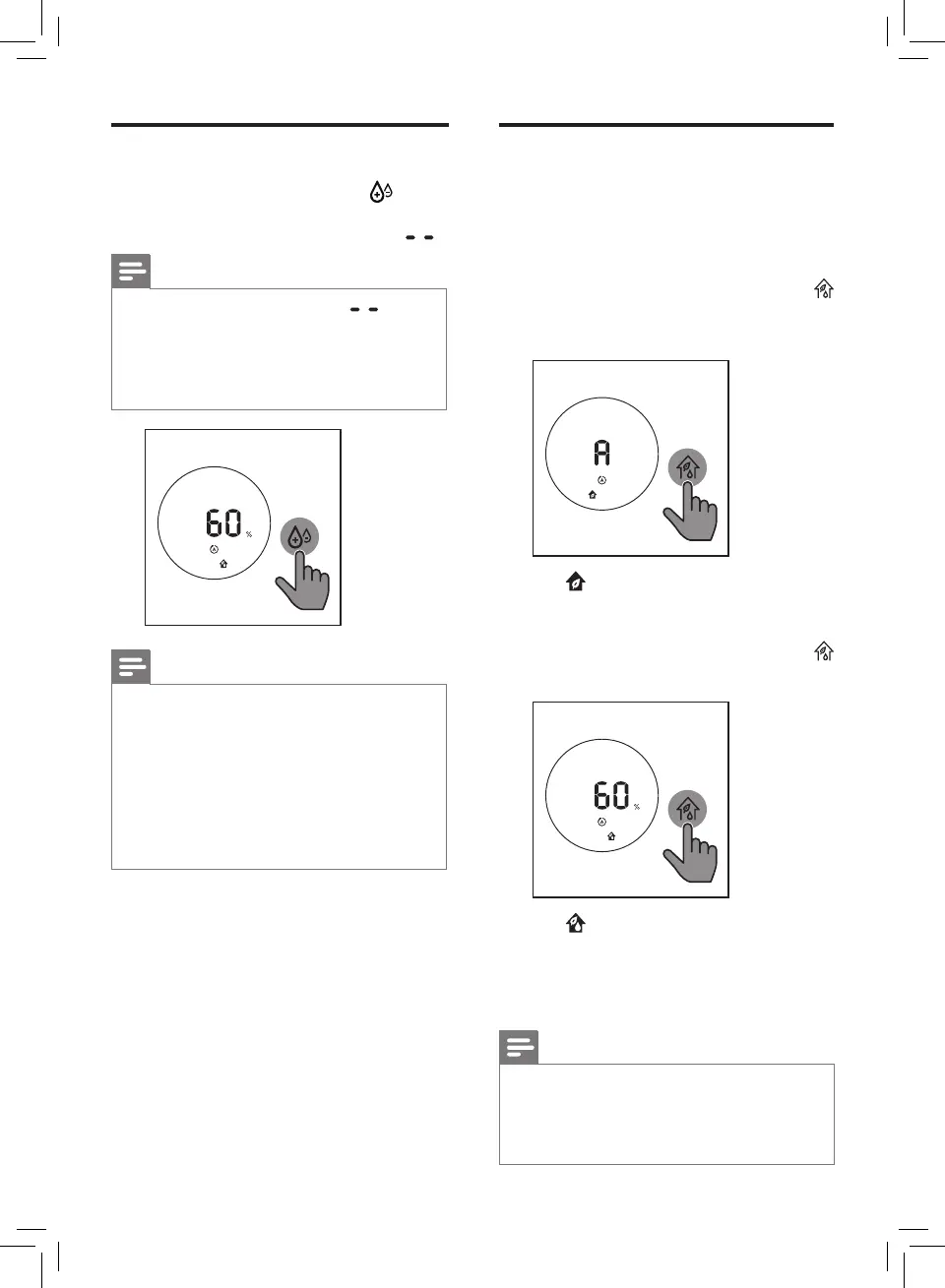
Setting the humidity level
1 Touch the humidity button
repeatedly to set the desired air
humidity to 40%, 50%, 60% or " ".
Note
• When the humidity level " " is
chosen, the appliance will keep
humidifying the room until the
ambient humidity level reaches
70%RH.
Note
• When the target humidity level is
reached, the wick wheel will stop
rotating. It will start rotating again
when the humidity drops below the
target level.
• If you want to increase the humidity
level quickly, you can select a
higher fan speed.







 To Next Page