39EN
Using the light dimming
function
With the light dimming button, you can
switch on or off the air quality light,
the display screen and the function
indicator if desired.
1 Touch the light dimming button
once, the air quality light will be
dimmed.
2 Touch the light dimming button
again, the air quality light and the
display panel will be turned off.
3 Touch the light dimming button
for the third time, all lights will be on
again.
Switching the display
mode
The appliance has three display modes,
PM2.5 display, IAI display and humidity
level display.
Note
• The appliance operates in PM2.5
display mode by default.
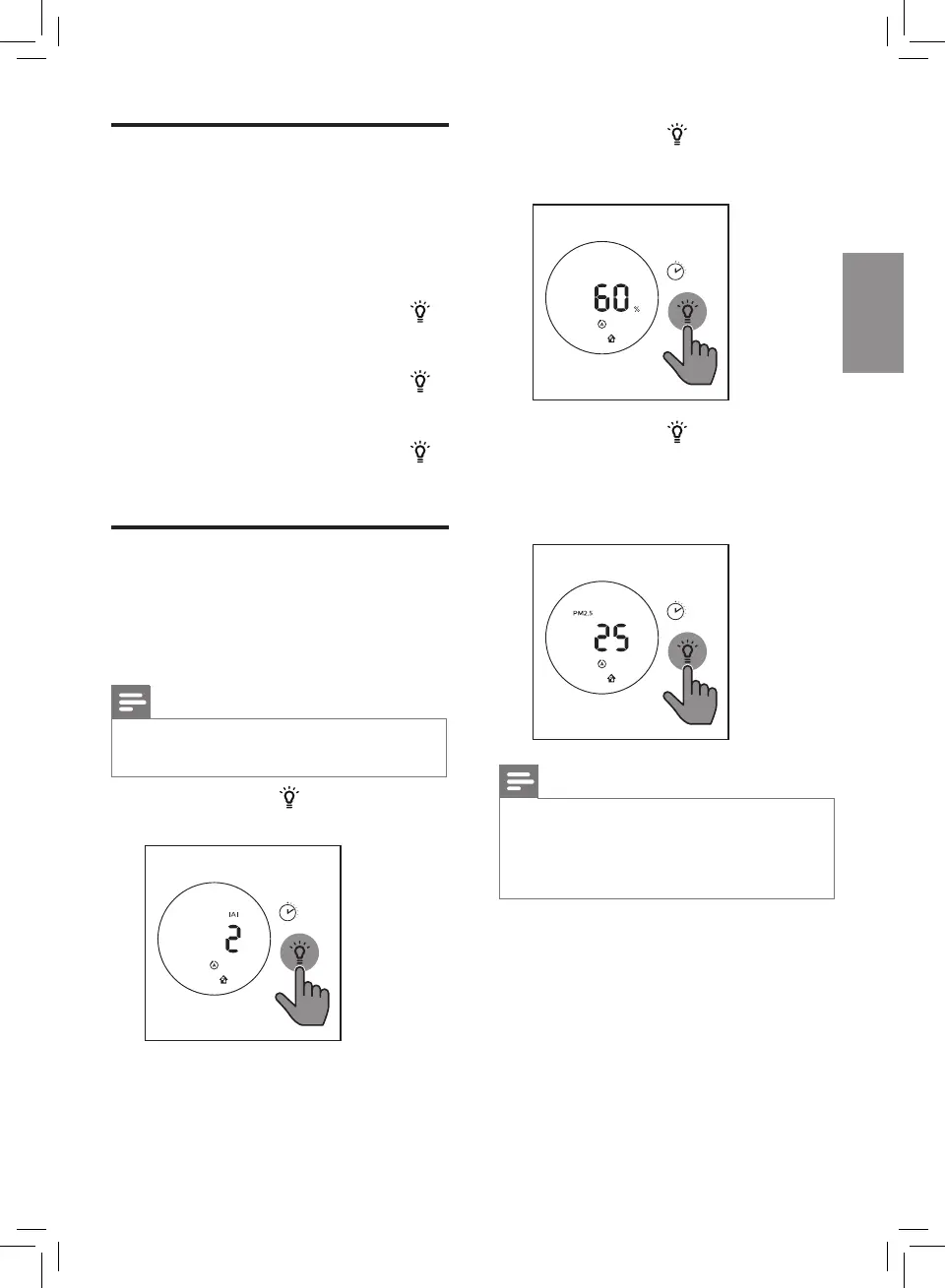
1 Touch and hold for 3 seconds to
switch to IAI display.
3S
» IAI indicator and the actual IAI
level display on the screen.
2 Touch and hold for 3 seconds
twice to switch to actual humidity
level display.
3S
3 Touch and hold for 3 seconds to
switch to PM2.5 display.
» PM2.5 indicator and the actual
PM2.5 level display on the
screen.
3S
Note
• The screen will display humidity
level for 3 seonds and change to
display the highest level of IAI or
PM2.5 if one of which is not good.







 To Next Page