40 EN
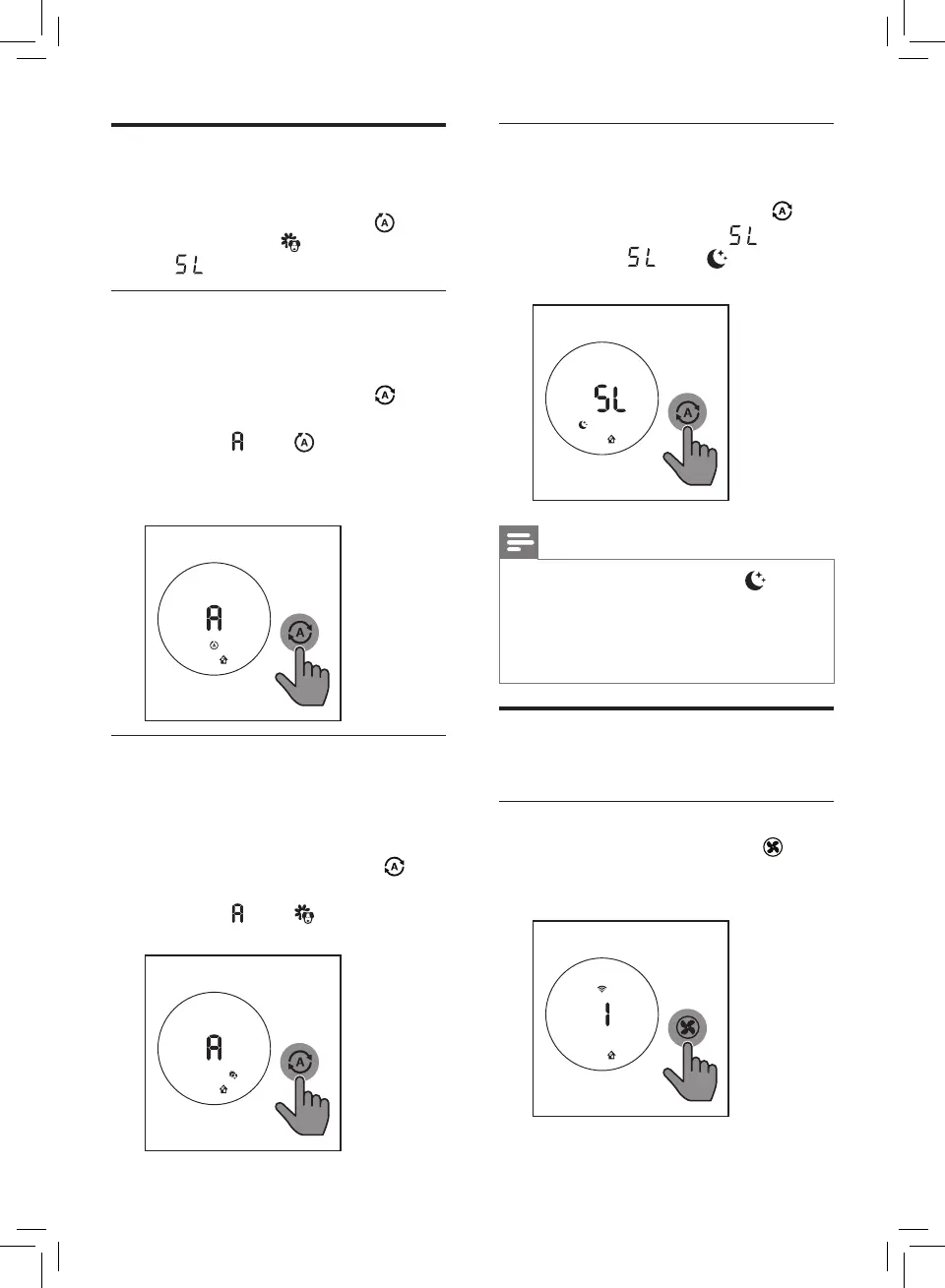
Sleep (SL)
In Sleep mode, the air purifier operates
quietly on a very low speed.
• Touch the Auto mode button
select the Sleep mode ( ).
» Sleep ( ) and display on
the screen.
Note
• All lights will go off except if
no buttons are touched after one
minute.
• You can turn on the lights manually
by touching any buttons.
Changing the fan speed
There are several fan speeds available.
Manual
• Touch the fan speed button
repeatedly to select the desired fan
speed (1, 2 or 3).
Changing the Auto mode
setting
You can choose the Auto mode ( ),
the Allergen mode ( ) and the Sleep
mode ( ).
Auto mode
In auto mode, the appliance selects
the fan speed in accordance with the
ambient air humidity and air quality.
• Touch the fan speed button to
select Auto mode.
» Auto ( ) and display on the
screen.
» The appliance operates in Auto
mode by default.
Allergen mode
The extra-sensitive allergen mode
is designed to react to even a small
change in allergen levels in the
surrounding air.
• Touch the Auto mode button to
select the Allergen mode.
» Auto ( ) and display on the
screen.







 To Next Page