EasyManua.ls Logo

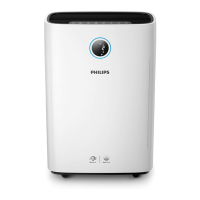
Philips AC2729/10 - User Manual

Philips AC2729/10
182 pages
Print Icon
To Next Page IconTo Next Page
Loading...
EN User manual 1
BG Ръководство за потребител 23
CZ Příručka pro uživatele 47
HU Felhasználói kézikönyv 69
PL Instrukcja obsługi 91
RO Manual de utilizare 113
SK Príručka užívateľa 135
UK Посібник користувача 157
1 2
A
B
D
C
G
F
M
K
J
H
L
I
E
Control buttons
Display panel
© 2018 Koninklijke Philips N.V.
All rights reserved.
4241 211 00091
AC2729

Table of Contents

Questions and Answers

  • E
    Elizabeth DavisAug 16, 2025
    Why Philips Air Cleaner airflow is weaker than before?
    • C
      Christopher PriceAug 17, 2025
      The airflow from your Philips Air Cleaner might be weaker than before if the pre-filter is dirty. Clean the pre-filter. Also, ensure all packaging material has been removed from the NanoProtect filter.
  • M
    Melissa NguyenAug 22, 2025
    What to do if no air comes out of the Philips AC2729/10 outlet?
    • J
      Jeffrey GuerraAug 23, 2025
      Plug the Philips Air Cleaner into the power supply and switch it on.
  • C
    Casey PetersAug 26, 2025
    I do not see water vapor coming out of the Philips AC2729/10. Is it working?
    • C
      Cheyenne ZamoraAug 26, 2025
      The Philips Air Cleaner has NanoCloud humidification technology, which produces healthy humid air from the outlet area without the formation of water mist.
  • K
    Kelly JohnsonAug 28, 2025
    What to do if the Philips AC2729/10 Air Cleaner produces a strange smell?
    • S
      Stefanie MendezAug 28, 2025
      When you use the Philips Air Cleaner for the first time, it may produce a plastic smell, and this is normal. However, if the appliance produces a burnt smell even after removing the filters, contact your Philips dealer or an authorized Philips service center. Also, the filter may produce a smell after being used for a while because of the absorption of indoor air. You can remove the filter and place it in direct sunlight and ventilation for several hours, then re-install and try using it again. If the odor remains, replace the filter.
  • H
    Hannah SmithAug 31, 2025
    Why the Philips AC2729/10 Air Cleaner is extra loud?
    • W
      William CummingsAug 31, 2025
      The Philips Air Cleaner might be extra loud because you have not removed all of the packaging material. Also, try changing the fan speed to a lower level.
  • S
    Stephen MillerSep 3, 2025
    Why the air quality does not improve even after a long time using Philips AC2729/10 Air Cleaner?
    • C
      Charles BlackwellSep 4, 2025
      The air quality may not improve even after a long time using the Philips Air Cleaner if one of the filters has not been placed in the air purifier or a filter is not placed properly. Make sure that all filters are properly installed in the following order, starting with the innermost filter: 1) NanoProtect filter Series 3 (FY1410) 2) NanoProtect filter Active Carbon (FY1413) 3) pre-filter. Also, check if the packing material is removed from the filters. The air quality sensor could be wet. Make sure that the air quality sensor is clean and dry.
  • E
    Erica ReedSep 6, 2025
    Why does it take a long time to reach the target humidity level on my Philips Air Cleaner?
    • K
      kristen54Sep 6, 2025
      To optimize humidification and purification performance of your Philips Air Cleaner, it's recommended to close doors and windows during use.
  • D
    Dawn LoweSep 9, 2025
    What to do if the Philips AC2729/10 still indicates that I need to replace a filter, but I already did?
    • D
      Dan OrtizSep 9, 2025
      If the Philips Air Cleaner still indicates that you need to replace a filter, even after you have already done so, ensure that you correctly touched and held the Timer/Reset button. Plug in the appliance, touch to switch it on, and then touch and hold the Timer/Reset button for 3 seconds.
  • M
    Mary LloydSep 12, 2025
    Why are there some white deposits on the Philips AC2729/10 Air Cleaner NanoCloud rotary humidification wick?
    • B
      Brenda Ward MDSep 12, 2025
      Scale on the NanoCloud rotary humidification wick consists of minerals from the water. Follow the cleaning instructions in the user manual.
  • M
    Michelle SmithNov 18, 2025
    How to fix Philips AC2729/10 Air Cleaner Wi-Fi setup if it is not successful?
    • M
      martinezjessicaNov 18, 2025
      If the router your purifier is connected to is dual – band and currently it is not connecting to a 2.4GHz network, please switch to another band of the same router (2.4GHz) and try to pair your purifier again. Note that 5GHz networks are not supported. Web authentication networks are also not supported. Check if the purifier is within range of the Wi-Fi router. You can try to locate the air purifier closer to the Wi-Fi router. Check if the network name and the Wi-Fi password are correct, noting that both are case-sensitive. Retry the setup with the instructions in section ‘Set up the Wi-Fi connection when the network has changed’. The Wi-Fi connectivity can be interrupted by electromagnetic or other interferences, so keep the appliance away from other electronic devices that may cause inte...

Summary

Important Safety Information

Safety Precautions

Read this manual carefully before use and save for future reference. Includes dangers, warnings, and cautions.

About Your Air Purifier

Product Overview

Identifies and explains the main components and parts of the air purifier.

Controls and Display Overview

Details the functions of all control buttons and the display panel indicators.

Getting Started

Installing the NanoProtect Filter

Step-by-step guide for installing the NanoProtect filter.

Preparing for Humidification

Instructions on preparing the appliance for humidification.

Wi-Fi Network Setup

Guide for connecting the air purifier to a Wi-Fi network and the app.

Using the Appliance

Understanding Air Quality Indicators

Explains the air quality light, PM2.5 levels, and IAI readings.

Switching the Appliance On and Off

How to turn the appliance on and off.

Setting the Humidity Level

Instructions for adjusting the desired humidity level.

Operation Modes Explained

Details on Purification ONLY and 2-in-1 modes.

Using the Light Dimming Function

How to adjust the brightness of lights and display.

Switching Display Modes

How to switch between PM2.5, IAI, and humidity displays.

Cleaning and Maintenance

Cleaning Schedule and Methods

Recommended frequency and methods for cleaning parts.

Cleaning the Appliance Body

How to clean the exterior of the appliance.

Cleaning the Air Quality Sensor

Instructions for cleaning the air quality sensor.

Cleaning Water Tank, Tray, and Wick

Steps to clean the water tank, tray, and humidification wick.

Cleaning the Pre-filter

How to clean the removable pre-filter.

Descaling the Humidification Wick

Procedures for removing scale buildup from the wick.

Filter and Wick Replacement

Healthy Air Protect Lock Explained

Explanation of the lock feature and filter replacement indicators.

Replacing the NanoProtect Filter

Detailed steps for replacing the NanoProtect filter.

Replacing the Humidification Wick

Instructions for replacing the NanoCloud humidification wick.

Troubleshooting Common Issues

Guarantee and Service Information

Ordering Parts and Accessories

Information on purchasing replacement parts or accessories.

Important Notices

Electromagnetic Fields (EMF) Compliance

Information regarding the appliance's adherence to EMF exposure standards and compliance.

Recycling Information

Guidelines for proper recycling and disposal of the product.

EU Declaration of Conformity

Official statement of the appliance's compliance with relevant EU directives.

Philips AC2729/10 Specifications

General IconGeneral
ModelAC2729/10
CategoryAir Cleaner
FunctionsAir Purification, Humidification
CADR250 m³/h
Water Tank Capacity3.5 L
Filtration TechnologyVitaShield IPS
Particle Filtration99.97% of particles as small as 0.3 microns
ConnectivityNo
ControlTouch panel
Dimensions396 x 230 x 580 mm
ColorWhite
Filter TypeHEPA, Active Carbon, Pre-filter

Related product manuals