41EN
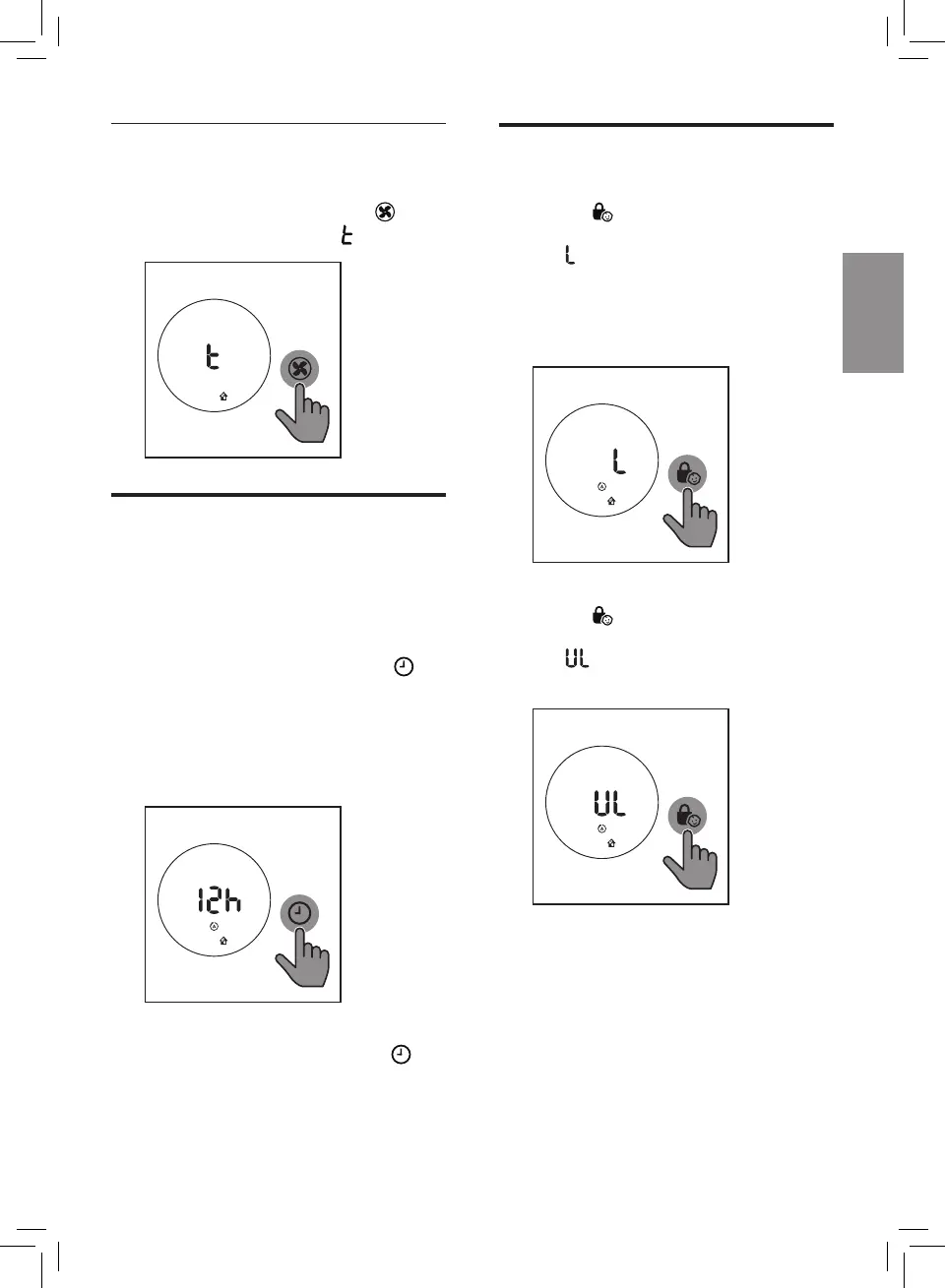
Setting the child lock
1 Touch and hold the child lock
button for 3 seconds to activate
child lock.
» displays on the screen for
3 seconds.
» When the child lock is on,
all the other buttons are not
responsive.
2 Touch and hold the child lock
button for 3 seconds again to
deactivate child lock.
» displays on the screen for
3 seconds.
Turbo (t)
In Turbo mode, the air purifier operates
on the highest speed.
• Touch the fan speed button to
select the Turbo mode ( ).
Setting the timer
With the timer, you can let the
appliance operate for a set number of
hours. When the set time has elapsed,
the appliance will automatically switch
off.
• Touch the Timer/Reset button
repeatedly to choose the number
of hours you want the appliance to
operate.
» The timer is available from 1 to
12 hours.
• To deactivate the timer function,
touch the Timer/Reset button
repeatedly until "---" displays on
the screen.







 To Next Page