9
English
Set the sensitivity of the air
quality sensor
People with certain health problems (for example:
allergies or asthma) have a greater need for
healthy air. For this reason, the purier allows you
to adjust the sensitivity of the air quality sensor.
If you set it to higher sensitivity level, the purier
starts cleaning the air at lower pollution level.
There are 3 sensitivity levels:
• standard
• sensitive
• extra sensitive
The pollution sensor is set to standard
sensitivity. You can adjust the sensitivity of
the air quality sensor in the following way.
Note
•
When it is set to a higher sensitivity, the
purier starts cleaning the air at lower
pollution levels to make the air even cleaner.
Plug the purier before adjusting the sensitivity
of the air quality sensor.
1 Press the
button and simultaneously
put the power plug in the power socket.
» The purier beeps twice and one of
the
lights ( , , or ) goes on to
show the current sensitivity level of
the air quality sensor.
Timer light Sensitivity level
extra sensitive
sensitive
standard
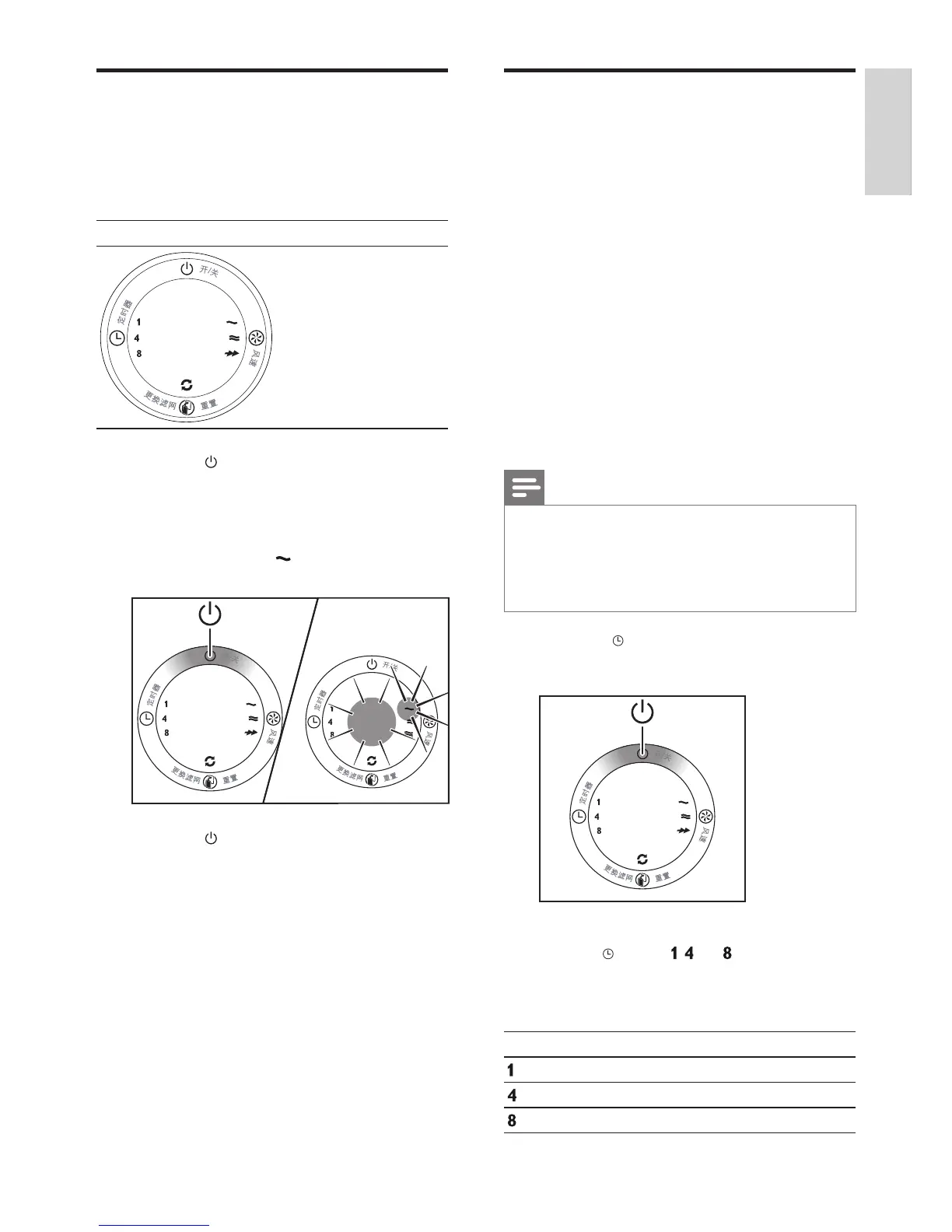
Switch on or off
1
Plug the purier into the power supply.
» All lights go on twice and you hear a
beep. Then, the lights go out again.
Control Panel
2 Press the
button to switch on the
purier.
» The air quality light shows the current
air quality.
» The fan speed
light goes on.
3 Press the
button to switch off the
purier.
EN
English



 To Next Page