34 EN
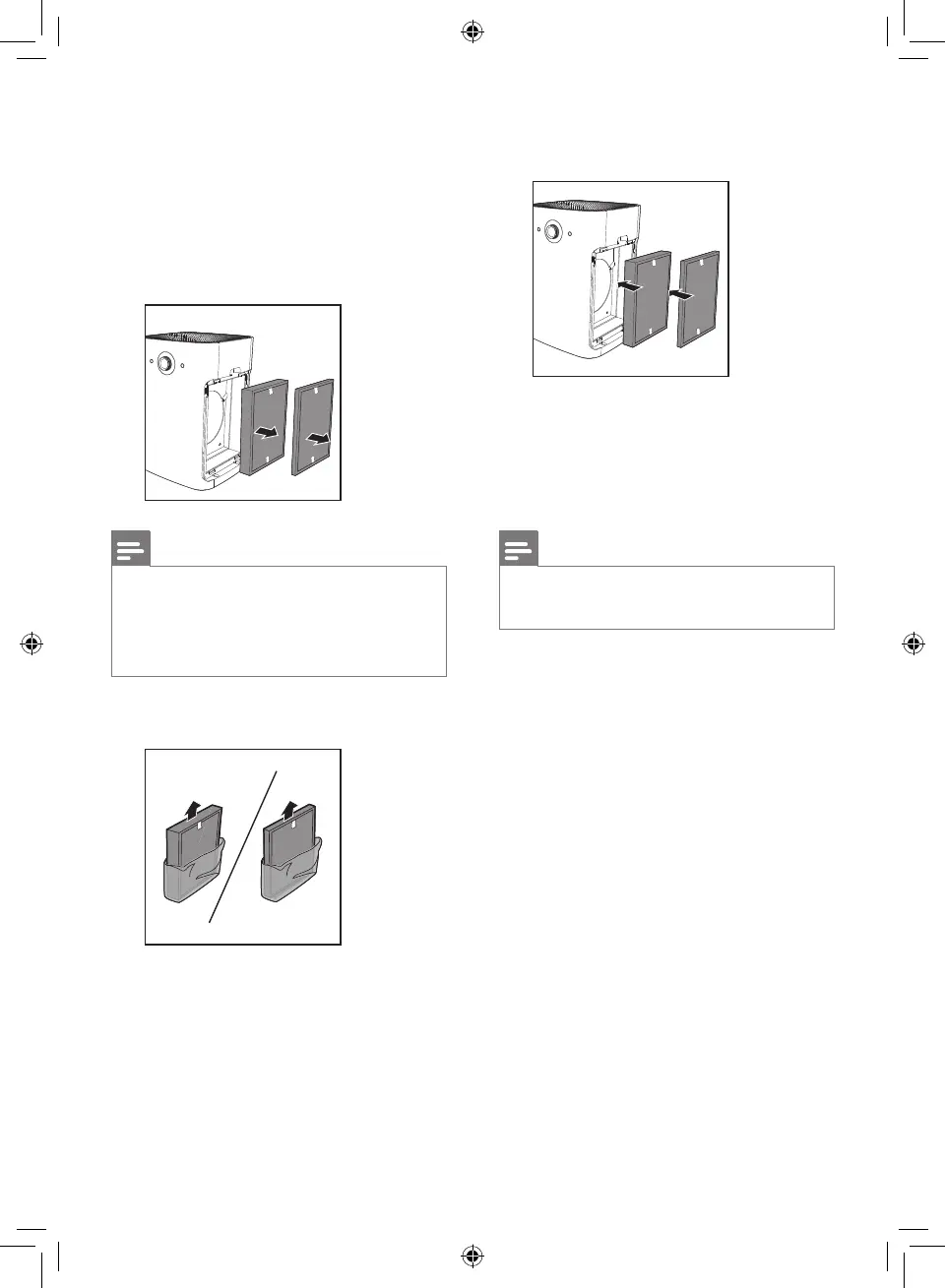
4 Put the new filter into the
appliance.
5 After the pre-filters are properly
put back in the appliance, reset
the filter lifetime counter. (Refer
to chapter 7 "Resetting the filter
lifetime counter".)
Note
• Cleanse your hands after
changing filter.
1 Take out the pre-filters on both
sides of the appliance.
2 Take out the expired air
purification filter according to
the filter code on the screen,
and gently put the expired filter
into the trash bin.
Note
• Do not touch the pleated filter
surface, or smell the filter as it
has collected pollutants from
the air.
3 Remove all packaging material
of the new filter.



 To Next Page