25EN
3 Getting started
Install filters
Remove all packaging of the filters
before using the appliance. Unpack
them and place them into the
appliance described as follows:
Note
• There is one set of filters on each
side of the appliance. Each side
is equipped with one pre-filter
and one air purification filter.
• Make sure that you place the air
purification filter in the appliance
first and then the pre-filter.
• Make sure that the side with the
tag is pointing towards you.
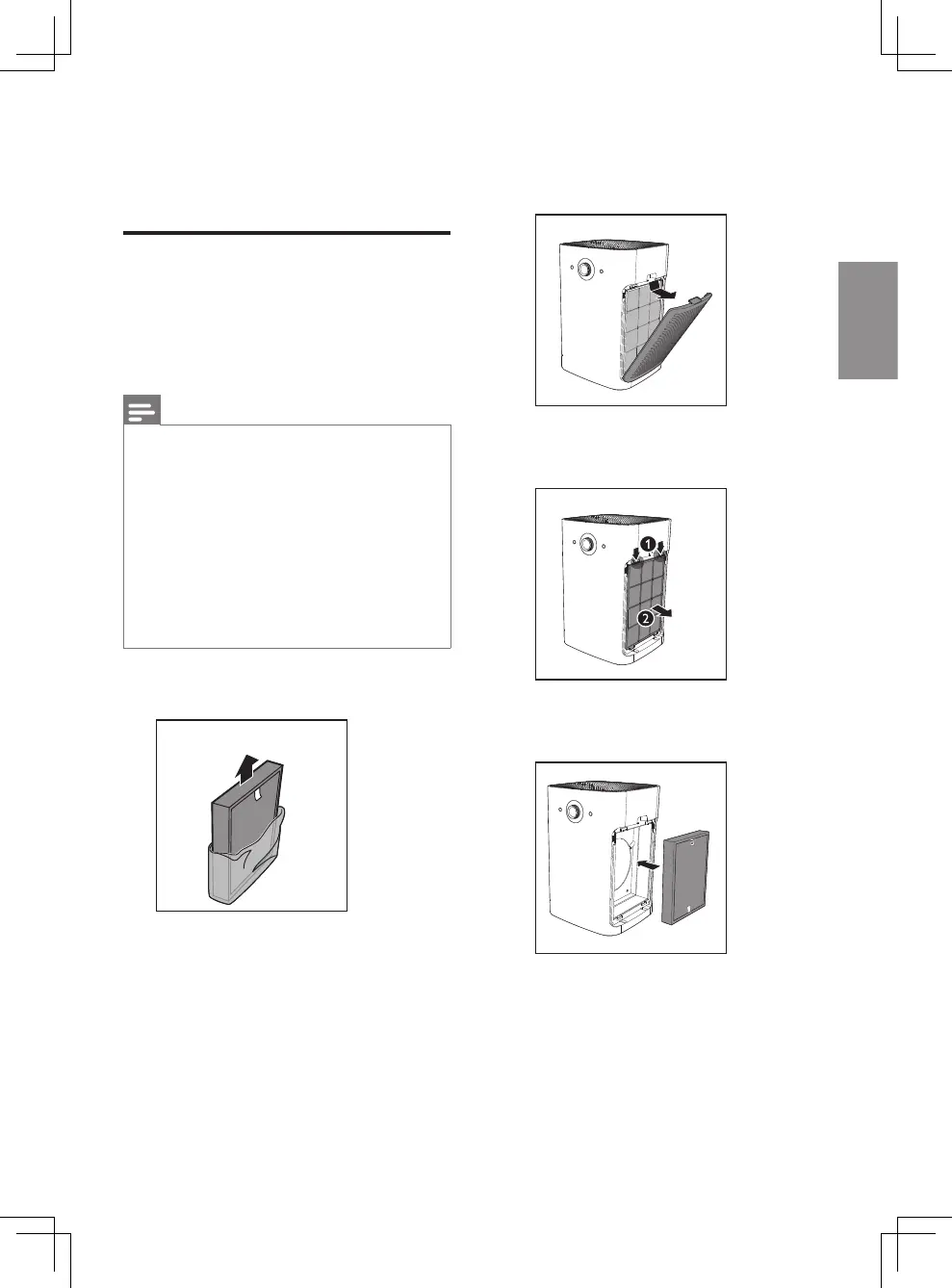
1 Remove all packaging materials
of the air purification filters.
2 Pull the top part of the side
panel to remove it from the
appliance.
3 Press the two clips down and
pull the pre-filter towards you.
4 Put the unpacked air purification
filter back into the appliance.



 To Next Page