Need help?
Do you have a question about the Philips AD7000W/37 and is the answer not in the manual?
Provides essential safety instructions, warnings, and symbols for safe operation and handling of the device.
Details compliance information, FCC and RSS statements, and radiation exposure guidelines.
Introduces Apple AirPlay technology and its capabilities with the AD7000W device.
Lists all the components included in the product package for user verification.
Specifies the requirements for streaming audio wirelessly via AirPlay.
Details the specific Apple devices and software versions compatible with AirPlay.
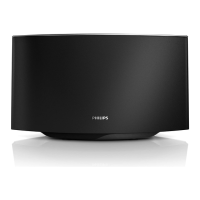
Identifies and explains the functions of the physical controls and indicators on the AD7000W unit.
Provides step-by-step instructions to initiate and begin using the AirPlay feature.
Guides on how to properly connect the AC power adapter to the device and power outlet.
Explains the procedure for powering on the AD7000W unit and its boot-up process.
Details the process of connecting the device to a Wi-Fi network using WPS technology.
Provides manual steps for connecting the device to a Wi-Fi network without WPS support.
Guides on enabling a special setup mode for connecting to a Wi-Fi network.
Instructs on connecting a compatible device to the temporary network created by AD7000W.
Instructions for connecting the device to Wi-Fi using a PC or Mac.
Explains how to access the device's configuration interface via a web browser.
Details how to modify the device's Wi-Fi settings for network connection.
Guides on reconnecting your device to its original Wi-Fi network after setup.
Instructions for streaming music from iTunes libraries to the AD7000W speaker.
Details how to stream audio from Apple mobile devices using AirPlay.
Explains how to stream music from a computer's iTunes library to the AD7000W.
Describes how to manage playback options using the host device or AD7000W.
Guides on adjusting sound settings via the Philips Fidelio app or iTunes equalizer.
Explains how to play music and charge Apple devices via the USB port.
Instructions for connecting and playing audio from external devices using the MP3 link.
Guides on obtaining the necessary firmware update file from the Philips support website.
Details the process of updating the device firmware via its web-based configuration interface.
Provides key specifications like AC power, operation, and dimensions of the AD7000W.
Lists detailed technical specifications for amplifier, speakers, and wireless features.
Troubleshooting steps for issues related to the device not powering on.
Provides solutions for audio playback problems, including volume and connection checks.
Guides on how to reset the device or power cycle it when it becomes unresponsive.
Offers solutions for problems encountered during Wi-Fi network setup and connection.
Suggests remedies for intermittent interruptions during wireless music playback.
Advises on network performance issues affecting AirPlay and suggests optimization steps.
Troubleshooting steps for when the AirPlay icon is not visible in iTunes.
Provides solutions for connection failures between AirPlay and computers.

 To Next Page

 General