12
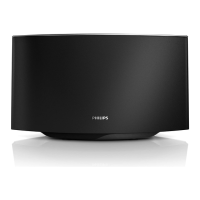
Turn AD7000W on
1 Press on the back to turn the unit on.
2 Wait for successful boot-up of the unit.
» The boot-up takes about 35 seconds.
» During boot-up, the Wi-Fi SETUP
indicator on the back of the unit blinks
green quickly.
» After boot-up, if no Wi-Fi connection
has been set up for AD7000W, the
Wi-Fi SETUP indicator starts to blink
green slowly.
• To switch the unit to Eco standby mode,
press again.
• To switch the unit on from Eco standby
mode, press again.
Tip
• If the unit stays idle for more than 30 minutes, the unit
turns off automatically. You can change this setting on
the Philips Fidelio application available on the App
Store. It is a free application offered by Philips.
3 Prepare
Always follow the instructions in this chapter in
sequence.
Connect power
Caution
• Risk of product damage! Make sure that the power
supply voltage matches the voltage printed on the
bottom of the unit.
• Risk of electric shock! When you unplug the AC
adaptor, always pull the plug from the socket. Never
pull the cord.
• Before you connect the AC adaptor, make sure that you
have completed all the other connections.
• Connect the AC power cord to
• the DC IN socket on the back of the
unit.
• the wall power socket.
EN


 To Next Page
 Loading...