15EN
5 Play
Stream audio from your
iTunes music library to
AD7000W
Note
• Make sure that your iTunes host device is connected
to the same Wi-Fi network as AD7000W. Your iTunes
device can be an iPod touch/iPhone/iPad installed with
iOS 4.3 (or later) or a Wi-Fi enabled PC/Mac installed
with iTunes 10 (or later).
• For iPhone 4S users: To ensure optimal performance
of AirPlay streaming, upgrade your iPhone 4S to iOS
5.1 or later.
Stream from your iPod touch/iPhone/
iPad
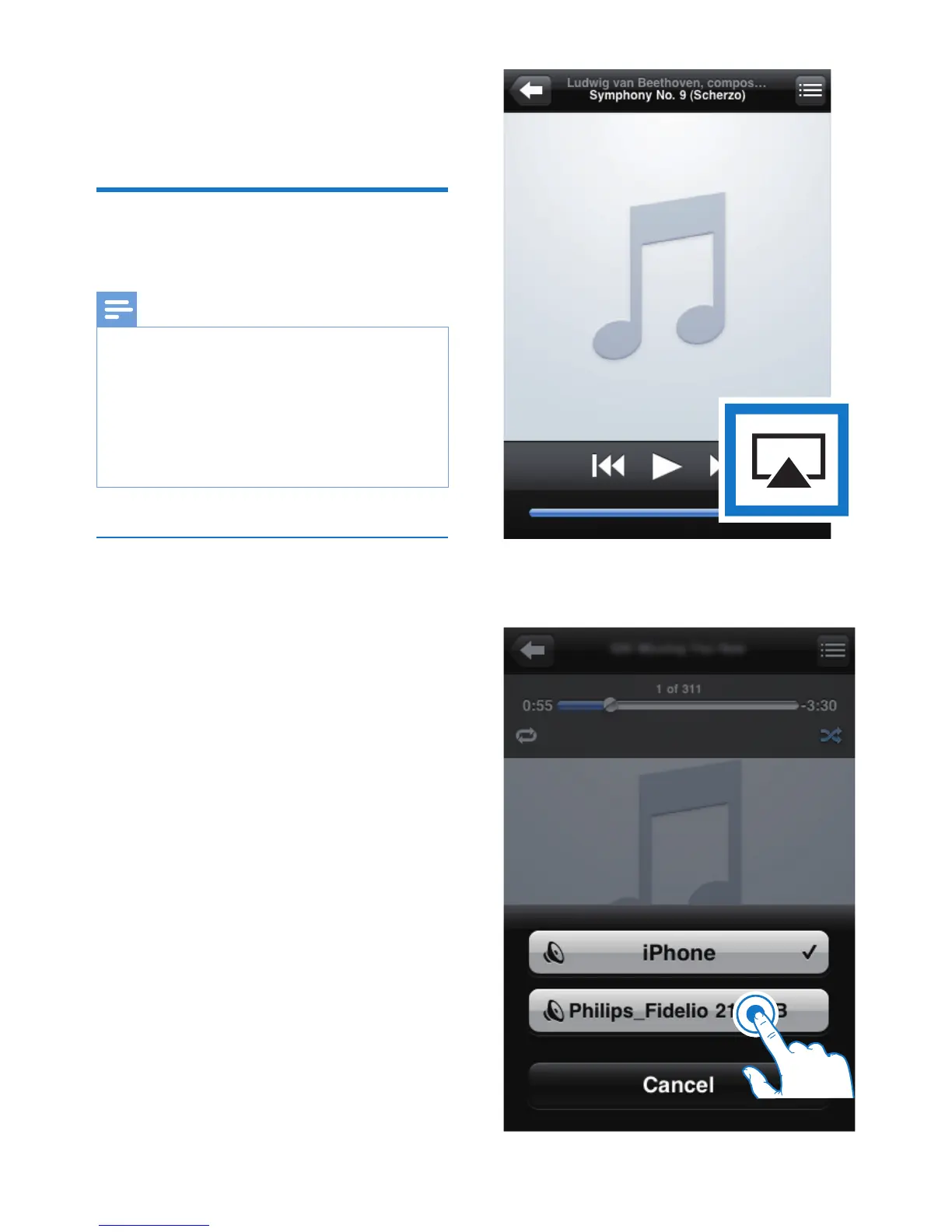
1 Launch the iPod/Music application on your
iPod touch/iPhone/iPad.
2 Tap on the AirPlay icon.










 To Next Page