EasyManua.ls Logo

Philips ADD5910M - User Manual

Philips ADD5910M
100 pages
Print Icon
To Next Page IconTo Next Page
Loading...
ADD5910M
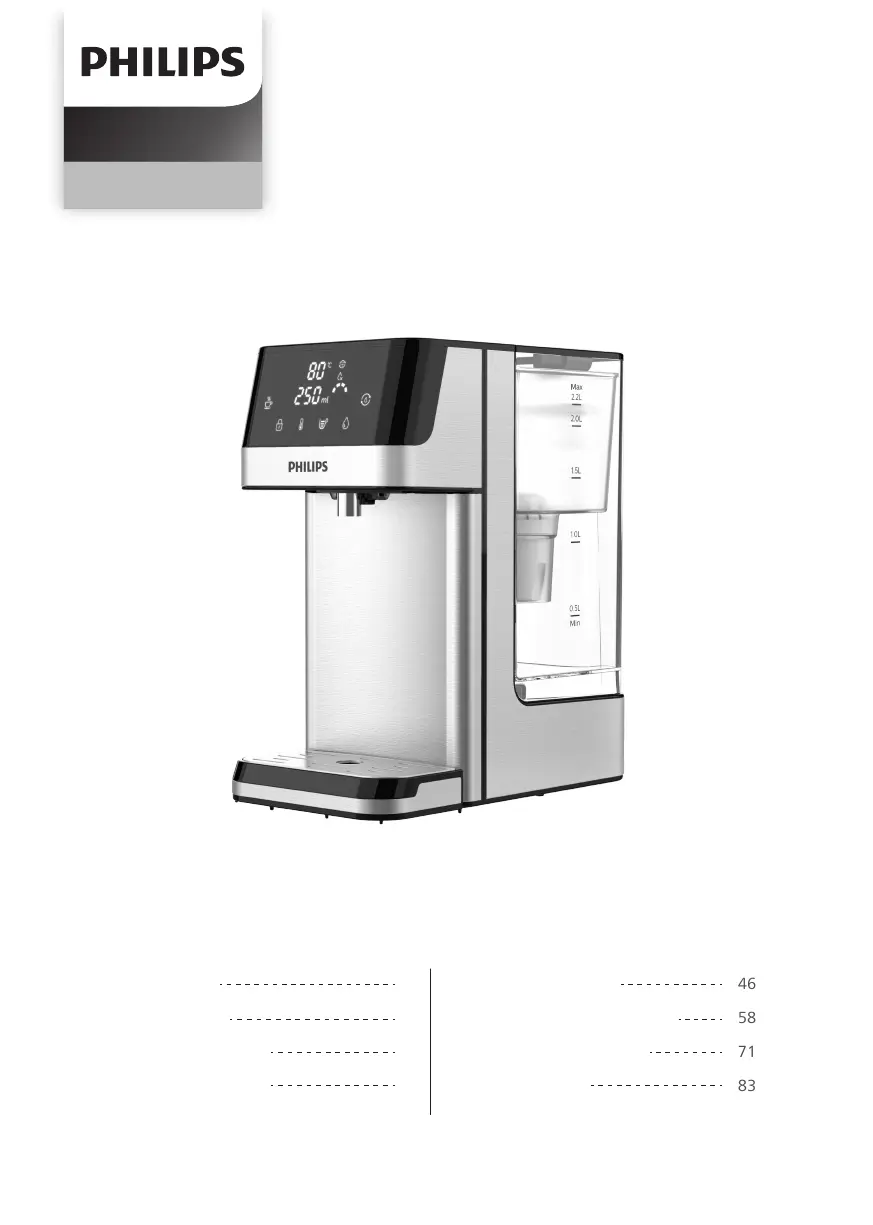
Water Dispenser
EN User manual
IT Manuale d’uso
DE Benutzerhandbuch
ES Manual del usuario
01
11
22
34
46
58
71
83
FR Manuel d'utilisation




Table of Contents

Questions and Answers

  • C
    coltonbarnesAug 15, 2025
    How to fix Philips ADD5910M Water Dispenser display panel not lighting up?
    • J
      Jessica DrakeAug 15, 2025
      If the display panel of your Philips Water Dispenser doesn't light up, it might be in sleep mode. Try touching the safety lock button to wake it up. Also, ensure the appliance is properly connected to a power source. If plugging it in doesn't solve the issue, contact consumer care.
  • F
    Frederick WelchAug 18, 2025
    Why is my Philips ADD5910M Water Dispenser not dispensing hot water?
    • P
      Patricia QuinnAug 18, 2025
      If your Philips Water Dispenser isn't dispensing hot water, first ensure it's connected to a power source. Next, check the water level in the tank; if it's below the minimum, fill it to the maximum level. Finally, verify that the dispense button isn't locked by pressing the safety lock button.
  • J
    Jason RojasAug 22, 2025
    What to do if Philips ADD5910M button/display panel does not respond?
    • B
      bethany19Aug 22, 2025
      If the buttons or display panel on your Philips Water Dispenser aren't responding, first, ensure the appliance is properly connected to a power source. If that doesn't work, the appliance might be in sleep mode; touch the safety lock button to wake it up. If there is condensed water on the display, wipe the panel with a dry cloth. If problems persist, please contact consumer care.
  • E
    Erin HubbardAug 25, 2025
    Why is the water flow slow in my Philips ADD5910M Water Dispenser?
    • B
      bhuffmanAug 26, 2025
      If the water flow from your Philips Water Dispenser is slow, limescale may have built up in the heating element. Follow the descaling instructions in chapter 5 to descale the appliance. Also, there may be air in the water pump, so fill the water tank up to the maximum water level.
  • T
    tanya66Aug 28, 2025
    Why is the water flow unstable in my Philips ADD5910M Water Dispenser?
    • M
      moorejenniferAug 28, 2025
      If the water flow from your Philips Water Dispenser is unstable, limescale may have built up in the heating element. Follow the descaling instructions in chapter 5 to descale.
  • K
    Kristin MitchellSep 1, 2025
    Why is my Philips Water Dispenser not dispensing ambient water?
    • H
      Hunter SchmidtSep 1, 2025
      If your Philips Water Dispenser isn't dispensing ambient water, make sure it's properly connected to a power source. Also, check that the water level in the tank is above the minimum; if not, fill it to the maximum level. If the issue persists, the water pump may be damaged, and you should contact consumer care.
  • T
    Troy ZimmermanSep 4, 2025
    Why does the water shortage indicator light up on my Philips Water Dispenser?
    • A
      Amanda SteeleSep 4, 2025
      If the water shortage indicator lights up on your Philips Water Dispenser, it means the water level in the tank is below the minimum. Simply fill the water tank up to the maximum level.
  • S
    sjonesSep 7, 2025
    What causes leakage of the water tank in Philips ADD5910M?
    • N
      Nicholas ManningSep 7, 2025
      If the water tank of your Philips Water Dispenser is leaking, make sure the water tank is sitting firmly on the base. Lift up the water tank and re-insert it into the appliance, ensuring it is firmly inserted. If the issue continues, the sealing valve at the bottom of the tank might be faulty, and you should contact consumer care.
  • S
    Sheila RuizSep 12, 2025
    Why does the water from my Philips ADD5910M Water Dispenser taste odd?
    • N
      nvaughnSep 12, 2025
      If the water from your Philips Water Dispenser has an odd taste, it might not have been cleaned thoroughly after descaling. Follow steps 6-9 in chapter 5 of the descaling instructions to clean the appliance. Also, if the filtered water hasn't been used for a long time, discard the remaining water and refill with fresh tap water. Finally, the filter may have reached the end of its life and needs replacement.

Summary

Important Safety Precautions

Parts and Features Overview

Control Panel Components

Details on the functions and indicators of the appliance's control panel.

Installation and Setup

Initial Cleaning and Preparation

Instructions for unpacking and initial cleaning of the appliance before first use.

Appliance Placement Guidelines

Guidelines on where to position the water dispenser for safe and optimal operation.

Using the Water Dispenser

Dispensing Hot Water

Step-by-step guide on how to use the water dispenser to get hot water.

Cleaning and Maintenance

First Time Cleaning and Filter Prep

Steps for preparing the filter cartridge and appliance before initial use.

Routine Maintenance Checks

Recommendations for regular cleaning and upkeep to ensure appliance longevity and hygiene.

Descaling Procedure

Procedure for removing limescale buildup to maintain heating efficiency and performance.

Filter Cartridge Replacement

Guidance on when and how to replace the water filter cartridge for optimal water quality.

Troubleshooting Common Issues

Guarantee and Service Information

Packing List Contents

Philips ADD5910M Specifications

General IconGeneral
Product TypeWater Dispenser
Child LockYes
Dimensions284 x 410 x 386 mm
Weight6.1 kg
TypeTable Top
MaterialPlastic
Filtration Stages4-Stage Filtration

Related product manuals