03
micro
SD
Installing in vehicles System
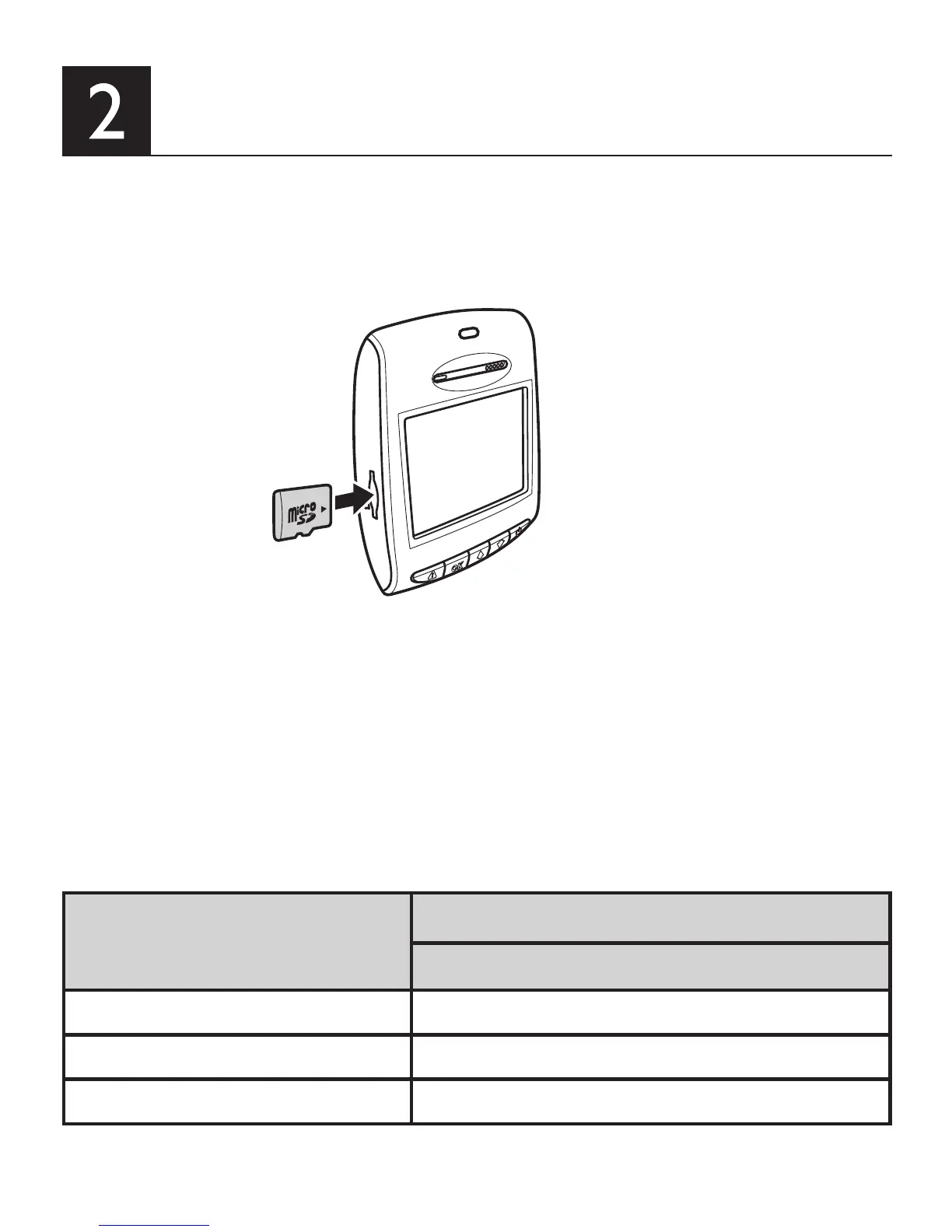
Inserting the Memory Card
• Insert the memory card with the gold contacts facing to the front of the device.
• Push the memory card until it clicks into place.
Micro SD Card Capacity
Video Resolution
(1080P/30FPS)
8GB 100 minutes
16GB 200 minutes
32GB 400 minutes
To remove the memory card
• Push to eject the memory card out of the slot.
About Micro SD Card
• Please use Micro SD card with the size/memory at least 8GB, Class 6 (up to 32GB).
• Be sure to format Micro SD card using the device before the initial usage.
• The following information is the card capacity and recording time:


 To Next Page