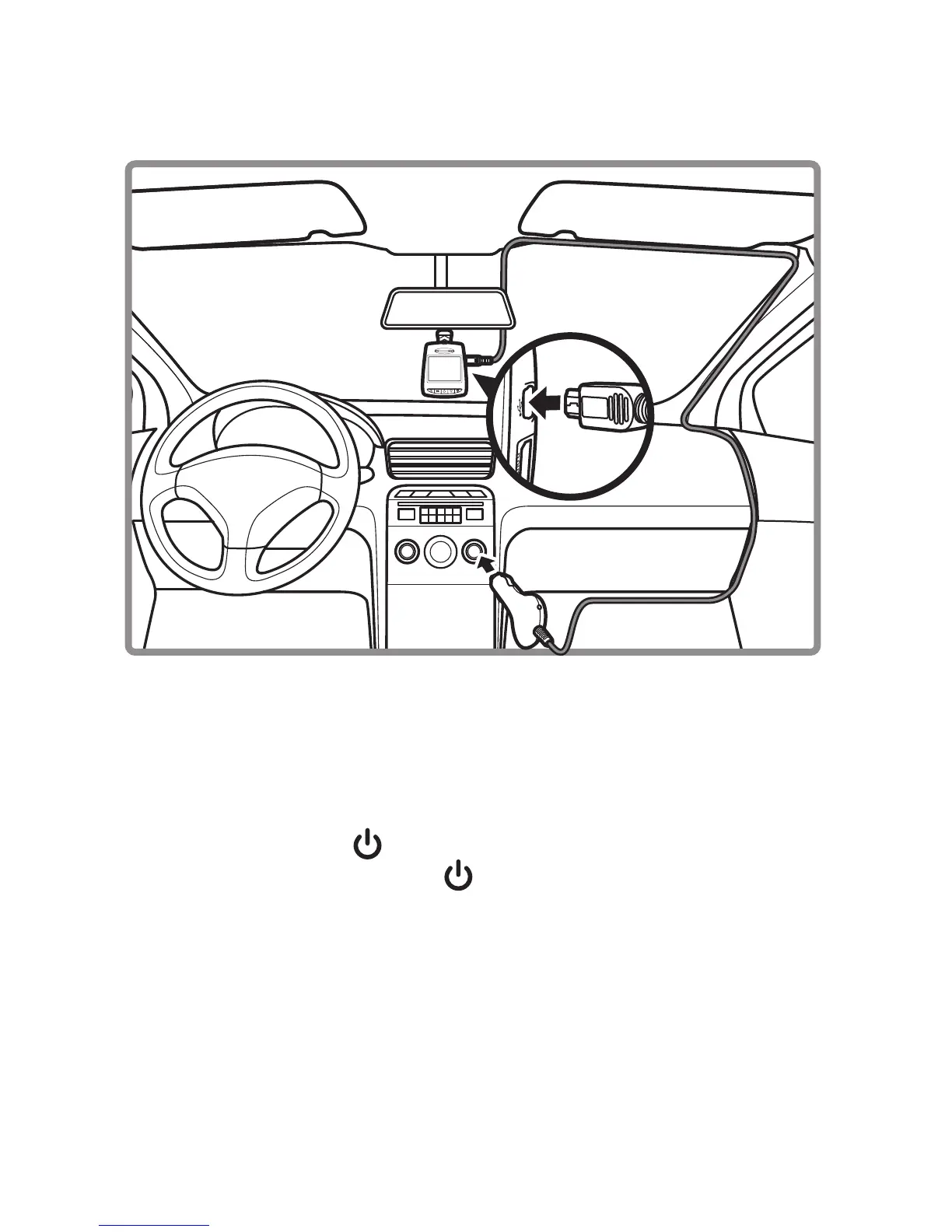
1. Connect the Mini USB interface of the car charger to the Mini USB port of the device.
2. Plug the car charger to the cigarette lighter socket of your vehicle.
Automatic power On/Off
• Once the power of the vehicle is on, the device automatically turns on.
• If you disconnect the car charger, the device automatically turns off.
Manual Power On/Off
• To turn on the device, press .
• To turn off the device, press and hold for at least 2 seconds.
Notes:
1. It is recommended to disconnect the car charger cable when the engine is off.
2. Please use our dedicated car charger to avoid non-compliance with the device.
3. SD card hot swap will easily cause system reset, please do not take out or insert SD card
when system is working.
4. Once connected to a PC though USB, the device only allow data transfer.


 To Next Page