04
HD OUT
HD OUT
HD OUT
HD OUT
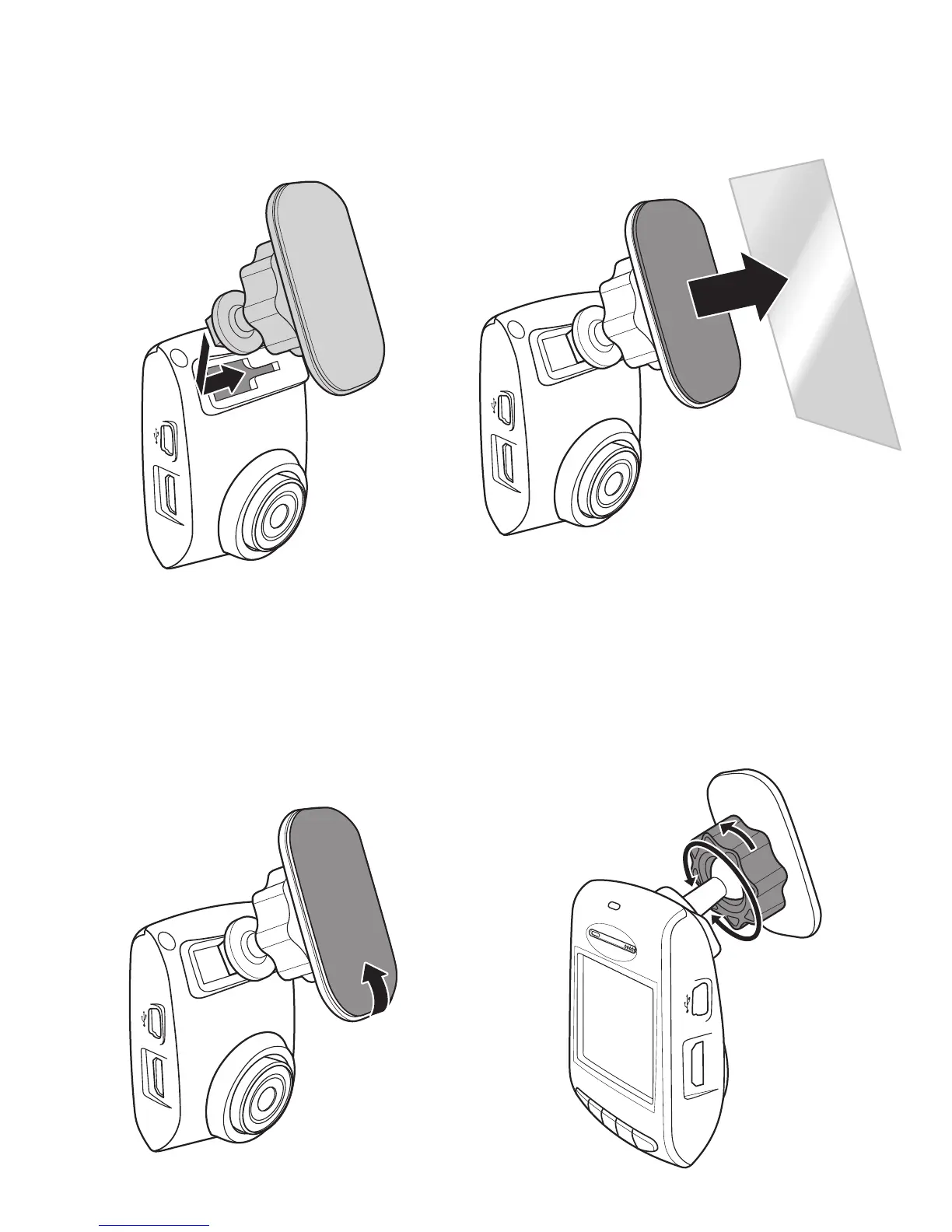
1. Attach the bracket to the device.
Slide it into the bracket holder
until you hear a click.
3. Place and press down the bracket
rmly onto your windshield.
2. Peel off the protective plastic sheet
from the adhesive bracket.
4. Adjust the device position. Loose
the knob to swivel the device to
proper position. Then tighten the
knob to make sure the device is
securely locked in place.


 To Next Page