3 Listen through the headphone
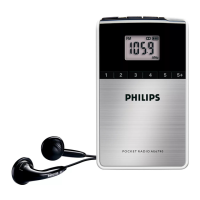
Plug a headphone into the socket on the unit.
4 Listen to radio
Note
• For optimal reception, fully extend the antenna and adjust its position.
1 Press FM or MW to select a band.
2 Turn the TUNING wheel to tune to the target radio station.
• To increase or decrease volume, turn the
wheel.
5 Use the timer
You can set a time at which the product powers on automatically.
1 In standby mode, press and hold SET TIMER.
• Do not release the button until the timer setting is
complete.
2 Press HOUR repeatedly or press and hold it to set the hour.
3 Press MIN repeatedly or press and hold it to set the minute.
4 Release SET TIMER.
• To deactivate the timer, press SET TIMER.
• To re-activate the timer, press SET TIMER again.



 To Next Page