5EN
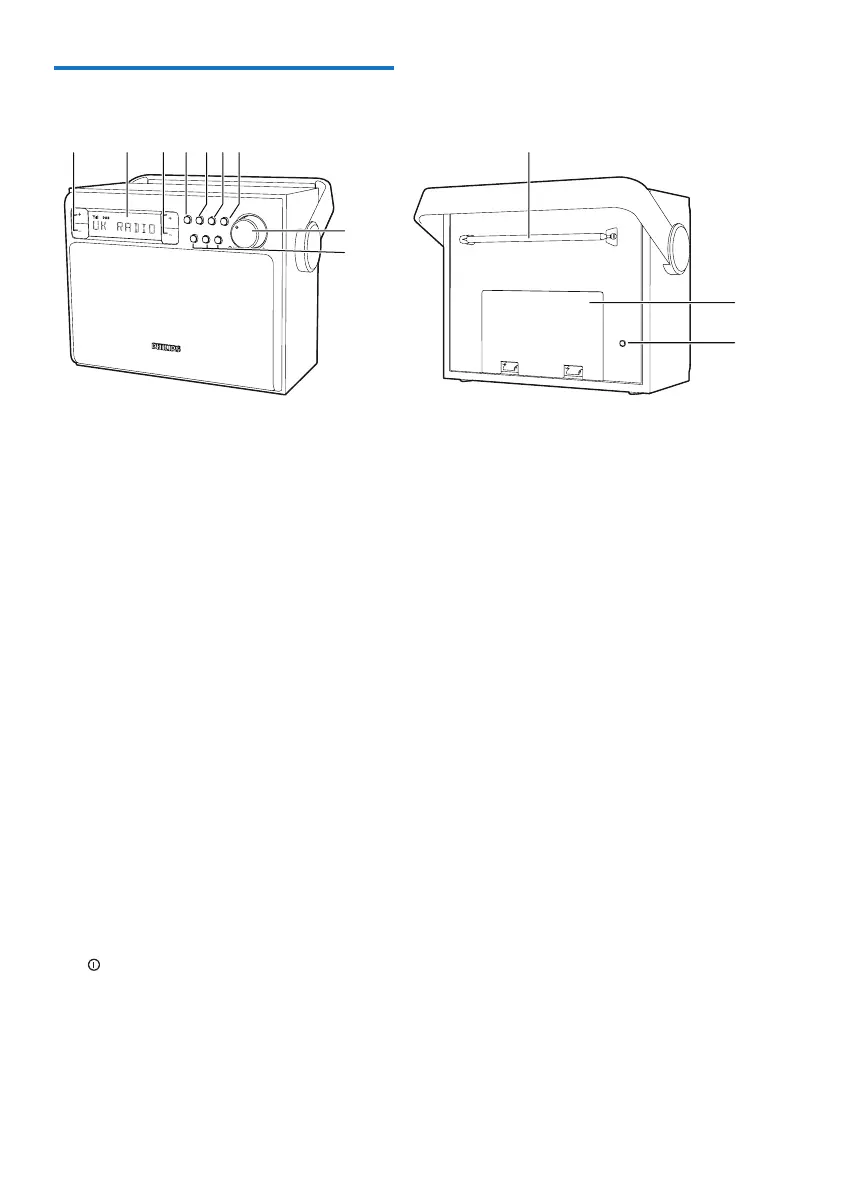
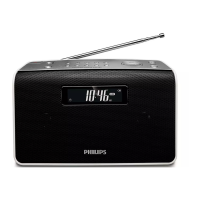
Overview of the main unit
a PRESET +/-
• Select a preset radio station
b Display panel
• Display the current status.
c TUNING +/-
• Tune to a FM station.
• Navigate a DAB station list.
• Navigate an FM/DAB menu.
d SOURCE
• Select a sound source: DAB or FM
radio.
e PROGRAM
• Store radio stations manually.
f SCAN/SELECT
• Scan/store radio stations automatically.
• ConrmDABstationselection.
• Conrmmenuselection.
g INFO/MENU
• Display DAB/RDS station information.
• (Press and hold) enter the DAB menu.
h
/VOL +/-
• Turn on or off the unit.
• Adjust volume.
i Preset 1, 2, 3
• Store/directly access preset 1, 2, or 3.
TUNING
SCAN/
SELECT
SOURCE
21
3
VOL
PROGRAM
INFO/
MENU
PRESET
abcdef
h
i
k
l
j FM/DAB antenna
• Improve FM/DAB reception.
k Battery compartment door
l DC input socket
• Connect power through the supplied
AC/DC adapter.


 To Next Page