Need help?
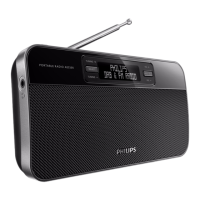
Do you have a question about the Philips AE5200/05 and is the answer not in the manual?
Discusses hearing safety guidelines for using the radio at moderate volumes and for reasonable periods.
Covers safety warnings, compliance with EC directives, and user modification cautions.
Explains proper disposal of the product and batteries according to European directives for environmental protection.
Introduces the radio's functions and lists the items included in the package.
Provides a detailed illustration and labeling of the radio's physical controls and components.
Instructions on how to position the radio on a flat, stable surface using its retractable stand.
Guidance on extending and adjusting the FM/DAB antenna for optimal reception and avoiding interference.
Details on using the radio via AC power or battery power, including battery life information.
Instructions for turning the radio unit on/off and adjusting the volume level during playback.
Step-by-step guide on how to tune to an FM radio station and search for stations automatically.
Instructions for manually storing up to 10 FM stations and selecting them using preset numbers.
Explains how to select DAB radio mode, initial scan process, and station list display.
Guide on navigating through available DAB stations and performing a scan for new DAB stations.
Details on how to view various information about a selected DAB station, such as DLS, PTY, and signal status.
Instructions for manually storing up to 10 DAB stations and selecting them using preset numbers.
Procedure for selecting a preset DAB radio station using the numeric keypads.
Explains how to navigate the DAB menu for options like system settings, manual tune, and scans.
Details on Dynamic Range Control (DRC) and different scan types (Full, Local) for DAB radio.
Provides technical specifications for the FM tuner, including tuning range and grid.
Lists general technical details of the radio, such as AC/DC adaptor, power consumption, and dimensions.
Addresses common problems like no power, no sound, and poor reception, offering troubleshooting steps.
Provides an overview of DAB digital radio, its benefits, and the concept of multiplexes.
Explains the role of DAB broadcasters and the use of DLS for scrolling text information on the display.
 General
| Brand | Philips |
|---|---|
| Model | AE5200/05 |
| Category | Portable Radio |
| Language | English |

 To Next Page