12
1
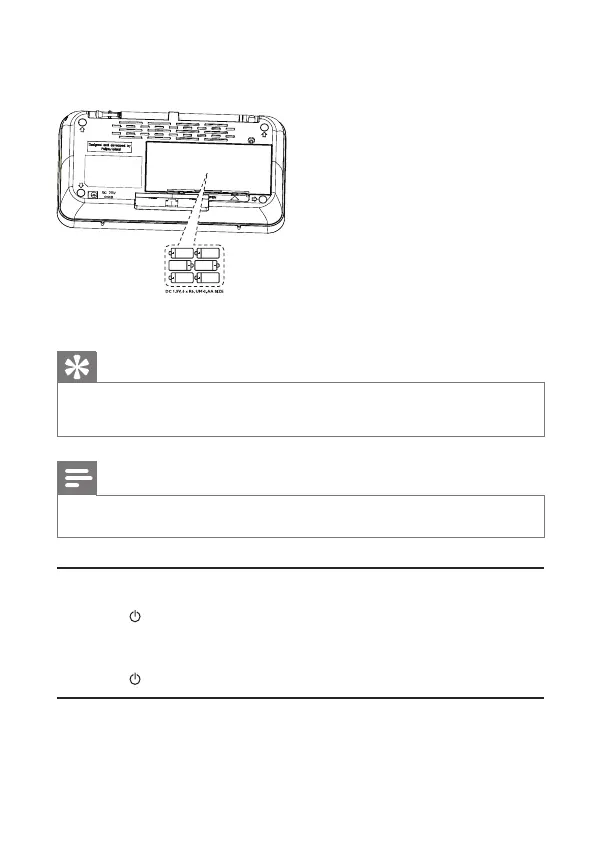
Open the battery compartment at the back of the unit.
2
Insert 6 R6/UM-3/AA size batteries (not supplied) with correct polarity
(+/-) as indicated, then close the battery compartment.
3
The unit is ready to operate.
Tip
“Battery low’ message is shown when the battery power is low. Change batteries to
•
ensure normal operation.
Note
Batteries contain chemical substances, so they should be disposed of properly.
•
Turn on
1
Press .
The unit switches to the last selected source.
»
To turn off the unit:
1
Press again.
Adjust the volume level
1
During play, press VOL+/-to increase/decrease the volume level.
EN
AE5200_05_UM_V1.1.indd 12 10/14/2009 10:35:20 AM


 To Next Page