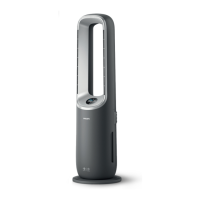
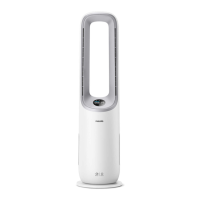
The Philips Air Performer AMF765 is a 2-in-1 air purifier and fan from the 7000i Series, designed to provide both air purification and cooling airflow.
Function Description:
The device acts as an air purifier and a fan. As an air purifier, it uses a FYM860 filter to remove airborne particles, including PM2.5 (particles smaller than 2.5 micrometers), which encompasses tobacco smoke, cooking fumes, burning candles, some airborne bacteria, mold spores, pet allergens, and dust mite allergens. The AeraSense sensing technology accurately detects and responds to particle changes, providing real-time PM2.5 feedback. As a fan, it offers two main functions: Circulation and Fan. The Circulation function distributes diffused airflow for optimal air circulation, maximizing purification performance and reducing cooling sensation, with a soft current of airflow through the front outlet at higher speeds to increase cleaning power. The Fan function creates a powerful, clean airflow that feels natural and pleasant, with a bladeless design for a consistent stream of fan airflow.
Important Technical Specifications:
- Wi-Fi Interface: Standard 802.11b/g/n/ax at 2.4GHz with a maximum output power of 64mW EIRP.
- Bluetooth: Version 5.2 (LE) at 2.4 GHz with RF output less than 10mW EIRP.
- Filter Type: FYM860 (Philips original filter recommended).
- Laser Product: Class 3R laser product (part of particle sensor), Max output 5.0mW, wavelength 650nm, continuous wave, collimated beam.
- Battery (Remote Control): Lithium button battery (CR2032).
Usage Features:
- Control: The device can be controlled via a control panel on the unit, a remote control, and the Philips Air+ app.
- Power On/Off: Can be turned on/off via the control panel button or the remote control. If connected to power, it will resume previous settings when turned on.
- Air Quality Bar: Automatically displays the air quality in colors corresponding to PM2.5 levels:
- Blue (≤12 µg/m³): Good
- Blue-purple (13-35 µg/m³): Fair
- Purple-red (36-55 µg/m³): Poor
- Red (>55 µg/m³): Very poor
Relative Humidity (RH) level is available through the app.
- Oscillation: Activates oscillation feature with angles of 45°, 90°, 180°, 270°, 350°, and OFF. The oscillation angle is displayed on the screen.
- Fan Speed: Manually adjustable fan speed from 1 to 10 using the arrow buttons on the remote control.
- Modes:
- Auto Mode (A): Automatically adjusts settings for best performance.
- Sleep Mode (C): Operates quietly at a low speed; screen light switches off after 3 seconds.
- Turbo Mode (@): Activates by pressing and holding the function switch button for 3 seconds on the remote control. It opens all air outlets and cleans air at maximum speed, automatically switching to Circulation function.
- App-operated Mode (): A mode exclusively available through the Philips Air+ app.
- Child Lock (1): Activates by pressing the timer button for 3 seconds on the remote control, preventing unintended operation. Deactivated by pressing the same button for 3 seconds again.
- Timer: Allows setting the appliance to operate for 0.5h, 1h, 4h, or 8h, after which it automatically switches off. Deactivated by repeatedly pressing the timer button until "OFF" displays.
- Light Sensor: The control panel automatically turns on, turns off, or dims according to ambient light. All lights can be temporarily turned on by touching any button.
- Wi-Fi Connectivity: Connects to the Philips Air+ app for remote control and additional features. The Wi-Fi indicator shows connection status (blinking orange for connecting to smartphone, stable orange for connected to smartphone, blinking white for connecting to server, stable white for connected to server, off for disabled Wi-Fi). Wi-Fi cannot be manually switched off but will turn off automatically if not connected within 15 minutes of powering on. Pairing mode can be re-activated by long-pressing the power button for 7 seconds.
Maintenance Features:
- Cleaning Schedule:
- When necessary: Wipe plastic parts with a soft, dry cloth; clean the air outlet cover.
- Every two months: Clean the particle sensor with a vacuum cleaner or a dry cotton swab.
- When filter cleaning alert () displays: Clean the surface of the filter with a vacuum cleaner.
- Body Cleaning: Regularly clean the inside and outside of the Air Performer with a soft, dry cloth to prevent dust accumulation.
- Particle Sensor Cleaning: Recommended every 2 months for optimal functioning. More frequent cleaning may be needed in dusty environments or if high humidity causes condensation and false air quality readings.
- Filter Replacement: The filter replacement alert () lights up red when the filter needs to be replaced. The filter (FYM860) is not washable or reusable.
- Replacement Process: Involves switching off and unplugging the device, removing the back cover, pulling out the old filter, removing packaging from the new filter, inserting the new filter, reattaching the back cover, plugging in and turning on the device, then pressing and holding the function switch and timer buttons for 3 seconds to reset the filter cleaning time.
- Filter Reset: The filter lifetime counter can be manually reset even if the replacement alert is not displayed. This involves turning off and unplugging the device, then pressing the power button for 3 seconds. After replacing the filter, plug in and turn on the device, then within 15 seconds, press and hold the function switch and timer buttons for 3 seconds to reset the filter lifetime counter.
- Battery Replacement (Remote Control): The remote control uses a CR2032 button battery. To replace, rotate the battery compartment cover counterclockwise, remove the old battery, insert the new battery with correct polarities, and rotate the cover clockwise to close.
- Storage: Before storing, turn off and unplug the device, clean the Air Performer, particle sensor, and filter surface, let all parts air dry, wrap the filter in airtight plastic bags, and store in a cool, dry location. Always wash hands thoroughly after handling the filter.

 Need help?
 General






 To Next Page